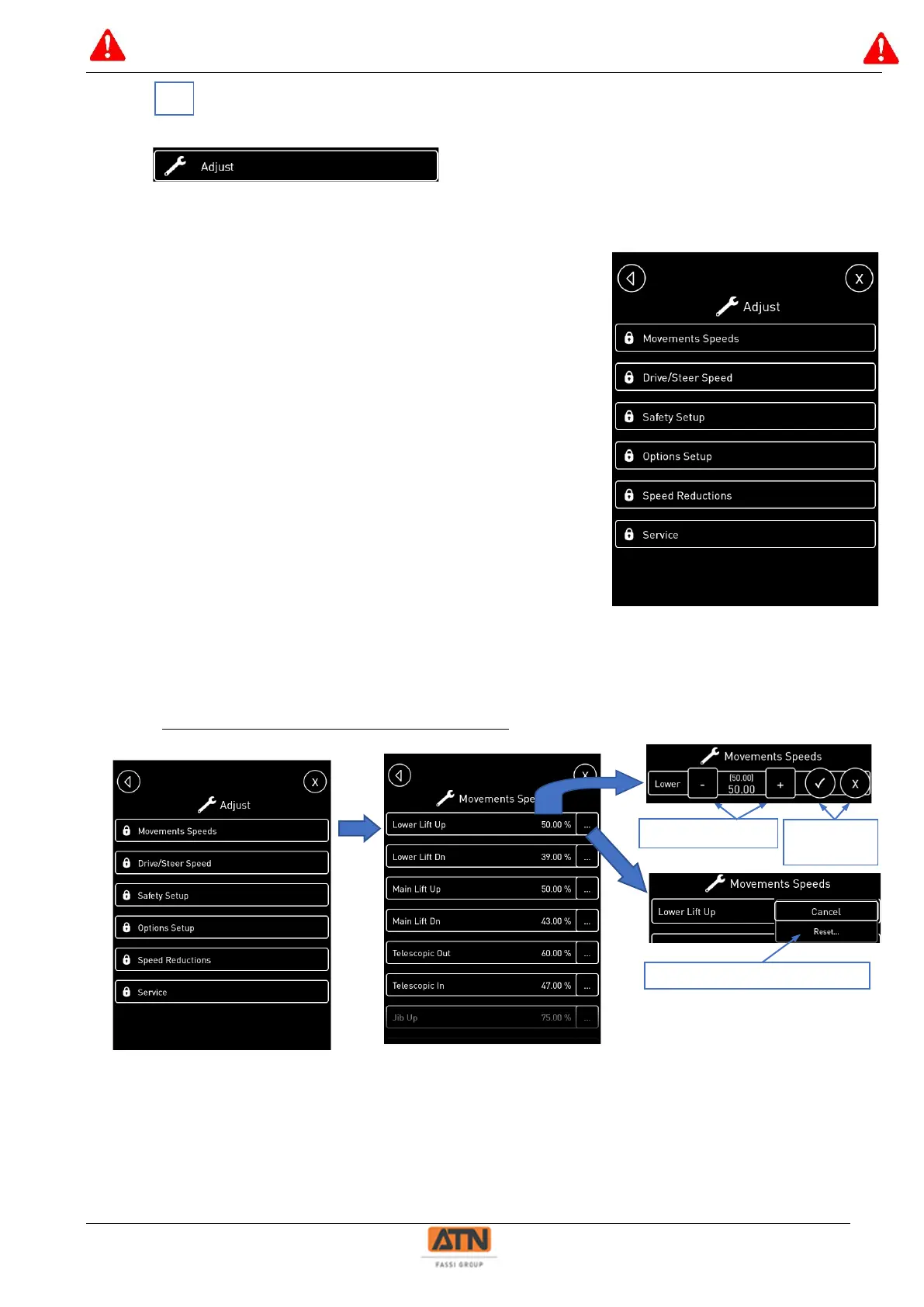
Click on the menu « Adjust » to get to the speed, safety and option settings:
Access to the settings is protected by a 4-digit PIN code.
The menu « Adjust » gives access to the following menus:
- Movement speeds: access to the settings of all elevation
movements
- Drive/Steer speeds: access to the settings of drive and
steering movements.
- Safety Setup: access to the safety parameters (tilt,
overload…)
- Option Setup: access to parameters and option activation
(generator, flashing light, start&stop, …)
- Speed reductions: access to speed reduction of the
elevation movements for combined movements.
- Service: access to various internal parameters (preheat
duration, detection engine started)
Example of speed adjustment for arm 1 elevation:



 To Next Page