30
April 2007
e-motion™ Operating Manual - B-Level STD
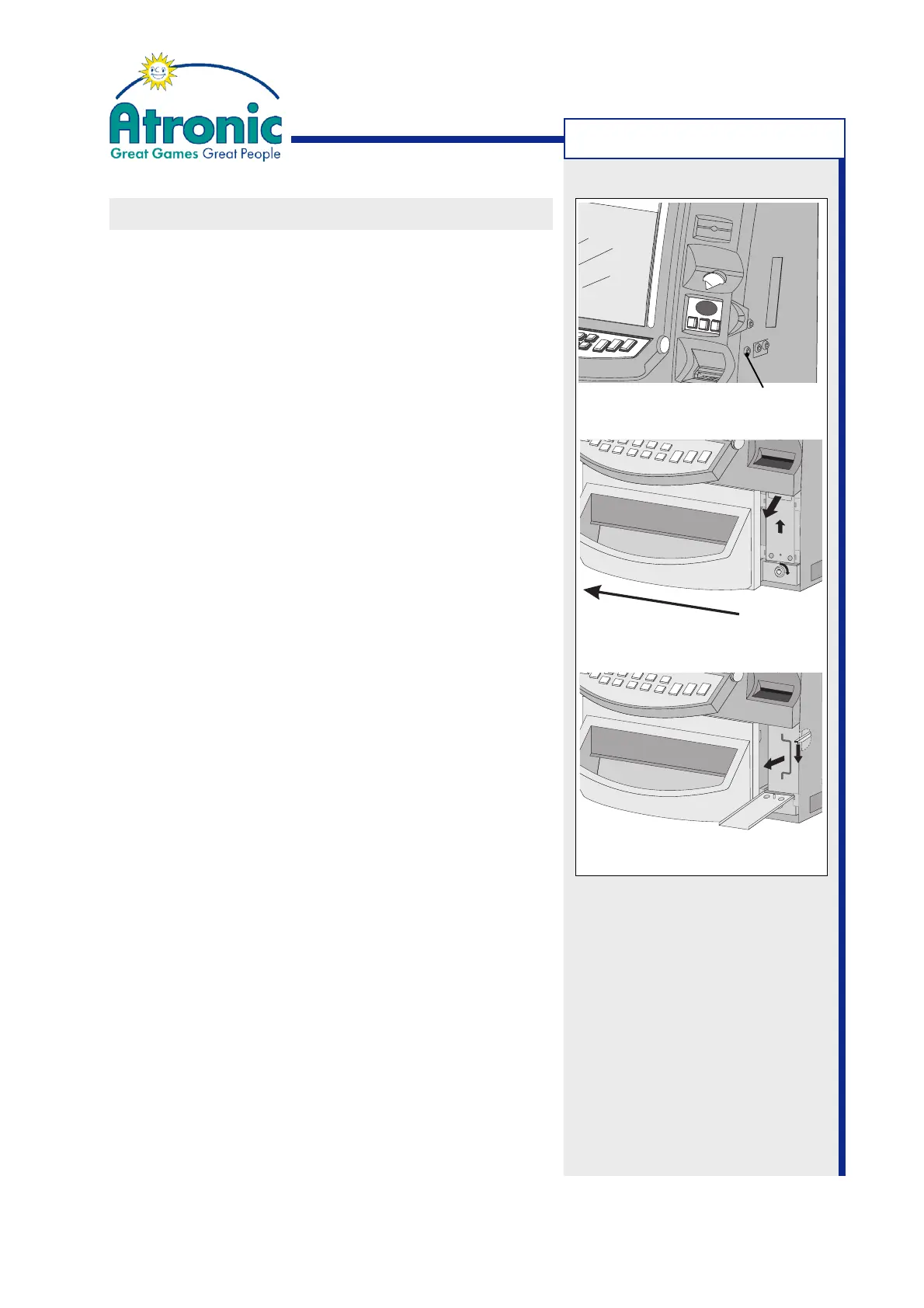
Figure a
Figure c
Figure b
MACHINE HANDLING
Hopper Drawer Lock
CASHBOX EXCHANGE / REMOVAL
Follow these procedure to exchange or remove the
bill cashbox (stacker).
1. Unlock the hopper drawer lock (fig. a) and leave it
unlocked (do not remove the key).
2. Slide the coin bowl to the left.
3. Unlock the cashbox access door by turning the
key 90° clockwise. Push the door a bit upwards
and open it (fig. b).
Note:
The cashbox access door is ex works equipped
with a R29901 lock.
4.
JCM WBA bill acceptors:
Depress the cashbox release lever and take the
cashbox out (fig. c).
JCM UBA bill acceptors:
Pull the cashbox handle and take the cashbox out.
5. Install an empty cashbox.
6. Close and lock the cashbox access door. Make sure
the lock is fully engaged.
7. Slide the coin bowl back to the right, lock the hop-
per drawer and remove the key.
If your machine is not equipped with a cashbox access
door, leave out step 3 and 6.
Note:
Internal casino rules for bill handling may require ad-
ditional tasks.



 To Next Page