39
April 2007
e-motion™ Operating Manual - B-Level STD
TROUBLESHOOTING
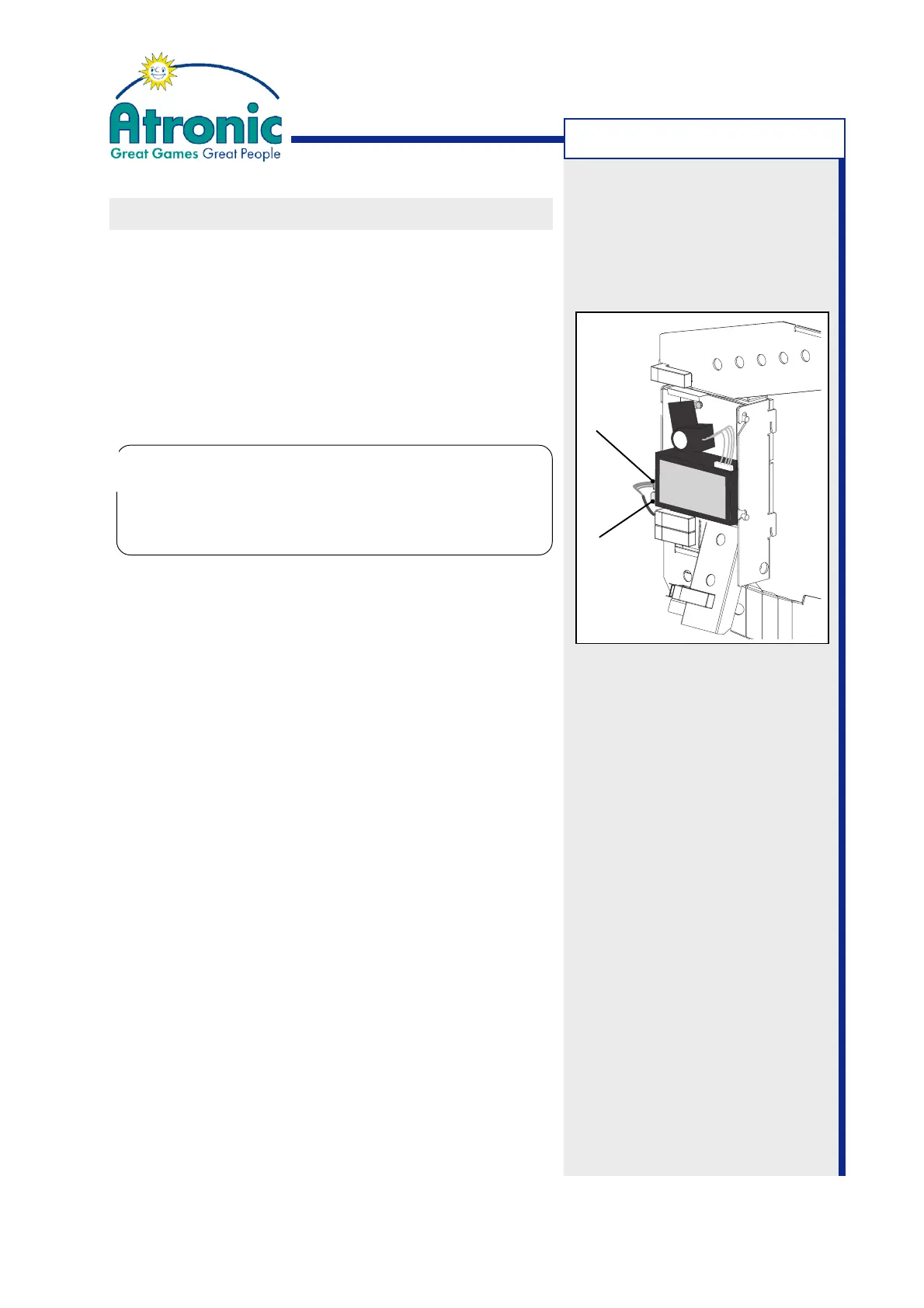
Spring
Clip
Connector
CLEARING COIN IN JAM
To clear a coin jam in the coin-in assembly, follow these
steps.
1. Open the maindoor and make sure that the coin
acceptor is not active (front LED is not lit).
2. Gently bend the spring clip to the left until it re-
leases the coin acceptor.
3. Carefully unplug the coin acceptor.
4. Take the coin acceptor out.
5. Carefully remove coins that may have jammed insi-
de the coin acceptor.
6. (CC/MC-16 coin comparitors only)
Check the sample coin for proper seating.
7. Check the coin chutes for jammed coins and/or
debris and clear them, if needed.
8. Re-install coin acceptor and plug in the connec-
tor.
9. Close and lock the maindoor.
10.(Optional)
Check coin handling with "Service Menu / Diagno-
stics / Coin Acceptor / Coin Diverter Test" and "Op-
tic Test".
Do not unplug by pulling the attached cables.
Do not unplug the coin acceptor while it is acti-
ve (lit green LED at CC/MC-16). This may cause
permanent damage to the coin acceptor!
!
!



 To Next Page