41
April 2007
e-motion™ Operating Manual - B-Level STD
SERVICE MENU
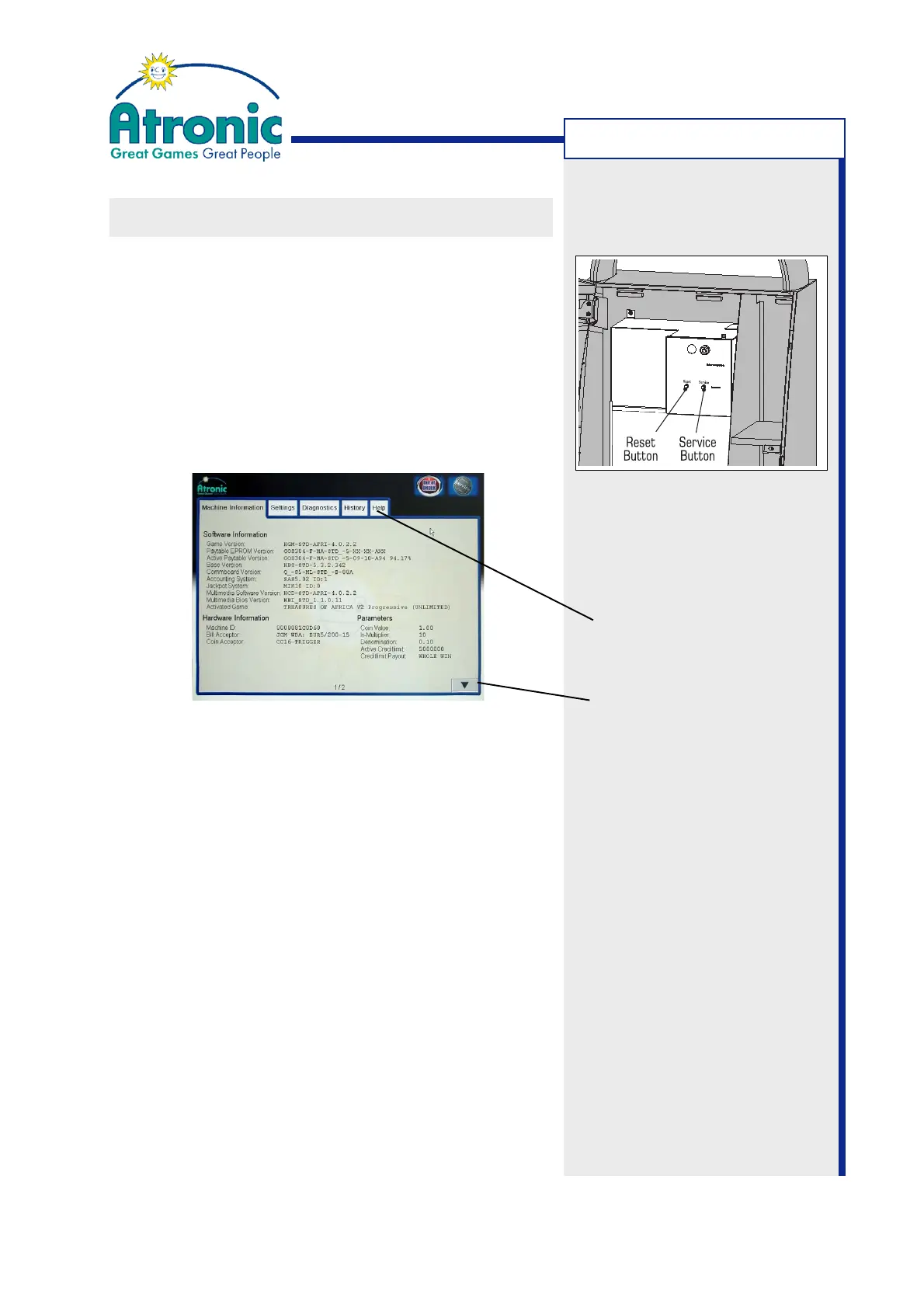
Folder Tabs
(Page) Down Arrow
Note:
(Only if a Commboard is
installed) The Service Menu
can be activated (without
opening the Maindoor) by
sending SAS long poll 0A -
enter maintenance mode. To
exit Service Menu send 0B -
exit maintenance mode.
SERVICE MENU
Several pages of information, configuration and
diagnostics can be accessed from the Service Menu.
The structure of the Service Menu is designed to be
user friendly and self-explanatory.
• To access the Service Menu, press the service
button at the front of the logic box. The maindoor
switch must be in the open position.
• To exit the Service Menu, press the service but-
ton again or close the maindoor.
MACHINE INFORMATION - Provides information about
software versions and machine settings.
SETTINGS - Provides operator-selectable settings and
item jackpot configuration. Before they can take effect
changes in folder SETTINGS must be saved by
touching the SAVE button.
DIAGNOSTICS - Provides hard- and software
diagnostics for trouble shooting.
HISTORY - Provides game and machine statistics
(softmeters).
HELP - Overview of hardware error codes.
To navigate to the desired folder, touch the assigned
Folder Tab. Some menus have information stored on
more than one page, which is indicated at the bottom
of each page. Use the up and down arrows to scroll
through the pages.
Pop-up Help
To view a definition of an item on a page, touch the
item and a definition pop-up window is displayed.



 To Next Page