31
April 2007
e-motion™ Operating Manual - B-Level STD
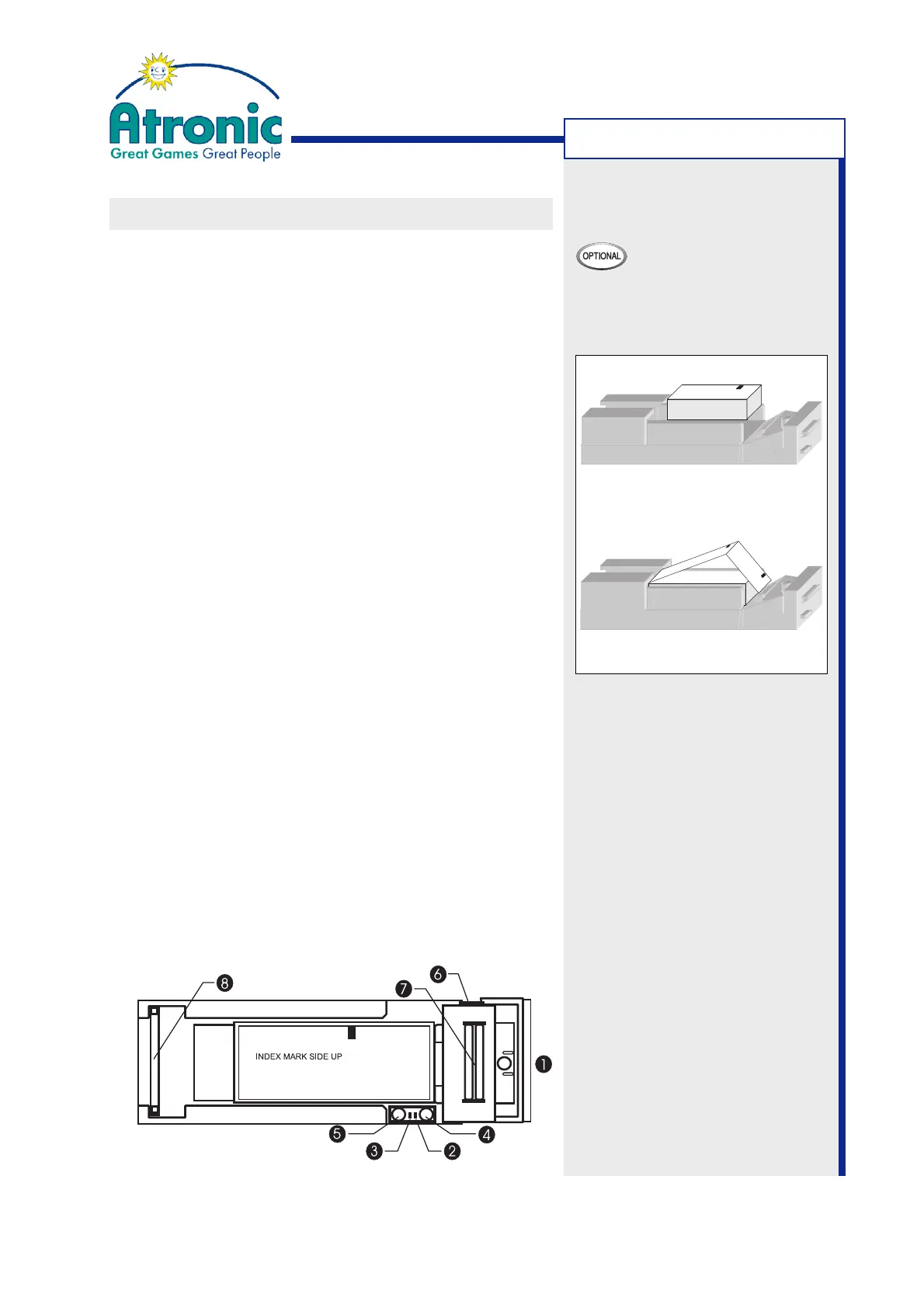
Figure a
Figure b
1. Front Bezel Display
2. Error! LED
3. Status LED
4. FEED Button
5. CUT Button (no function)
6. Platen Release Lever
7. Paper Insertion Slot
8. Ribbon Cable
MACHINE HANDLING
VOUCHER PAPER REFILL
To refill the voucher printer with paper, follow these
steps (procedure for Future Logic PSA-66 printer).
1. Open the maindoor.
2. Pull open the printer drawer until the paper tray
is completely accessible.
3. Remove any remaining paper and debris from the
paper tray. Use the blue platen release lever (6) to
release the paper from the paper insertion slot (7).
4. Place the new thermal paper stack into the paper
tray (fig.a) with its index mark alligned as indica-
ted by the label inside the paper tray.
Note:
Some thermal papers have a "this side up" note on
their printable side. Please ignore this note as
most printers will issue vouchers with their prin-
table side facing downwards.
5. Insert paper into the paper insertion slot (fig. b).
The printer will automatically pull through one or
two vouchers.
Note:
The platen release lever is provided to assist in
loading paper, but is normally not required.
6. Remove the excess vouchers.
The printer is now ready to print.
7. Slide the printer drawer closed and close / lock
the maindoor.
8. Clear any printer error message by means of the
audit key.



 To Next Page