6
April 2007
e-motion™ Operating Manual - B-Level STD
HOW TO IDENTIFY THE SOFTWARE LEVEL
This section explains, how to identify the software
version and its software level. The naming of the Main
Base EPROM indicates the software level (major
version) and the jurisdiction.
To identify the Main Base EPROM version:
1. Turn the audit key. The Audit Menu is displayed.
2. Open the folder MACHINE INFORMATION and look
for the (MAIN) BASE VERSION, which begins with
the letters "HBS".
(for example HBS-STD-11.1.2.81).
or
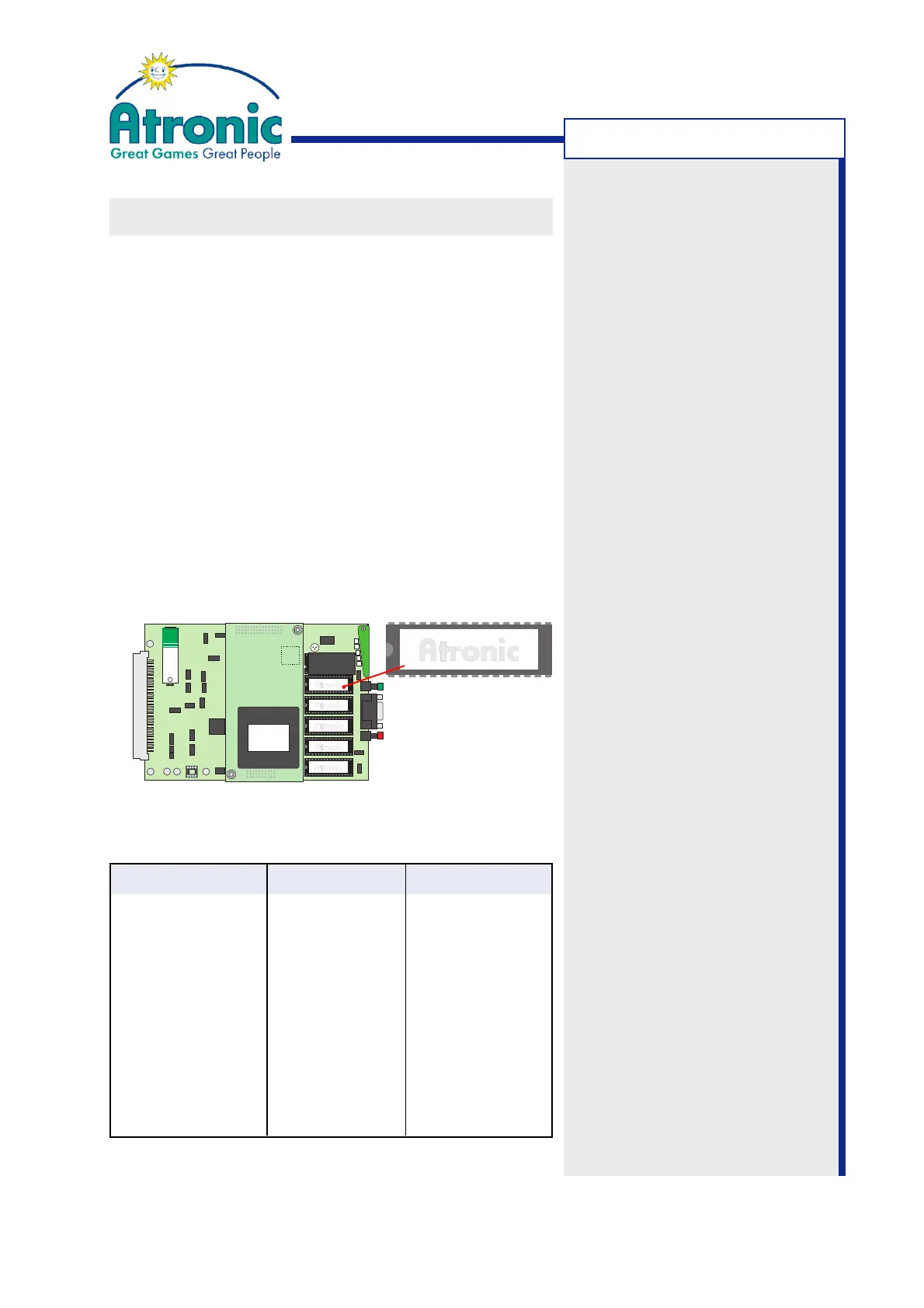
1. Open the maindoor and open the logic box.
2. Remove the mainboard and check the label of the
EPROM mounted on socket U5.
Software Level Matrix
Main Base Version Software Level Jurisdiction
HBS-STD-3.x.x.xx A-Level Standard
HBS-USA-4.x.x.xx A-Level USA
HBS-STD-5.x.x.xx B-Level 1.2.1 Standard
HBS-USA-5.x.x.xx B-Level 1.2.1 USA
HBS-STD-7.x.x.xx B-Level 1.2.3 Standard
HBS-USA-7.x.x.xx B-Level 1.2.3 USA
HBS-STD-10.x.x.xx C-Level 1.x.x Standard
HBS-STD-11.x.x.xx C-Level 4.x.x Standard
HBS-USA-11.x.x.xx C-Level 4.1.x USA
Software Version:
This term is used to identify a
particular software set,
comprising of EPROMs, CD-
ROM and Security Device.
Software versions can differ in
jurisdiction, game title, linked
gaming concept and paytable.
Software Level:
This term is used to identify a
level of functionality and
compatibility. The software
level is determined by the Main
Base EPROM version.
Software Manuals:
Atronic software manuals refer
to a certain software level.
For example:
Atronic Hi(!)bility™
Software / Basic Setup
for B-Level Software
Version B1.2.3
66001234 8M MX27C8000PC-10MB U05
HBS-STD-11.1.2.81
+
P1
U5
U6
U7
U8
U9
U22
SD
U2-F
INTRODUCTION



 To Next Page