LL
co
....
N
"
N
....
0
N
>
co
In curves
Applies to: vehicles with Audi adaptive cruise control/Audi pre
sense front
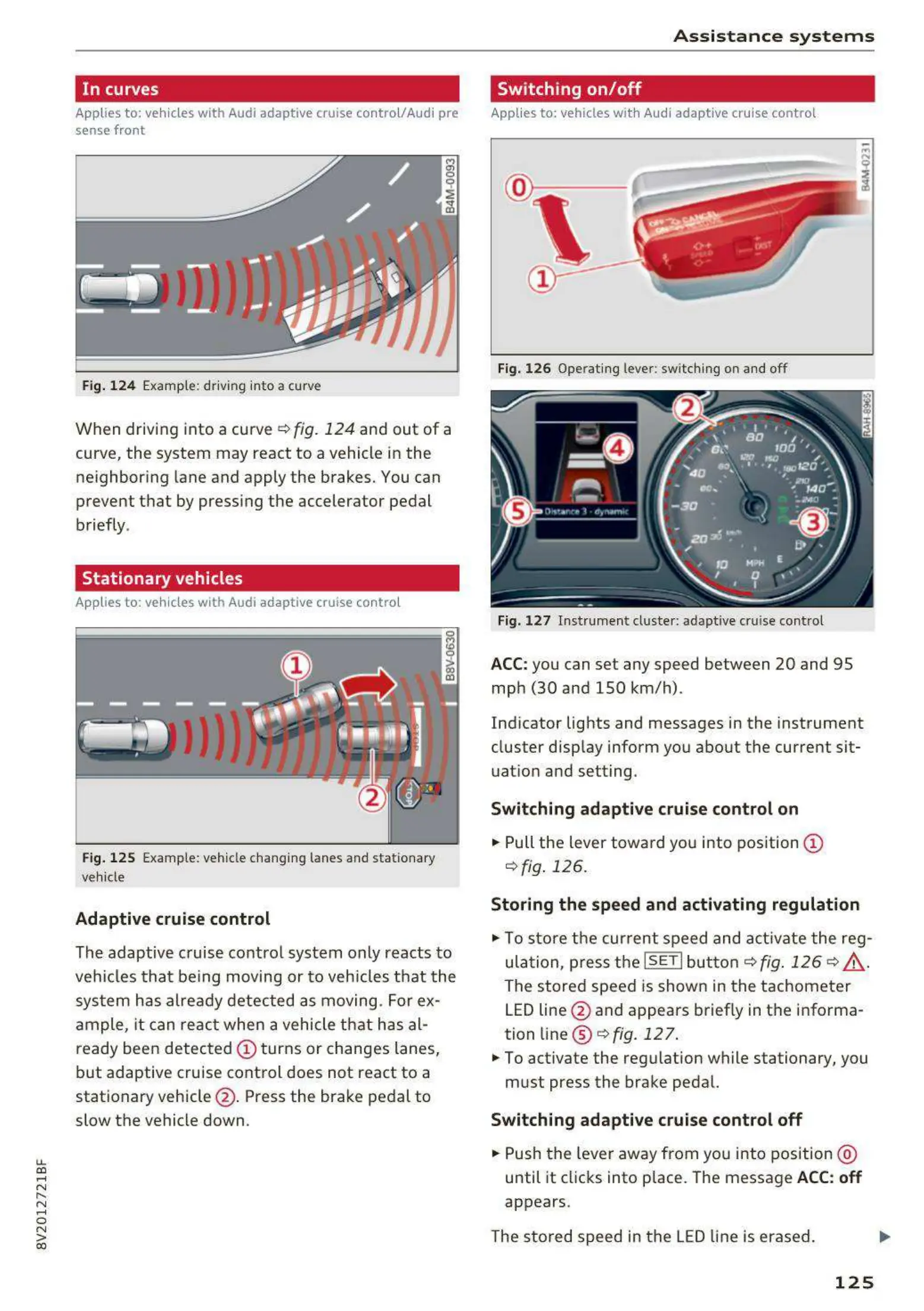
Fig. 124 Example: driving into a curve
When driving into a curve ¢ fig. 124 and out of a
curve, the system may react to a vehicle in the
ne ighboring lane and apply the brakes. You can
prevent that by pressing the accelerator pedal
briefly .
Stationary vehicles
Applies to: vehicles with Audi adaptive cruise control
J))
Fig. 125 Example: vehicle changing lanes and statio nary
vehicle
Adaptive cruise control
The adaptive cruise contro l system only reacts to
ve hicles that being moving or to veh icles that t he
syst em has alre ady detected as moving. For ex-
ample, it can reac t when a vehicle that has al-
ready been detected CD turns or changes lanes,
but adaptive cruise control does not react to a
stationary vehicle @ . Press the brake pedal to
slow the vehicle down.
A s si s t a nce systems
Switching on/off
Applies to: vehicles with Audi adaptive cruise control
Fig. 126 Operat ing lever: switch ing on and off
Fig. 127 I nstrume nt clust er: adaptive cruise control
ACC: you can set any speed between 20 and 95
mph (30 and 150 km/h) .
Ind icator lights and messages in the instrument
cluster disp lay inform you about the current sit-
uatio n and setting.
Switching adaptive cruise control on
"' Pull the lever towa rd you into pos ition CD
¢fig . 126.
Storing the speed and activating regulation
"' To store the cur rent speed and act ivate the reg-
ula t ion, press the
ISETI but t on¢ fig. 126 ¢ .&_.
The stored speed is show n in t he tachometer
LED line @ and appears briefly in the informa-
tion line @ ¢
fig. 127 .
"' To act ivate the reg ulation while stationary, you
must press the brake pedal.
Switching adaptive cruise control off
"' Push the lever away from you into position @
until it clicks into place. The message
ACC: off
appears.
The st ored speed in the LED line is erased.
125



 To Next Page