LL
co
....
N
"
N
....
0
N
>
co
A WARNING
Adjust the volume of the audio system so that
signals from outside the vehicle, such as po-
lice and fire sirens, can be heard easily at all
times.
@ Tips
The MMI switches off automatically if the en-
gine is not running and the vehicle battery is
low .
Infotainment system
display
Switching on/ off
.,. Press the lc,J or C:,I button to switch the Info -
ta inment system on and off .
When the MMI is switched on and the display is
switched off, you can operate certain functions
using the On/Off knob with the MMI joystick
function
¢ page 154.
(D Tips
There may be delays when switching on the
display.
Multi Media Inte rface
MMI operation
Selecting and confirming a function
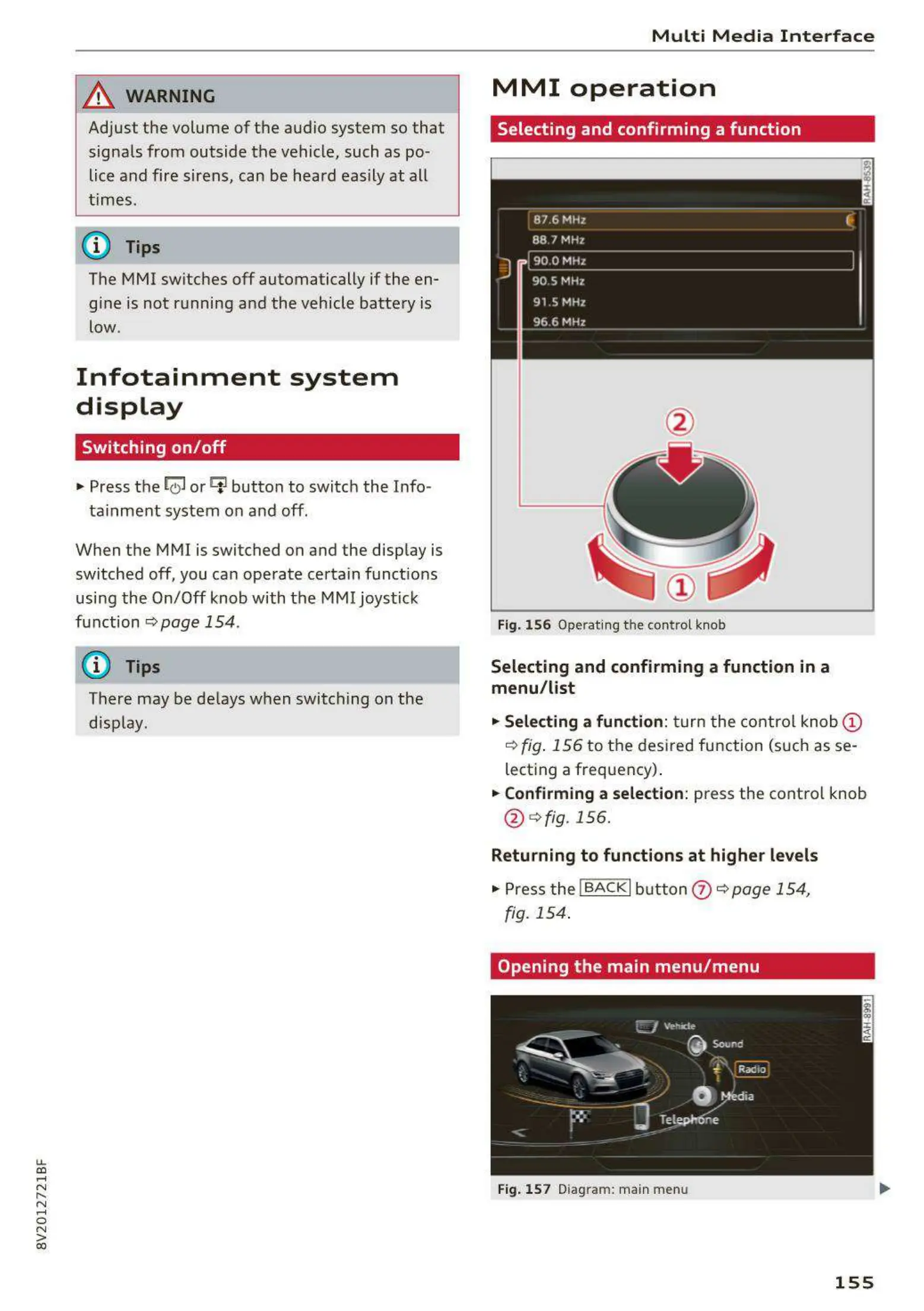
Fig. 156 Operating the control knob
Selecting and confirming a function in a
menu / list
.,. Selecting a function:
turn the control knob @
¢ fig. 156 to the desired function (such as se-
lecting a frequency) .
.,. Confirming a selection: press the control knob
@ ¢ fig.156.
Returning to functions at higher levels
.,. Press the ! BACKI button (?) ¢ page 154,
fig. 154 .
Opening the main menu / menu
Fig. 157 Diagram: main menu
155



 To Next Page