Navigation
Cancel route guidance
Applies to: vehicles with navigation system
Requirement: route guidance must be active.
.,. Press the
I NAV/MAPI button repeatedly until
the
Enter destination menu is displayed
c:::>page201, fig . 182 .
.,. Turn the control knob to the left until the active
route g uidance is shown
c:::>page 205, fig. 184 .
.,. Se lect and confirm Cancel route guidance (D
c:::> page 205, fig . 184 . The destination is delet -
ed. Or: se lect the right control button > Cancel
route guidance.
Additional options when entering a
destination
Applies to: vehicles with navigat ion system
.,. Press the right control button .
Depending on the selected function, the follow-
ing options may be available when entering a
destination:
Cancel route guidance: Requirement: route guid-
ance must be active. Route guidance is canceled.
For addit ional information, see c:::> page 206 .
Country information: you can disp lay the appli-
cable urban and rural speed limits for any coun-
try/state. If this function is activated, the infor-
mat ion will be automatically shown to you in the
route information
(z) c:::> page 210, fig . 189 when
the speed limit is exceeded
c:::> page 212 .
Country/state selection: see c::> page 202, Nar-
rowing the search area.
Route criteria: see c:::> page 209, Route criteria.
Show location on map : Requirement: you must
have se lected a destination from the results list.
The destination entered is displayed on the map .
Parking at this location *: Requirement: you
must have selected a destination from the re-
sults list . All parking options near the selected
location are displayed in the Infotainment sys-
tem .
Delete : t he selected en t ry is deleted. You can de-
lete individua l entries or all entries (for example,
favorites or last destinations).
206
Audi connect at this location* : Requirement : you
must have se lected a destination from the re-
su lts list. Allows you to search for items in the vi-
cinity of the selected location, such as
Travel in-
formation.
Online traffic data *:
the on line traffic informa-
tion
c:::> page 216 can be sw itched on or off .
Add destination to contact: see c:::> page 208.
Store as favorite: see c:::> page 208 .
Voice guidance: see c:::> page 210.
Navigation settings : see c:::> page 209.
(D Tips
Information on on line traff ic data* can also
be found on line at www.audiusa .com .
Personal route
assistance
Applies to: vehicles with navigation system and personal
route assistance
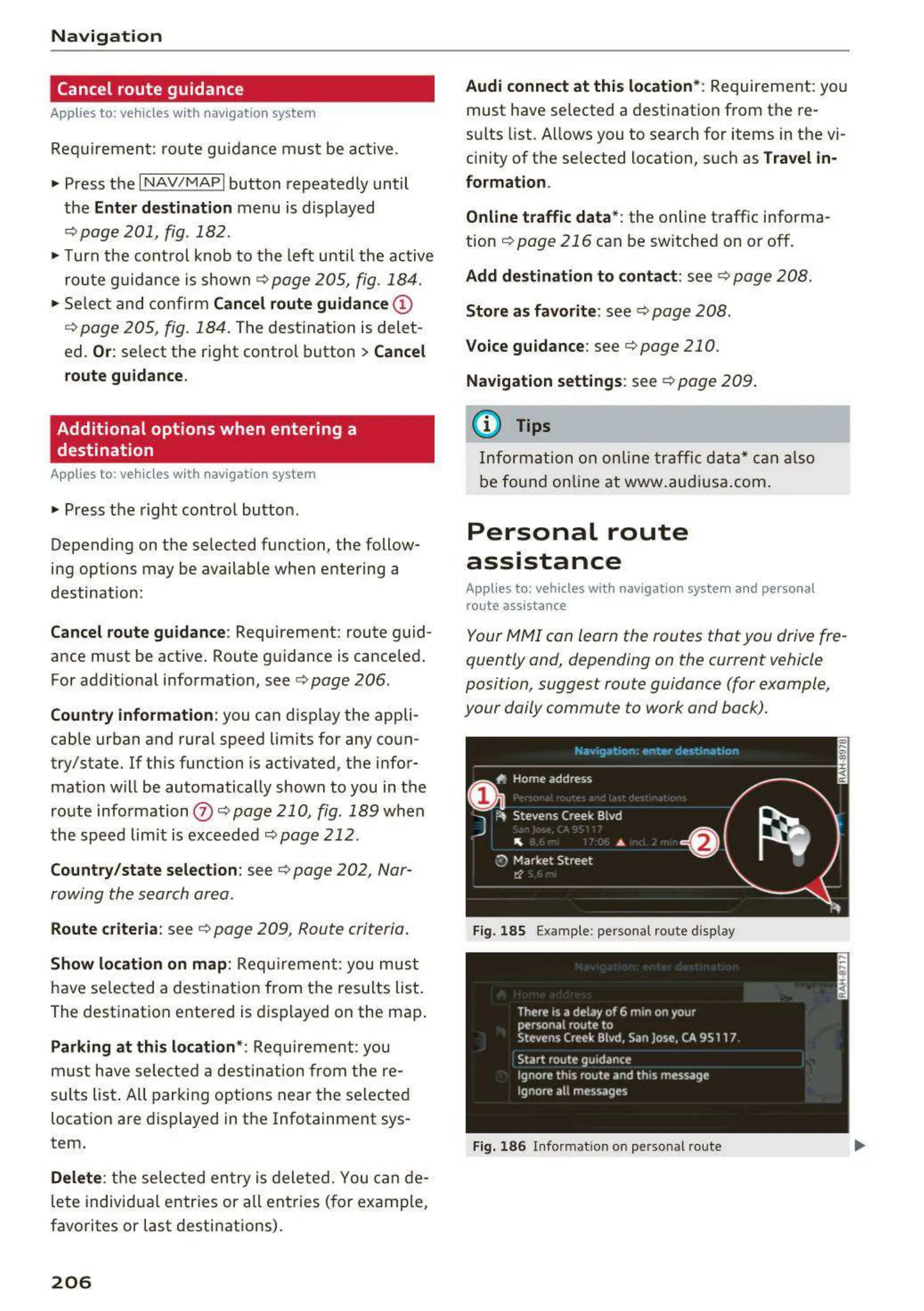
Your MMI con learn the routes that you drive fre-
quently and, depending on the current vehicle
position, suggest route guidance (for example,
your daily commute to work and back).
Fig. 185 Example : personal ro ute display
Fig. 186 Info rma tion on personal route



 To Next Page