Multifunction steering wheel
Street view with route guidance started
App lies to: vehicles with navigation system and analog inst ru-
ment cluster
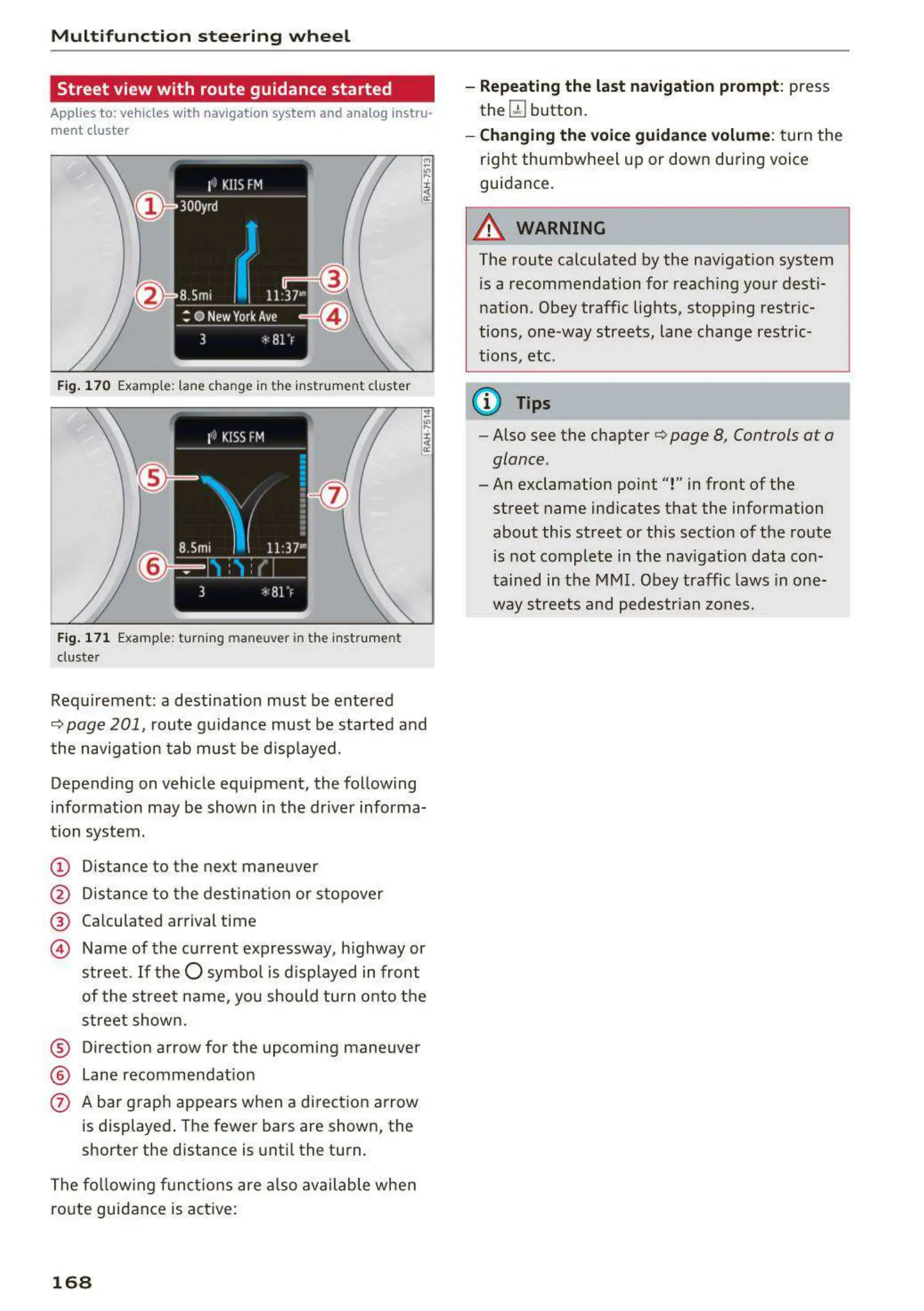
Fig. 170 Example: lane change in the instr um ent cluster
Fig. 171 Example: t urning maneuver in the instr umen t
duster
Requirement: a destination must be ente red
Q page 201, route guidance must be started and
the navigation t ab must be displayed.
Depending on vehicle equipment, the following
information may be shown in the dr iver informa-
tion system.
(D Distance to the next maneuver
@ Distance to the dest inat ion or stopover
® Calculated arrival time
@ Name of the current expressway, highway or
street.
If the O symbo l is displayed in front
of t he street name, you should tu rn onto the
street shown.
® Direction arrow for the upcoming maneuver
® Lane recommendat ion
0 A bar graph appears when a direction arrow
is displayed . The fewer bars are shown, the
shorter the distance is until the turn.
The following functions are also available when
route guidance is active:
168
- Repeating the last navigation prompt : press
the
QJ button.
- Changing the voice guidance volume: turn the
right thumbwheel up or down during voice
guidance.
A WARNING
The route calculated by the navigation system
is a recommendation for reaching your desti-
nation. Obey traffic lights, stopping restric-
tions, one-way streets, lane change restric-
tions, etc.
@ Tips
- Also see the chapter Q page 8, Controls at a
glance.
- An exclamation point "!" in front of the
street name ind icates that the information
about this street or this section of the route
is not complete in the navigat ion data con-
tained in the MMI. Obey traffic laws in one-
way streets and pedestrian zones.



 To Next Page