Voic e recognition sy stem
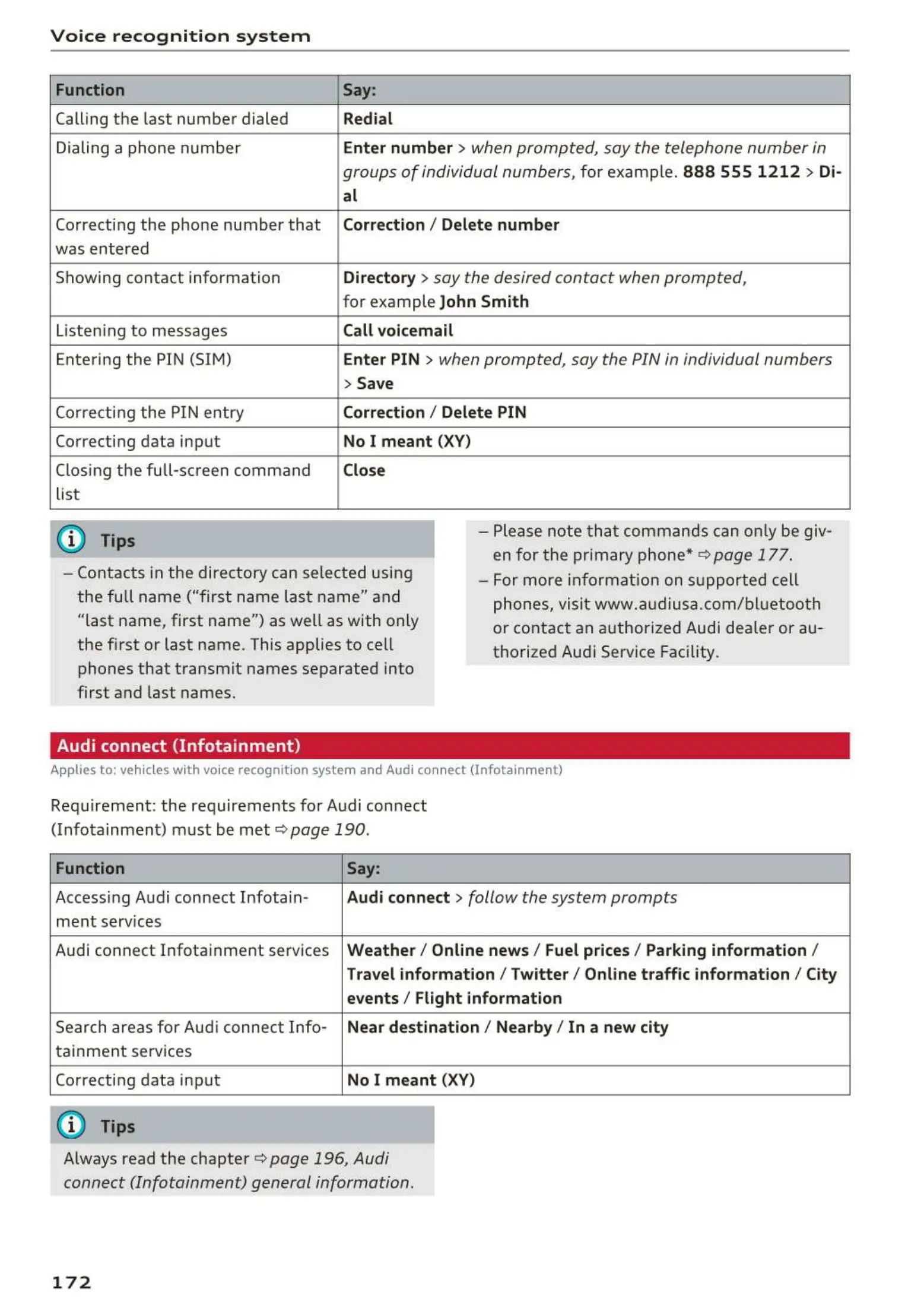
Function
Calling the last number dialed
Dialing a phone numbe r
Correcting the phone number that
was entered
Showing contact information
Listen ing to messages
Entering the PIN (SIM)
Correct ing the PIN entry
Correcting data input
Clos ing the full-sc reen command
list
(D Tips
Say:
Redial
Enter number
> when prompted, say the telephone number in
groups of individual numbers,
for example. 888 555 1212 > Di-
al
Correction / Delet e number
Directory
> say the desired contact when prompted,
for example John Smith
Call voicemai l
Enter PIN
> when prompted , say the PIN in individual numbers
> Save
Correction
I Delete PIN
No I meant (XV)
Close
- Please note t ha t commands can on ly be giv-
en for the primary phone*¢
page 177 .
- Contacts in the directory can selected using
the full name ("first name last name" and
"last name, first name") as well as with only
the first or last name . This applies to cell
phones that transmit names separated into
first and last names.
- For more informat ion on supported cell
phones, visit www.a udiusa.com/ bluetoo t h
or contact an authorized Audi dealer or au -
thorized Audi Service Facility .
Audi connect (Infotainment)
Applies to: vehicles with voice recognition system and Audi connect (Infotainment)
Requ irement: the requirements for Audi connect
(Infotainment) must be met
¢ page 190 .
Function Say:
Access ing Audi connect Infota in- Audi connect > follow the system prompts
ment serv ices
Audi connect Infotainment services
Weather / Online news / Fuel prices/ Parking info rmation /
Travel info rmat ion / Twitte r/ Online traffic info rmation / City
events / Flight informat ion
Search areas for Aud i connect Info-
Near destination / Nearby/ In a new city
ta inment serv ices
Correcting data input
No I meant (XV)
(D Tips
Always read the chapter ¢ page 196, Audi
connect (Infotainment) general information.
172



 To Next Page