Navigation
- Import map updates from th e SO card* to your
MMI. You can find additional information on-
line at www.audiusa.com/myaudi.
- Map update at an authorized Audi dealer or au -
thorized Audi Service Facility. This can result in
additional costs.
Online map update
Applies to: vehicles with a navigat ion system and Audi con-
nect (Infotainment)
Using the online map update, you can update
the map material in your navigation system di-
rectly from your vehicle.
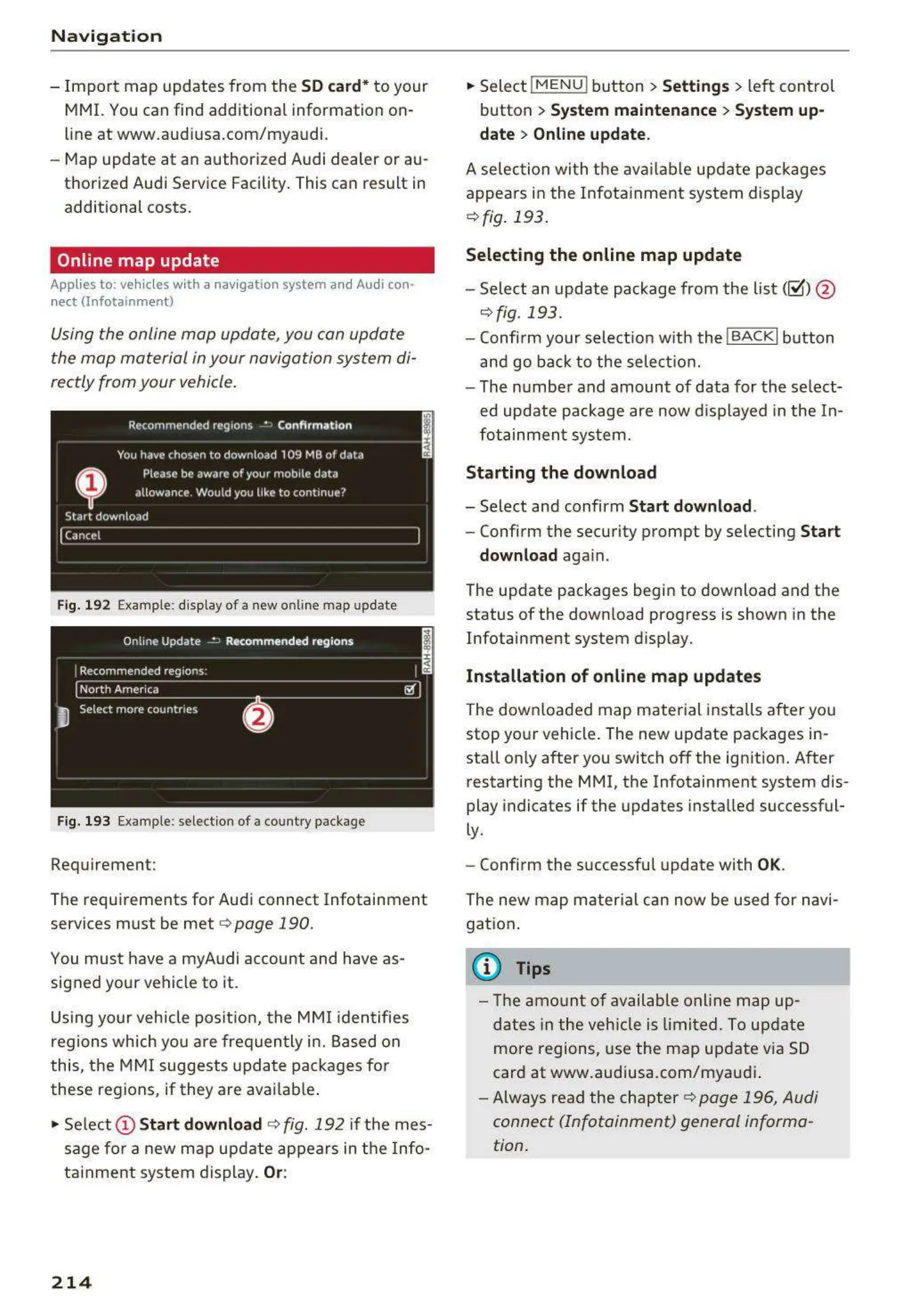
Fig. 192 Example: d isp lay of a new onl ine map update
Fig. 193 Example : select ion of a country package
Requirement:
The requirements for Audi connect Infotainment
services must be met
r=>page 190.
You must have a myAudi account and have as-
signed your vehicle to it.
Using your vehicle position, the MMI identifies
regions which you are frequently in. Based on
this, the MMI suggests update packages for
these regions, if they are avai lable .
• Select @ Start
download c> fig. 192 if the mes-
sage for a new map update appears in the Info-
tainment system display.
Or:
214
.. Select !MENUI button> Settings> left control
button >
System maintenance > System up-
date > Online update.
A selec t ion with the available update packages
appears in the Infotainment system display
¢ fig. 193.
Selecting the online map update
- Sele ct an update package from the list(~) @
r=>fig. 193.
- Confi rm your select ion w ith the !BACKI button
and go back to the select ion.
- The number and amount of data for the se lect-
ed update package are now displayed in the In-
fotainment system.
Starting the download
- Select and confirm Start download .
- Confirm the security prompt by selecting Start
download
again.
The update packages begin to download and the
status of the down load progress is shown in the
Infotainment system display.
Installation of online map updates
The downloaded map material installs after you
stop your vehicle. The new update packages in-
stall on ly after you switch
off the ign ition. After
restarting the MMI, the Infotainment system dis-
play indicates if the upda tes installed successful-
ly.
- Confirm the successful update with
OK.
The new map material can now be used for navi-
gation.
{i) Tips
- The amount of available on line map up-
dates in the veh icle is limited. To update
more regions, use the map update via SD
card at www.audiusa.com/myaudi .
- Always read the chapter
c> page 196, Audi
connect (Infotainment) general informa-
tion.



 To Next Page