Radio
SiriusXM alerts
App lies to: vehicles with SiriusXM
You can display an overview of your favorite ar-
tists or tracks that are currently being played on
a SiriusXM channel.
Y.@Miiiil&
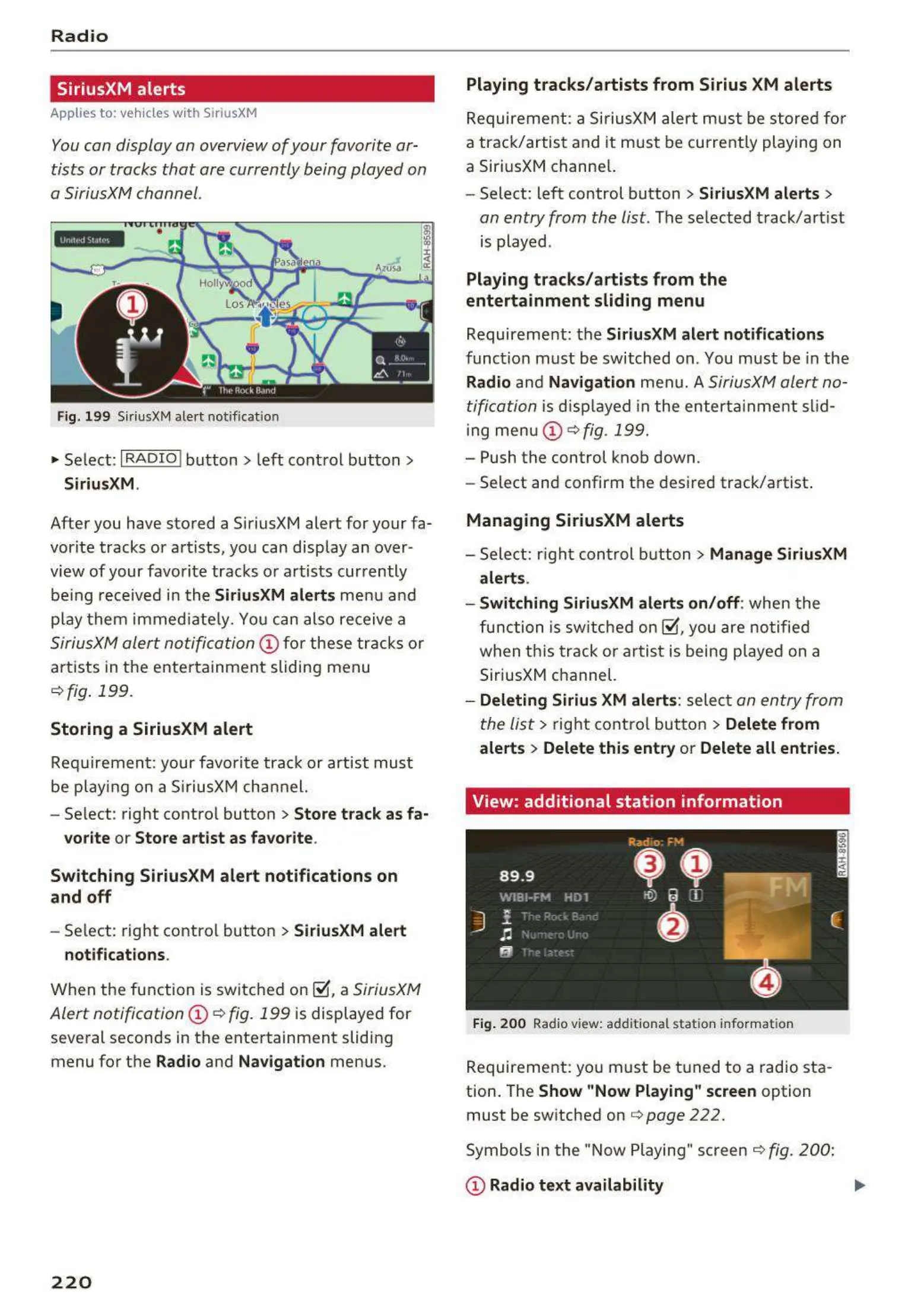
Fig. 199 SiriusXM ale rt notificat ion
~
Select: I RADIO I button > left control button >
SiriusXM.
After you have stored a SiriusXM alert for your fa-
vor ite tracks or artists, you can display an over-
view of your favorite tracks or artists currently
be ing received in the
SiriusXM alerts menu a nd
p lay them immed iat e ly. You can also receive a
SiriusXM alert notification @ fo r these tracks or
artists in the entertainment sliding menu
¢ fig . 199.
Storing a SiriusXM alert
Requirement: your favo rite track or artist must
be play ing on a SiriusXM channel.
- Se lect : right contro l button >
Store track as fa-
vorite
or Store artist as favorite .
Switching SiriusXM alert notifications on
and off
- Select: right contro l button > SiriusXM alert
notifications .
When the function is switched on ~ . a SiriusXM
Alert notification @ ¢ fig. 199
is displayed for
several seconds in the entertainment sliding
menu for the
Radio and Navigation menus.
220
Playing tracks/artists from Sirius XM alerts
Requireme nt : a SiriusXM alert must be stored for
a track/artist and it must be currently playing on
a SiriusXM channe l.
- Select: left control button
> SiriusXM alerts >
an entry from the list . The selected track/artist
is played .
Playing tracks/artists from the
entertainment sliding menu
Requirement: the SiriusXM alert notifications
funct ion must be switched on. You must be in the
Radio and Navigation menu. A SiriusXM alert no-
tification
is displayed in the enterta inm ent slid-
ing menu
(D ¢ fig. 199.
- Push the control knob down.
- Select and confirm the desired track/artist .
Managing SiriusXM alerts
- Select: right control button> Manage SiriusXM
alerts.
- Switching SiriusXM alerts on/off :
when the
function is sw itched on~. you are notified
when this t rack or artist is being p layed on a
SiriusXM channel.
- Deleting Sirius XM alerts : select an entry from
the list>
right control button > Delete from
alerts
> Delete this entry or Delete all entries.
View: additional station information
Fig. 200 Radio view: additional stat ion informat ion
Requirement: you must be tuned to a radio sta -
tion . The
Show "Now Playing" screen option
must be switched on
c> page 222.
Symbols in the "Now Playing" screen ¢ fig. 200:
(D Radio text availability



 To Next Page