42
Audio Loop-back
Another feature of the iD44’s Mixer Application
is the ability to loop-back audio so you
can record or stream audio from dierent
applications on your computer using the
dedicated Loop-back channels.
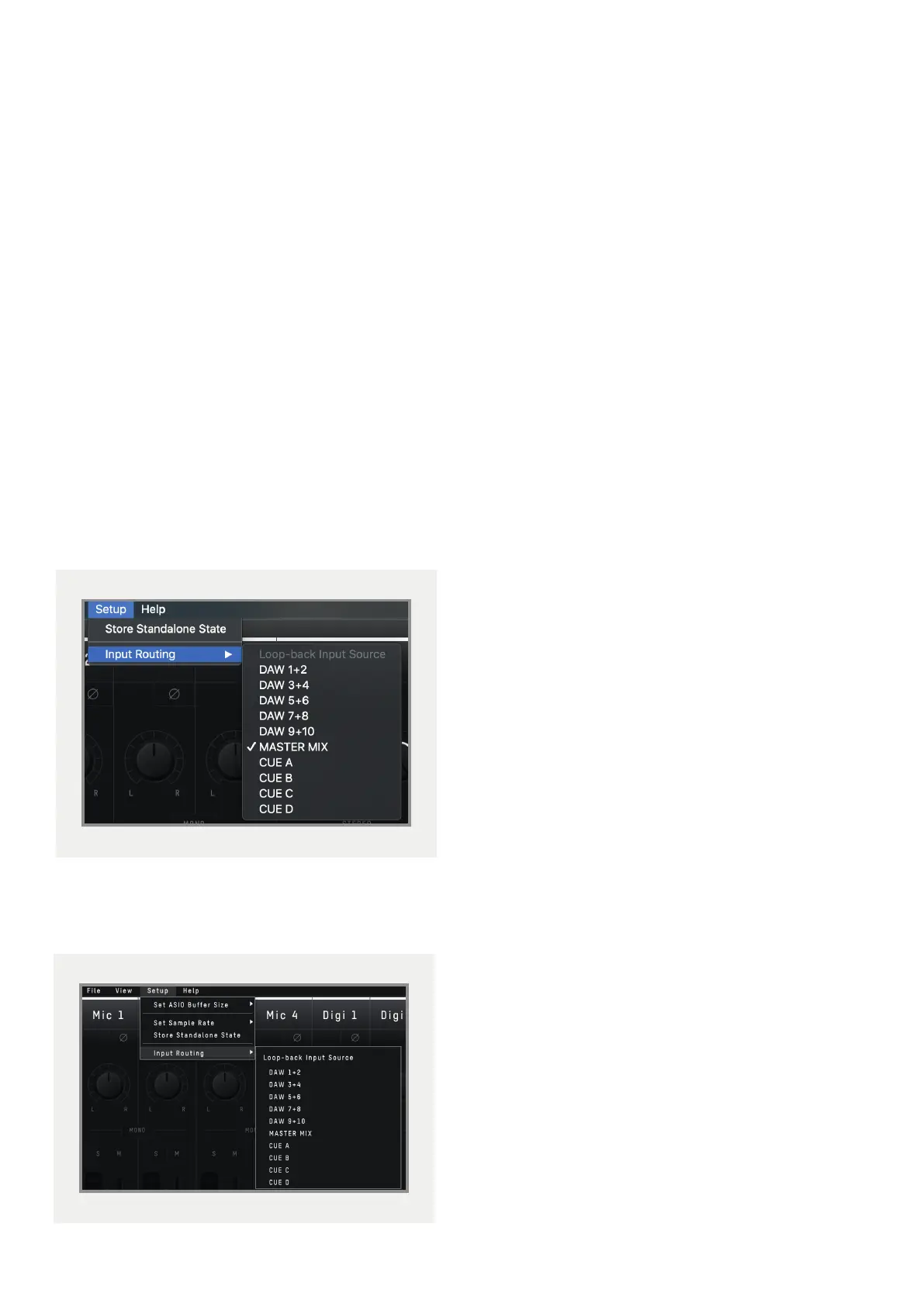
These Loop-back channels are input channels
21+22 and using the “Input Routing” option
found in the “Setup” menu of the iD mixer, you
can then select the audio source to be sent to
these Loop-back channels.
On macOS:
On Windows:
The various sources you can select from in
the menu are as follows:
• DAW 1+2 - Any audio being sent to
outputs 1+2 of the iD44
• DAW 3+4 - Any audio being sent to
outputs 3+4 of the iD44
• DAW 5+6 - Any audio being sent to
outputs 5+6 of the iD44
• DAW 7+8 - Any audio being sent to
outputs 7+8 of the iD44
• DAW 9+10 - Any audio being sent to
outputs 9+10 of the iD44
• Master Mix - The audio mix created in
the iD mixer on the Main Mix panel
• Cue A - The audio mix created in the iD
mixer via the CUE A panel
• Cue B - The audio mix created in the iD
mixer via the CUE B panel
• Cue C - The audio mix created in the iD
mixer via the CUE C panel
• Cue D - The audio mix created in the iD
mixer via the CUE D panel



 To Next Page