52
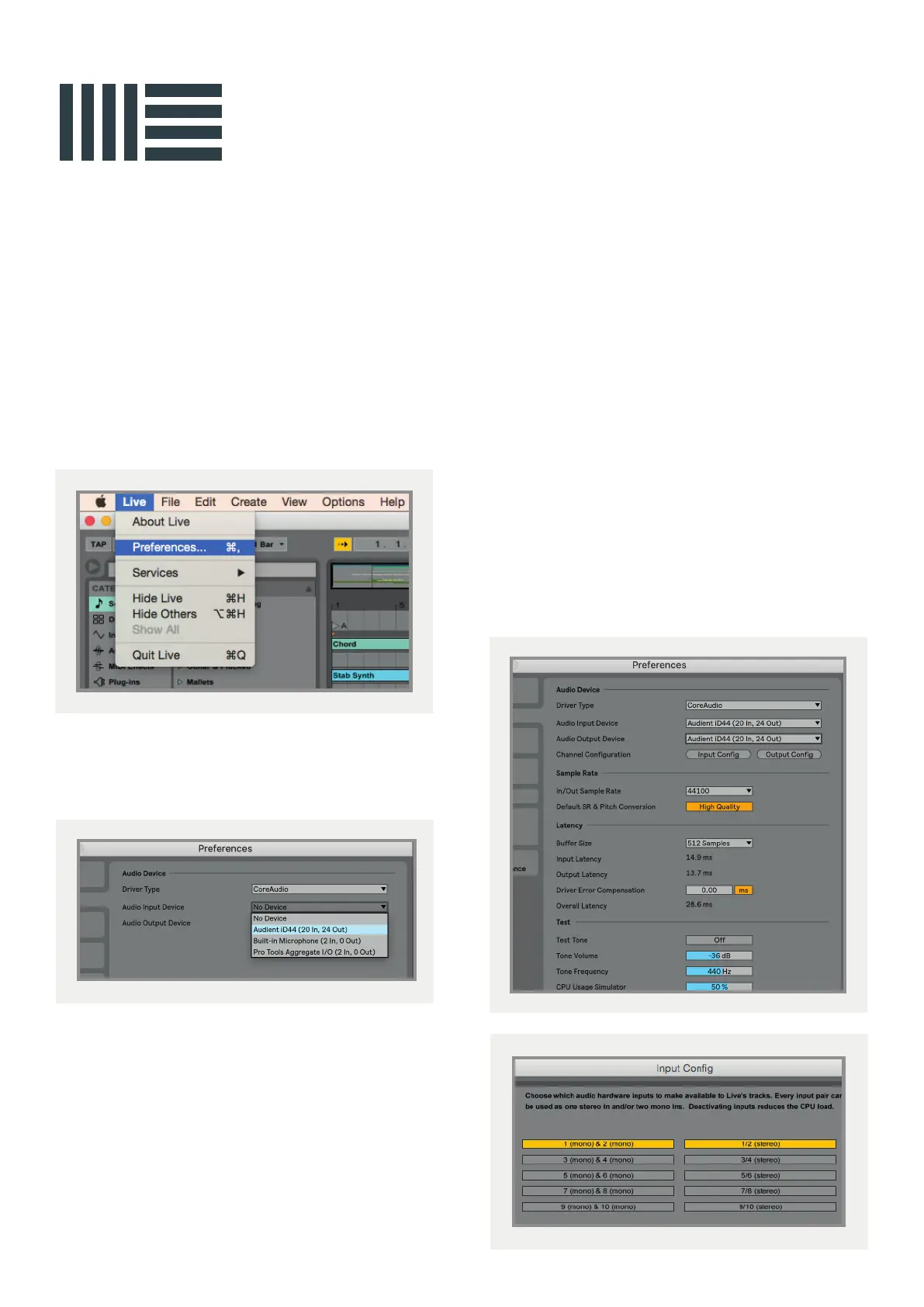
In the Live Audio Preference panel you can
set an appropriate buer size (this can be
kept high if you are monitoring input signals
for recording via the iD mixer. Ensure that
iD44 reports as a 20-in, 24-out device to Live.
If necessary you can limit the number of
i/o channels reported as active inputs (from
the driver) in Live by using the input and
output config tabs.
This is an excellent feature to help reduce
CPU loading if all channels are not required.
Operation with Ableton Live
Once iD44 has been successfully installed
following the installation process that can
be found at the start of this manual, launch
Ableton Live and head straight to:
Live > Preferences > Audio
Here navigate to the Audio tab and make sure
that iD44 is assigned as the playback device.
For more information about setting up audio
i/o refer to your Ableton Live user manuals &
documentation.
Ableton Live Setup



 To Next Page