50
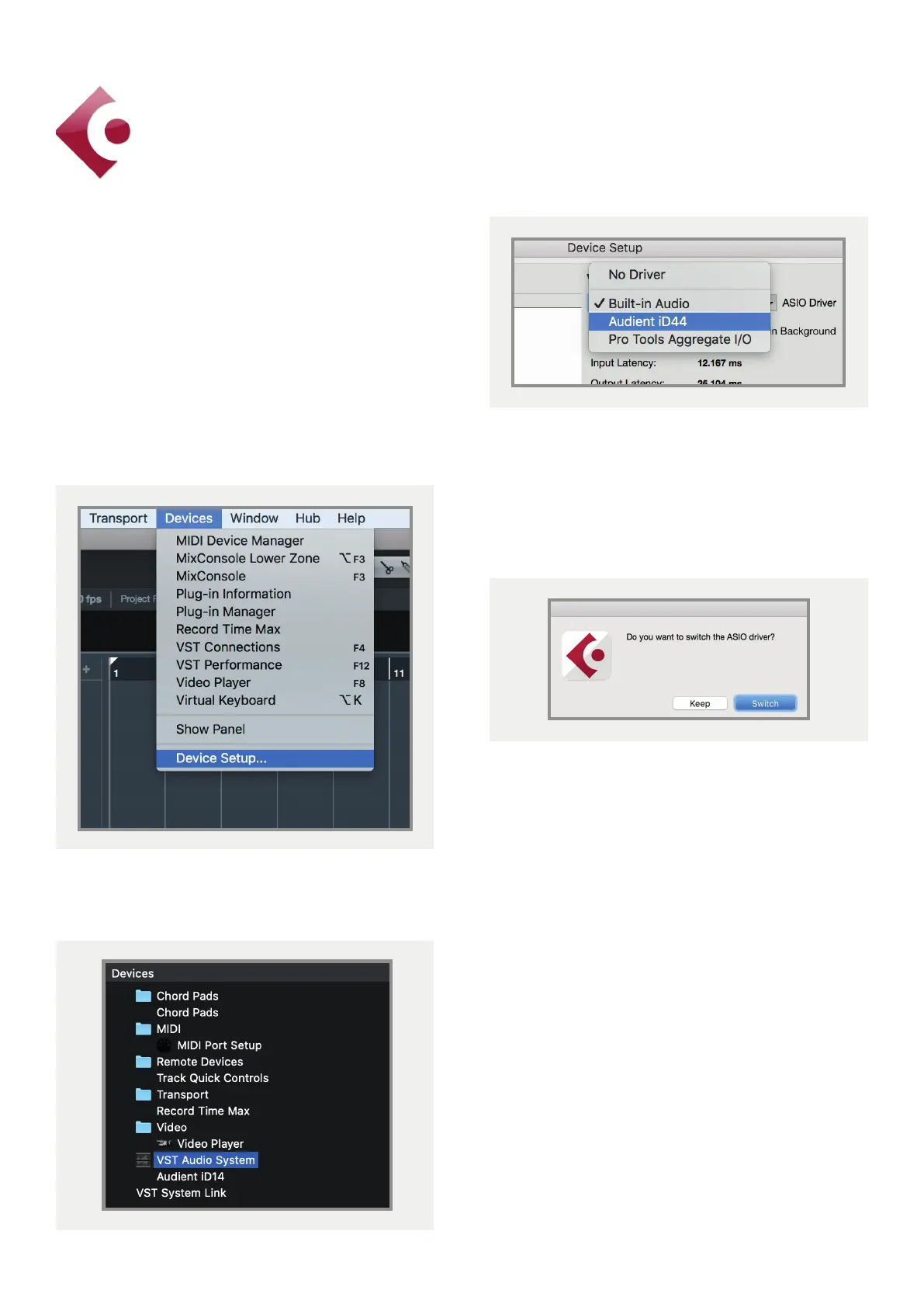
Select Audient iD44 in the menu to ensure
that Cubase / Nuendo addresses the iD44
device driver. You will be asked if this is OK,
select ‘switch’.
Select Audient iD44 in the devices menu...
Here you will see the main iD44 information,
where clock sources can be set as well as
activating i/o ports. Be sure to click Externally
Clocked if clocking from another digital device
via ADAT or SPDIF.
Operation with Cubase / Nuendo
Once iD44 has been successfully installed
following the installation process that can
be found at the start of this manual, launch
Cubase or Nuendo and head straight for the
Devices menu:
Devices > Device Setup...
Select VST Audio System from the list of options
Cubase/Nuendo Setup



 To Next Page