Version 5.8 51 July 2009
Installation Manual 3. Installation
The required cable (Mini SMB-to-BNC Cable Adaptor -- Cat. #: RCBA10009) can be
ordered separately from AudioCodes. Two cable adaptors are required per T3 interface
(i.e., per SMB receptacle pair). The figure below displays this cable adaptor.
Figure 3-3: Mini SMB-to-BNC Adaptor Cable (Separate Customer Order)
¾ To connect the T3 PSTN interface:
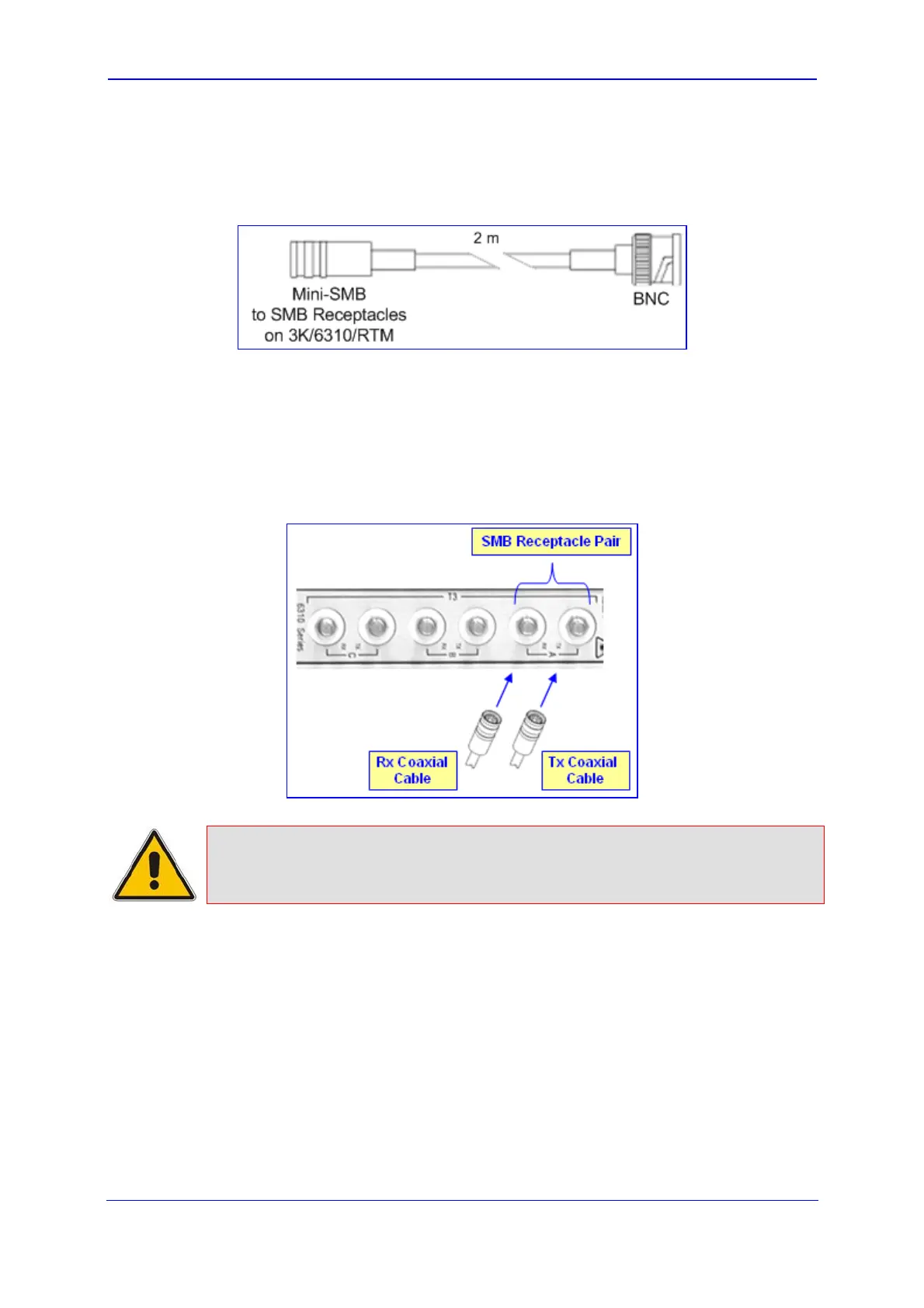
On RTM-6310, connect twin SMB T3 RG-179/U coaxial cables to the required SMB
receptacles (labeled T3 - A, T3 - B, and T3 - C). For each T3 connection, ensure that
you connect the transmit SMB connector to the SMB receptacle labeled TX and the
receive SMB connector to the SMB receptacle labeled RX.
Figure 3-4: Cabling the SMB Connector Pair for T3 Interface
Note: RTM-6310 provides both T3 and STM-1/OC-3 interface ports. However, only
one interface type can be supported per deployment (software configurable
using the PSTNTransmissionType ini file parameter).
3.3.2.3 Connecting GbE Interfaces to IP Network
The RTM-6310 (and RTM-6310 Redundant for Mediant 3000 HA) provide two Gigabit
Ethernet (GbE) interface ports (labeled ETHERNET 1 and 2). Two ports are provided to
support 1+1 Ethernet redundancy. Depending on customer requirements, the Ethernet
ports can be provided in one of the following types:
10/100/1000Base-TX RJ-45 connector interface (CAT-5 twisted-pair copper cabling)
1000Base-SX 1.25 Gbps multi-mode optical small form-factor pluggable (SFP)
transceiver, using 850 nm wavelength (hot-swappable)


 To Next Page
 Loading...