11
:
\Ni-Fi
Connection
Using
the
APP
Page 18
For
Play-Fi
APP
users
(iOS
and
Android):
(1)
Download one
of
the free
Play-Fi
APPs
from the Google
Play
store, Amazon
App marketplace,
or
Apple App Store,
or
download the
Play-Fi
Windows
PC
software.
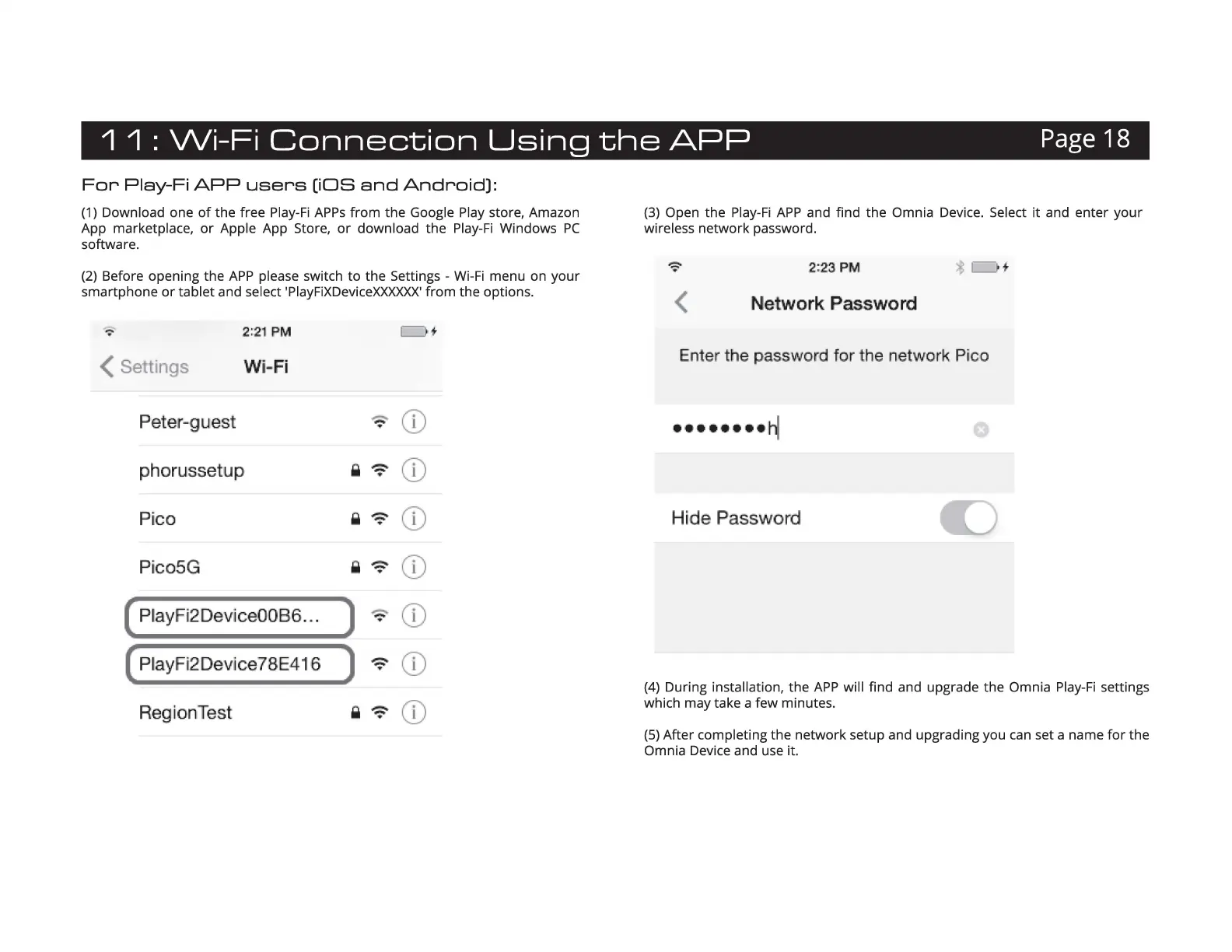
(2)
Before opening the
APP
please switch to the Settings -
Wi-Fi
menu on your
smartphone
or
tablet and select
'PlayFiXDeviceXXXXXX'
from the options.
--:-
2:21
PM
t
( Settings
W
i~
Fi
Peter-guest
~
"
CD
phorussetup i
~
•
CD
Pico i
~
•
CD
Pico5G i
~
"
CD
( PlayFi2Device00B6 ...
)
-=-
•
CD
(
PlayF
i
2DeV
!
ic
e78E416
)
~
T
CD
Reg
iionTest i 9
CD
(3)
Open the
Play-Fi
APP
and find the Omnia Device. Select
it
and enter your
wireless network password.
<
2:23 PM
!Network Password
Enter
t
he
password
for
the
ne
twork P
ic
o
Hide Password
C)
(4)
During installation, the
APP
will find and upgrade the Omnia
Play-Fi
settings
which may take a few minutes.
(5)
After completing the network setup and upgrading you
can
set a name
for
the
Omnia Device and use
it
.


 To Next Page