43
NOTICE
If it takes a long time to apply the current configuration settings to some inactive
devices, you can click on Stop Configuration or the < icon on the upper left corner
of the Batch Configuration screen to go back to the Task Details screen so that
you can see which devices are not activated. Scan the QR code on the screen or
body of the devices individually to apply the configuration settings.
NOTE
Si l'application des paramètres de configuration actuels à certains appareils
inactifs prend beaucoup de temps, vous pouvez cliquer sur Arrêter la
configuration ou sur l'icône < dans le coin supérieur gauche de l'écran
Configuration par lots pour revenir à l'écran Détails de la tâche afin de voir quels
appareils ne sont pas activés. Scannez le code QR sur l'écran ou le corps de chaque
appareil pour appliquer les paramètres de configuration.
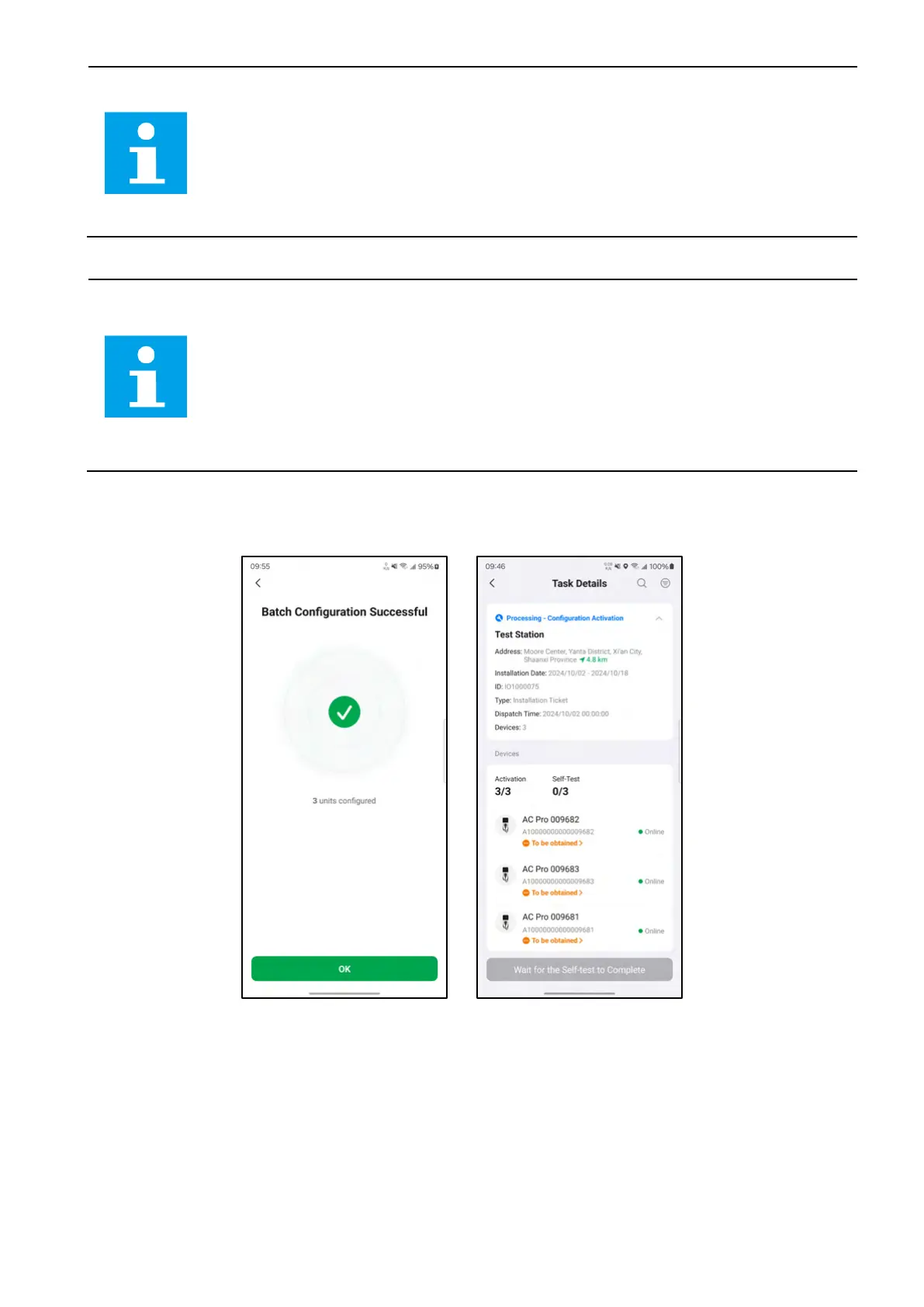
10. After the batch configuration is successful, click on the OK button to go back to the Task Details
screen.
4-26 Batch Configuration Successful and Task Details Screens














 To Next Page