Troubleshooting
29 | P a g e
Problem: Door Does Not Open
1. Verify Power is OK
The RoboCrib should be plugged into an active power outlet; the UPS status light should be green
not beeping.
Verify the RoboCrib power cord is plugged into UPS
Verify sure controller lights are on
i. If the controller is not on, recheck power, switch OFF, wait 5 seconds, switch ON.
Attempt to dispense using the RoboCrib software. If the RoboCrib dispenses correctly, there is no
further troubleshooting that needs to take place.
2. Use the RoboCrib software to open the door
Login to the RoboCrib software as a supervisor. Select the Console button.
Actuate the door by sending the open door command in the Console screen.
o LON ## ## - Representing the door.
o If the door opened, attempt to issue a tool through the RoboCrib software. If the RoboCrib
dispenses correctly, there is no further troubleshooting that needs to take place.
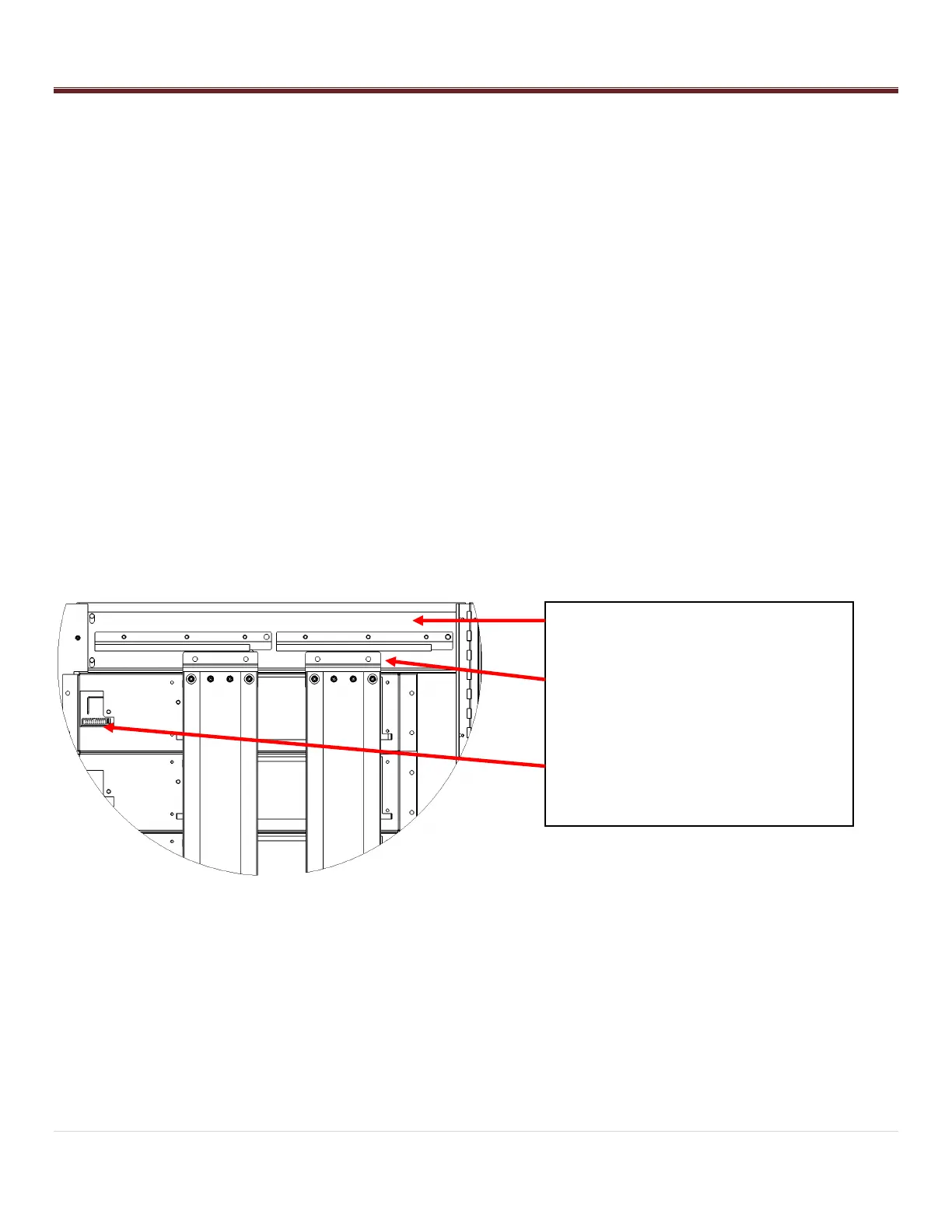
o If the door did not open, check the ribbon cable connection at the top of the controller in header
H3.
Remove the left door screws and open the left door.
Check the ribbon cable connection at the top center of the left door.
Verify each connector on the ribbon is seated firmly.
RIBBON CABLE BACKBONE CONNECTION
TOP BAFFLE WHEEL ASSEMBLIES
RIBBON CABLE CONNECTION TO DOOR
LATCH



 To Next Page