ZoneLogix™ PRO Zone Controller User Guide | Revision 1.0 November 2019 | Page 19
2.9
System Schematic and Installation Summary
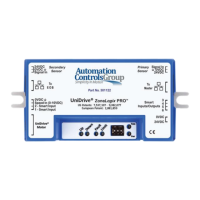
The following is a system schematic and summary of settings:
Figure 9: Schematic Diagram of ZoneLogix™ PRO System
• A Branch is made up of at least (1) EOB and (1) Master
• Forward (normal) package flow is from EOB to Master. See 3.3.3 Controlling Branch Direction for instructions
to reverse the flow direction.
• Standard Zone Controllers are placed between EOB and Master
• Identify the Zone Controller location in the Branch, and set the DIP switches as noted above
• Identify the proper direction of rotation for each motor to move packages from the upstream (entry) end of
the conveyor to the downstream (exit) end (EOB to Master); may depend on motor mounting orientation.
• Connectors/Plugs:
o Photoeye Sensors: Phoenix Contact, 3-pos plug, 1881338
o Smart I/O: Phoenix Contact, 4-pos plug, 1881341
o Power Input: Molex, 2-pos plug, 172256-1002
o Molex Crimping Tool: Molex, 20-22 AWG tool, 0638275400
o Molex Crimp Terminals: Molex, 20-22 AWG terminals, 172253-3123
o Molex Crimping Tool: Molex, 16-18 AWG tool, 0638275300
o Molex Crimp Terminals: Molex, 16-18 AWG terminals, 172253-3023
o Communication Cables: Standard CAT5, or better, RJ45 Ethernet cables
CAUTION! Power must be applied with proper polarity to avoid potentially damaging the Zone Controller.
CAUTION! Do not cross wiring of the Ethernet cables. The left side of the zone must connect to the adjacent zone on the left, and the
right side of the zone must connect to the adjacent zone on the right. Zones should be connected as shown above.
IMPORTANT! When adjacent zones are operating from separate power supplies, connect their DC grounds. However, do not
connect their positive voltage pins together.
NOTE: The direction of motor rotation is defined as viewed from the back side of the motor with the shaft extending away from the
viewer.
NOTE: The DIP switches are read during power-up only. Set the switches, and then apply power to the Zone Controller.


 To Next Page
 Loading...