ZoneLogix™ PRO Zone Controller User Guide | Revision 1.0 November 2019 | Page 9
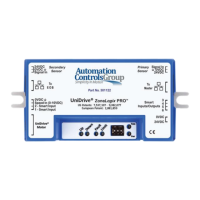
3) Smart I/O: General purpose, 24 VDC I/O, that can be used as an extension of a PLC, or
configured to one of several built-in functions
a. Phoenix Contact, 4-pos plug, 1881341
4) UniDrive
®
Motor Connection: Motor connection for any UniDrive
®
Brushless DC Motor. The
motor contains this plug. It is listed here for reference.
a. Motor Input: Molex, 10-pos plug, 172258-1110
5) Primary Sensor: Photoeye input for the downstream edge of a zone, when configured for the
Forward (normal) flow direction.
a. Phoenix Contact, 3-pos plug, 1881338
6) To Master Communication: This is meant to only connect to the “To EOB” connection of
another Zone Controller. Zone Controllers are intended to be daisy chained together in a series.
a. RJ45, 8P8C, CAT5 (or better), Ethernet cable
7) Smart I/O: General purpose, 24 VDC I/O, that can be used as an extension of a PLC, or
configured to one of several built-in functions
a. Phoenix Contact, 4-pos plug, 1881341
8) Power Input: 24 VDC power input
a. Molex, 2-pos plug, 172256-1002
9) DIP Switches: Configures various modes and functions of the Zone Controller


 To Next Page
 Loading...