10
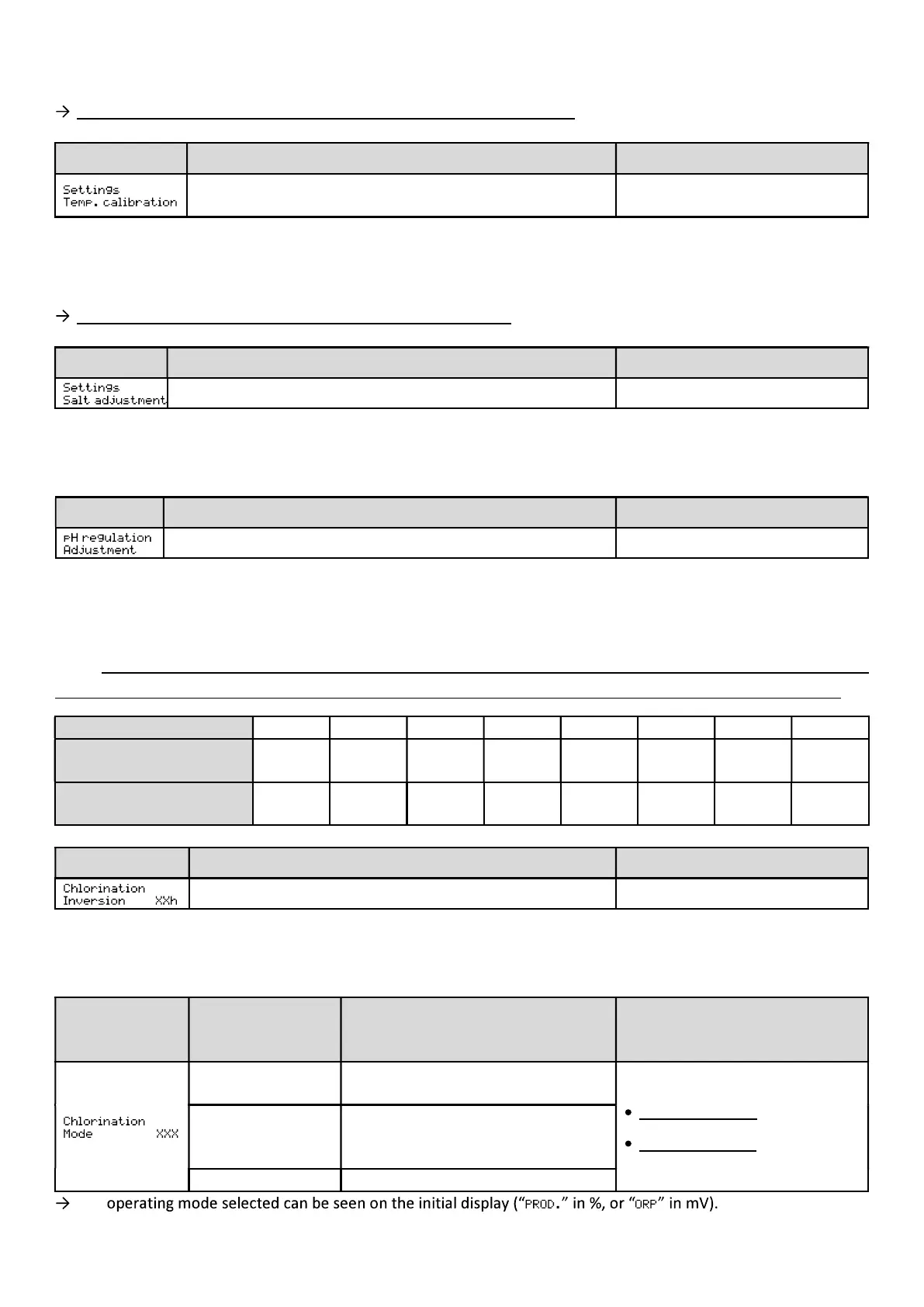
4.6.7. Adjusting the water temperature measurement
If the temperature sensor is disabled, the menu below does not appear.
Menu Possible settings Default setting
to + 5°C compared to the value
increments of 0.5.
Measurement displayed
4.6.8. Adjusting the salt level measurement
If the salt sensor is disabled, the menu below does not appear.
Menu Possible settings Default setting
From 1.5 to 8 g/L, in increments of 0.1. Measurement displayed
4.6.9. Calibrating the pH measurement
Menu Possible settings Default setting
From 6.5 to 7.5, in increments of 0.1. Measurement displayed
4.6.10. Adjusting the inversion frequency of the current supplying the cell
I .
Inverting the flow aims to prevent limescale deposits on the cell. The inversion frequency must be correctly
set following the table below in order to ensure that the cell continues to operate correctly over the long term.
Water hardness (°f) 0 to 2 2 to 5 5 to 8 8 to 12 12 to 20 20 to 40 40 to 60 > 60
Water hardness (mg/l) 0 to 20 20 to 50 50 to 80
80 to
120
120 to 200
200 to 400
> 600
Inversion frequency
(hours)
24 to 16 16 to 14 14 to 12 10 8 6 4 2
Menu Possible settings Default setting
From 2 to 24 h, in increments of 1. 6 h
4.6.11. Selecting the chlorinator operating mode
Menu
Possible settings
(depending on the
model)
Meaning Default setting
%
Continual production, as per the
production setpoint.
For Propilot Salt: %.
With ORP option: ORP.
ORP
Regulation of production using the
ORP probe, according to the ORP
and ORP production setpoints.
OFF Chlorinator turned off.
The


 To Next Page