EasyManua.ls Logo

AVANT e5 - Controls and options of the Loader

Default Icon
96 pages
Print Icon
To Next Page IconTo Next Page
To Previous Page IconTo Previous Page
Loading...
Avant e5
30
Controls and options of the Loader
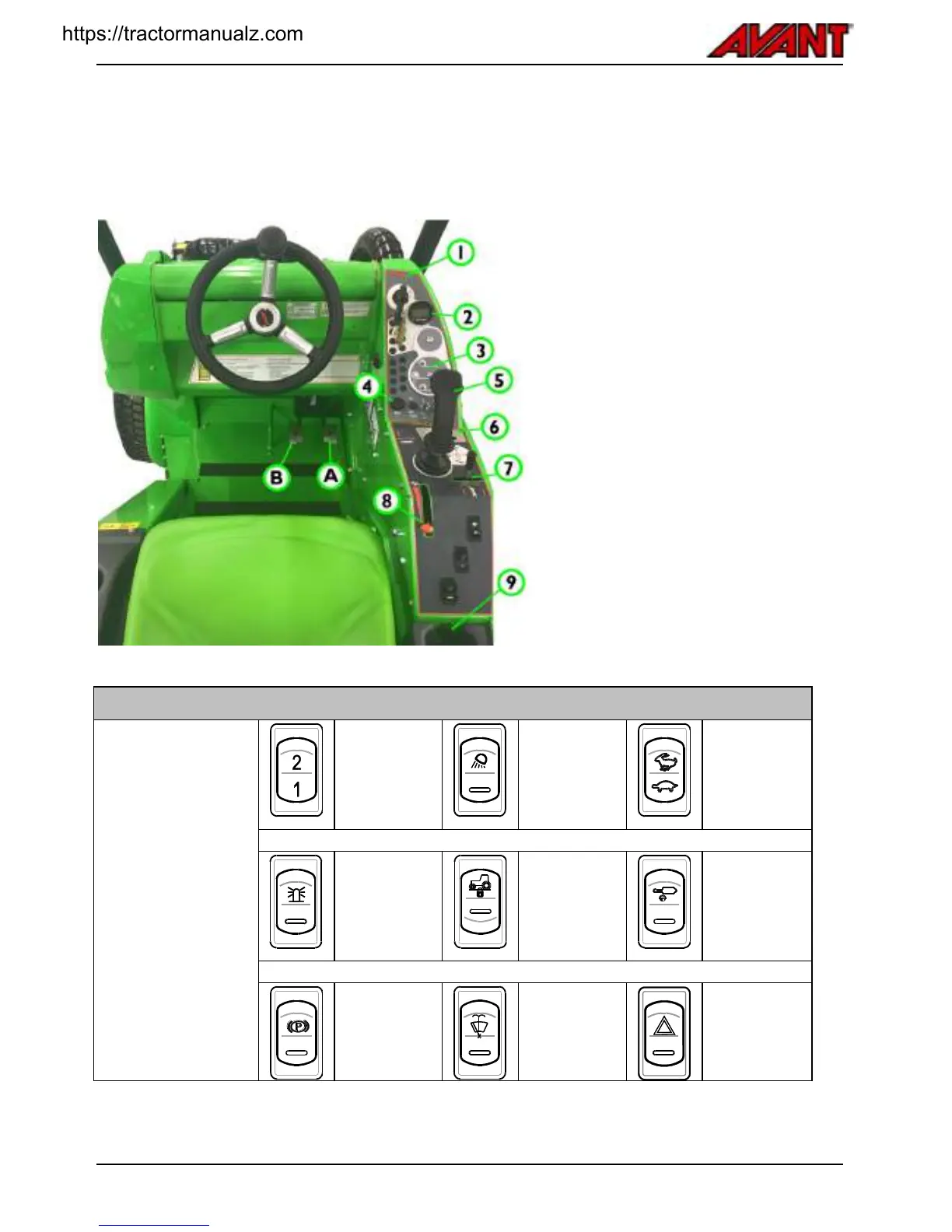
Following picture shows the location of operating controls. The location and function of controls may be slightly
different in different models, see following pages.
Reference
Page
1.
Dashboard
Ignition switch
31
2.
Multi-function Display
35
3.
Charger status lights
31
4.
Signal horn switch
Control switches (see below)
5.
Control lever of boom and bucket
32
6
Auxiliary hydraulics control lever
32
7.
Boom telescope control
33
8.
Hand throttle lever
34
9.
12 V outlet (max 15 A)
35
Controls in footwell
A
Drive pedal, right: drive forward
(see below)
B
Drive pedal, left: drive backward
(see below)
.
..
Switches on the panel
NOTE: Some of the
switches presented
here are for optional
equipment and might
not be installed on
the loader.
The position of the
switch may be
different than shown
in here.
Auxiliary
hydraulics outlet
selection switch
Optional
equipment
See page 41
Extra work lights
on the ROPS
frame, 2 front, 1
rear
Optional
equipment
Drive mode /
speed range
selection switch.
See page 47
Warning beacon
Optional
equipment
See page see
page 37
Operation mode
selection switch
See page 46
Hydraulic locking
pins, attachment
coupling
Optional
equipment
See page 58
Parking brake
See page 35
Windscreen
wiper and
washer (CAB L
option)
see page 38
Emergency
blinker
Optional
equipment
https://tractormanualz.com

Table of Contents