51
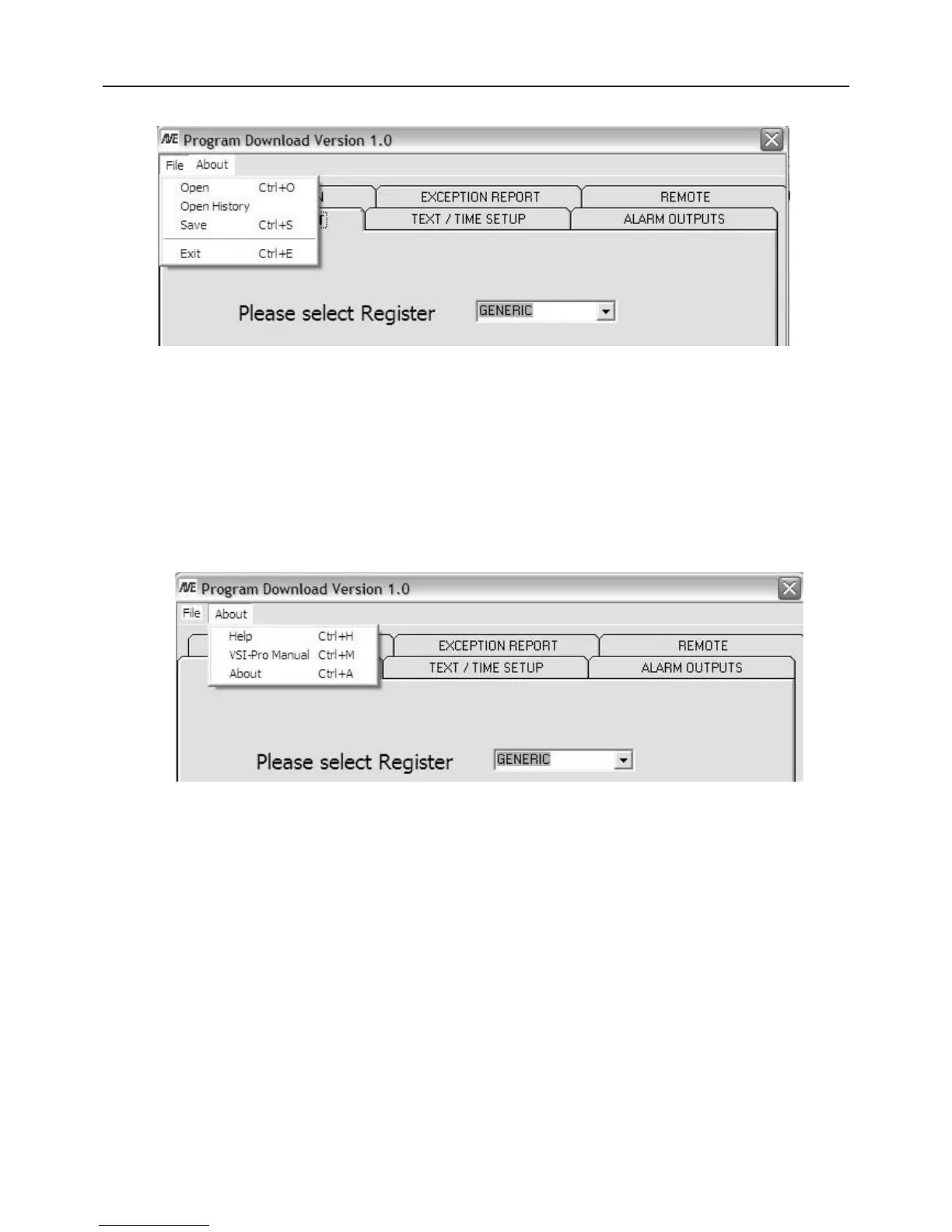
File Menu
Figure P3 File Menu
“Open” allows you to select a file which contains a previously saved version of all the VSI-Pro setups.
“Open History” allows you to view a previously saved History File downloaded from the VSI-Pro.
“Save” allows you to save a current set of VSI-Pro settings that are configured in the program or previously uploaded
from the VSI-Pro.
About Menu
Figure P4 About Main Menu
“Help” gives you all the help topics of the VSI-Pro Program Download Ver. 1.0.
“VSI-Pro Manual” is an online .pdf of the current VSI-Pro manual for easy reference to all the setups and program-
ming features and applications of the VSI-Pro.
“About” shows you the version and release of this software.
Communication Cable Pin Out
The Com cable is RS-232 from the PC or laptop to the VSI-Pro as follows. This cable can be no more than 100’ but
if additional length is required you will need a set of the AVE RS-232 to RS-422 adapter which will extend the range
to 3000’
PC / Laptop VSI-Pro
DB9F DB9M
2 ------------------------------------ 3
3 ------------------------------------ 2
5 ------------------------------------ 5
PROGRAMMING


 To Next Page