7 — Appendices
Service Instructions RP-A301CE/RP-A351CE/RP-A355CE 7 - 21
Slice function
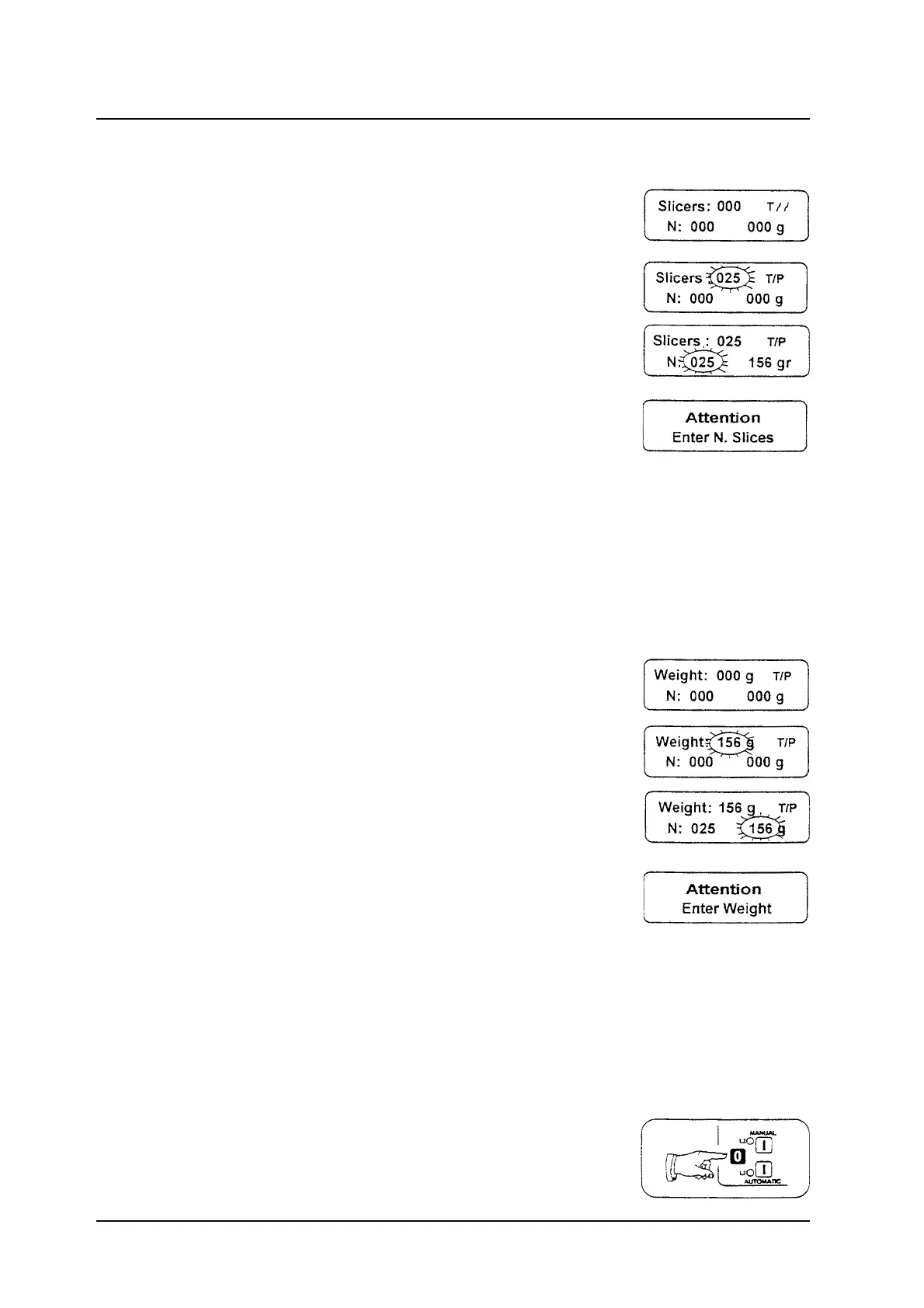
Press the ENT button to visualise the Slicers:
message.
Press the ESC button to reset the slice number.
Use the numerical buttons to set up the desired
slice number, press the ENT button to confirm the
datum.
Set up the product holder travel.
Press the AUTOMATIC button to start both the
blade and the product holder (led L3 on).
When the machine gets to the fixed slice number,
it stops automatically.
If the slice number is zero, pressing the
AUTOMATIC button the machine does not work
and the Attention message is visualised on the
display.
Weight function
Press the ENT button to visualise the Weight:
message.
Press the ESC button to reset the weight already
set up.
Use the numerical buttons to set up the desired
slice number; press the ENT button to confirm
the datum.
Set up the product holder travel.
Press the AUTOMATIC button to start both the
blade and the product holder (led L3 on).
When the machine gets to the fixed weight, it
stops automatically.
If the weight is zero, pressing the AUTOMATIC
button the machine does not work and the
Attention message is visualised on the display.
Machine stopping
Pressing the O button the machine stops; the
product holder finishes its working cycle and
stops to the end near the operator.



 To Next Page