Creating Your Address Book
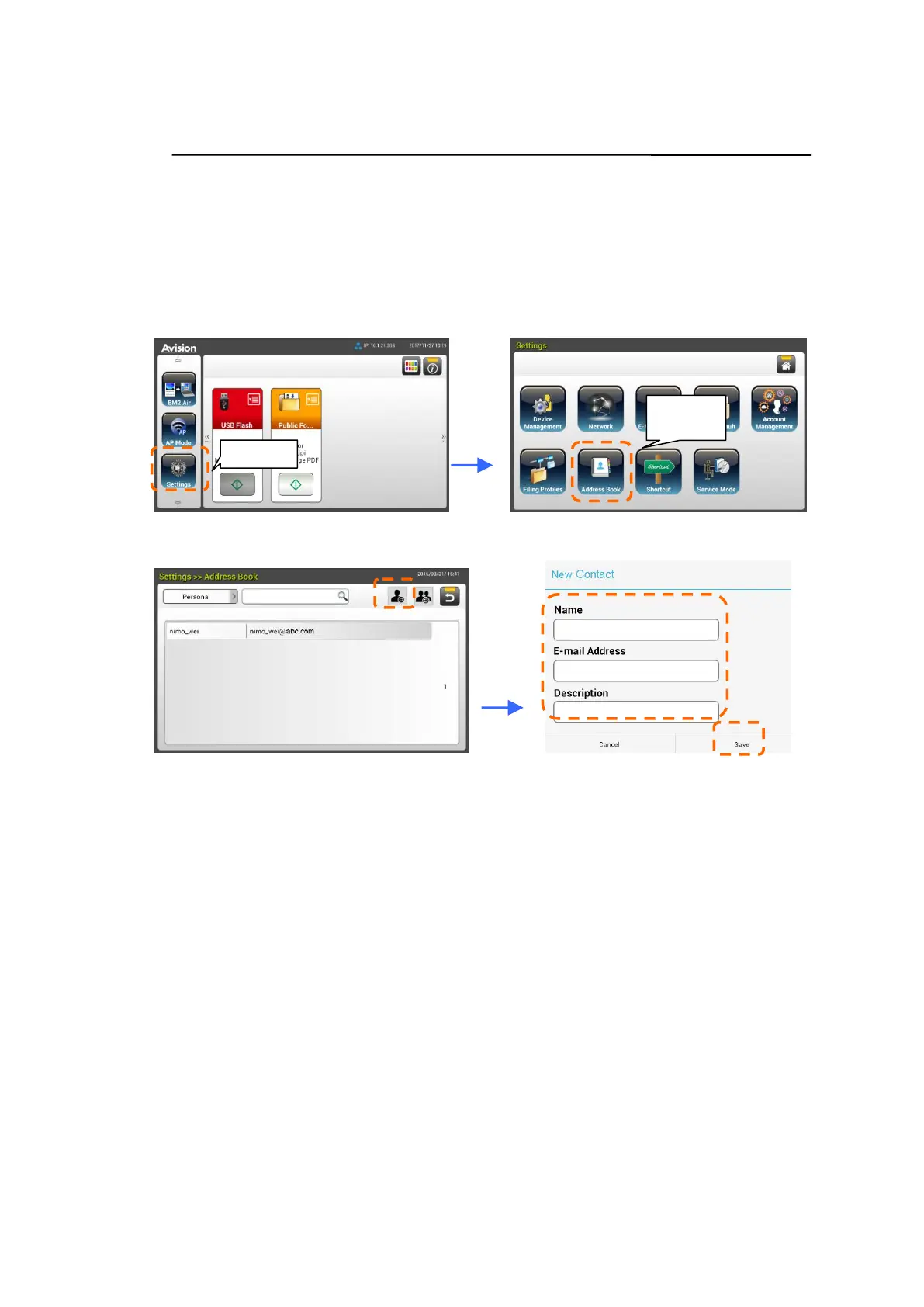
To save the time in typing the E-mail address, you can create your address book
to speed up the process.
1. On the Home Screen of the LCD Touch Panel, tap [Settings]>[Address
Book]>[New] in succession and then enter your address information.
2. Tap [Save] to save the setting and leave the screen.



 To Next Page