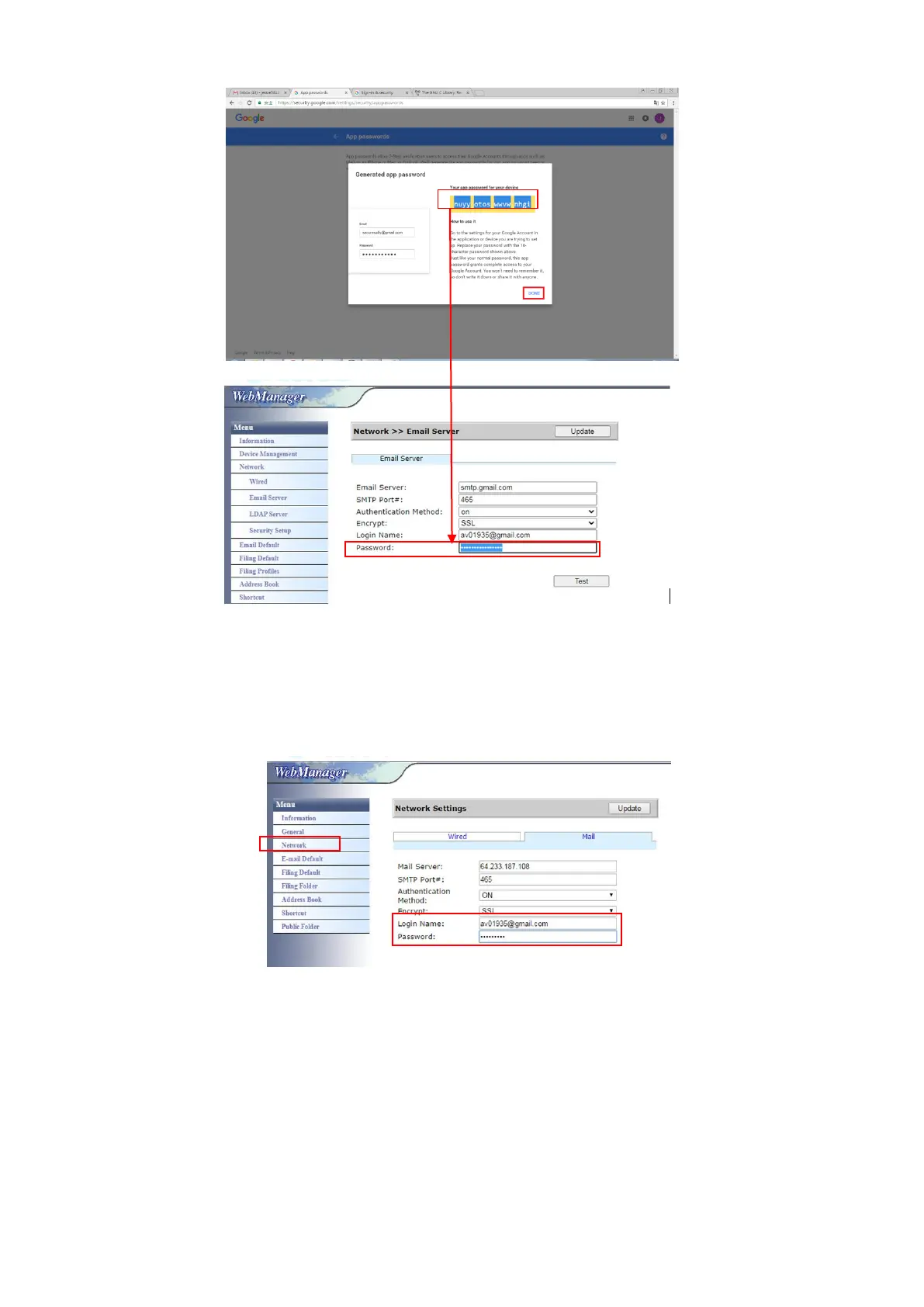
Setttings on the Machine’s Webpage
(a) Open your browser and type the machine’s IP address on the URL
address to open the device’s enbedded webpage.
(b) Choose [Network] to open the [Network Settings] page and enter
Gmail’s account and password. Be sure to add @gmail.com after the
account and choose a encryption type, for example, SSL.
Note:
Gmail supports non-encryption connection yet you can only send mail to Gmail
users. The setting is:
Mail Server: aspmx.l.google.com
SMTP Port#: 25
Authentication Method:off
Refer to https://support.google.com/a/answer/176600?hl=zh-Hant



 To Next Page