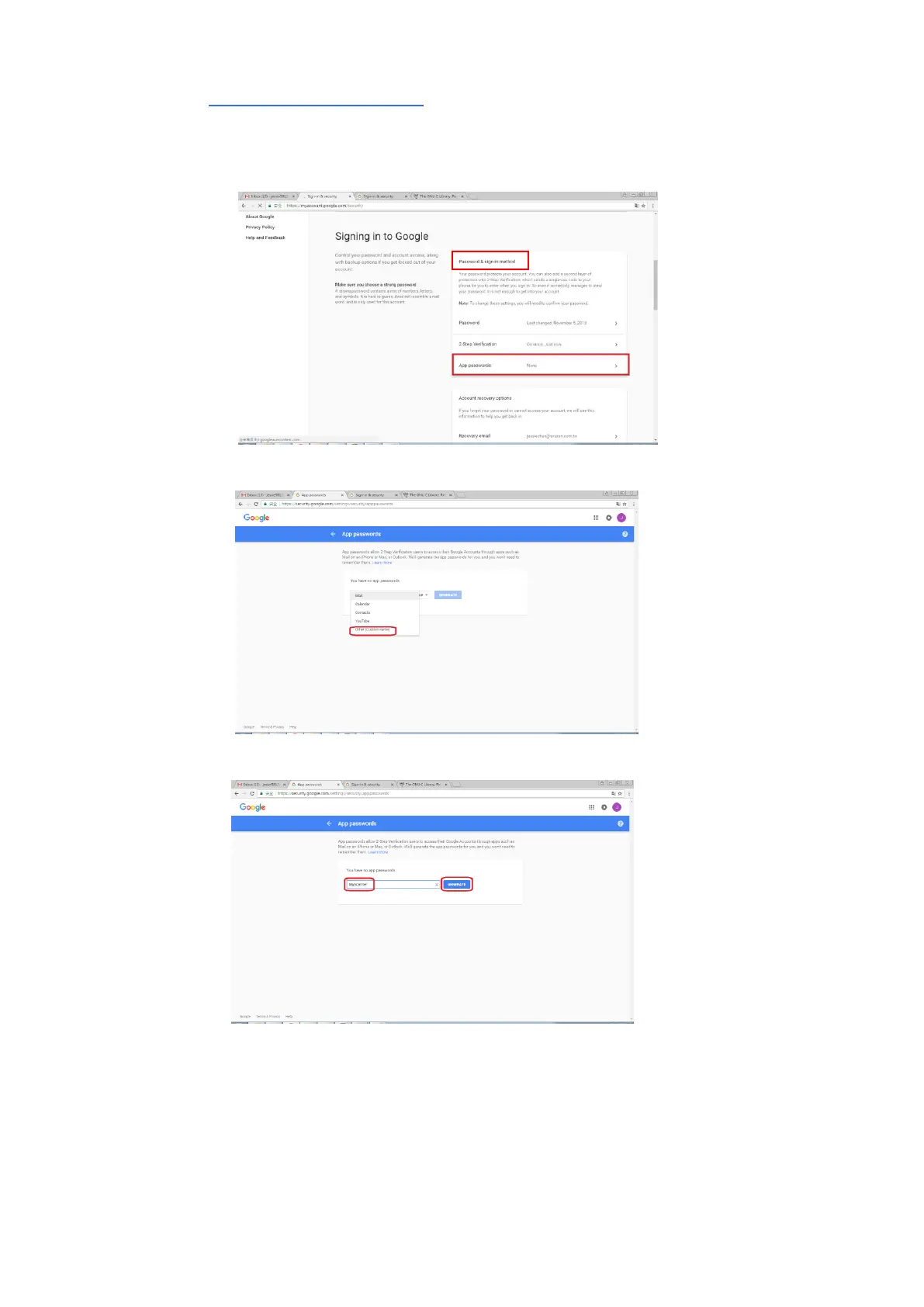
Generate App Password:
(a) Return to [Signing in to Google] screen, an additional item - [APP
passwords] will be added on the [Password & sign-in method] option as
indicated in below. Click [>] as shown in the red box.
(b) Choose [Other (custom name)] in the following screen.
(c) On the output device – MyScanner, click [GENERATE].
(d) The white text on the blue background is your app password for the
device. Make sure to copy the password first and then click [DONE].
Enter this password on the machine’s mail server setting.



 To Next Page