For Office365
Check if Connection Line is OK
To use office365, you must go through an external line and make sure if
connection is OK. The following is how to check if the connection is OK.
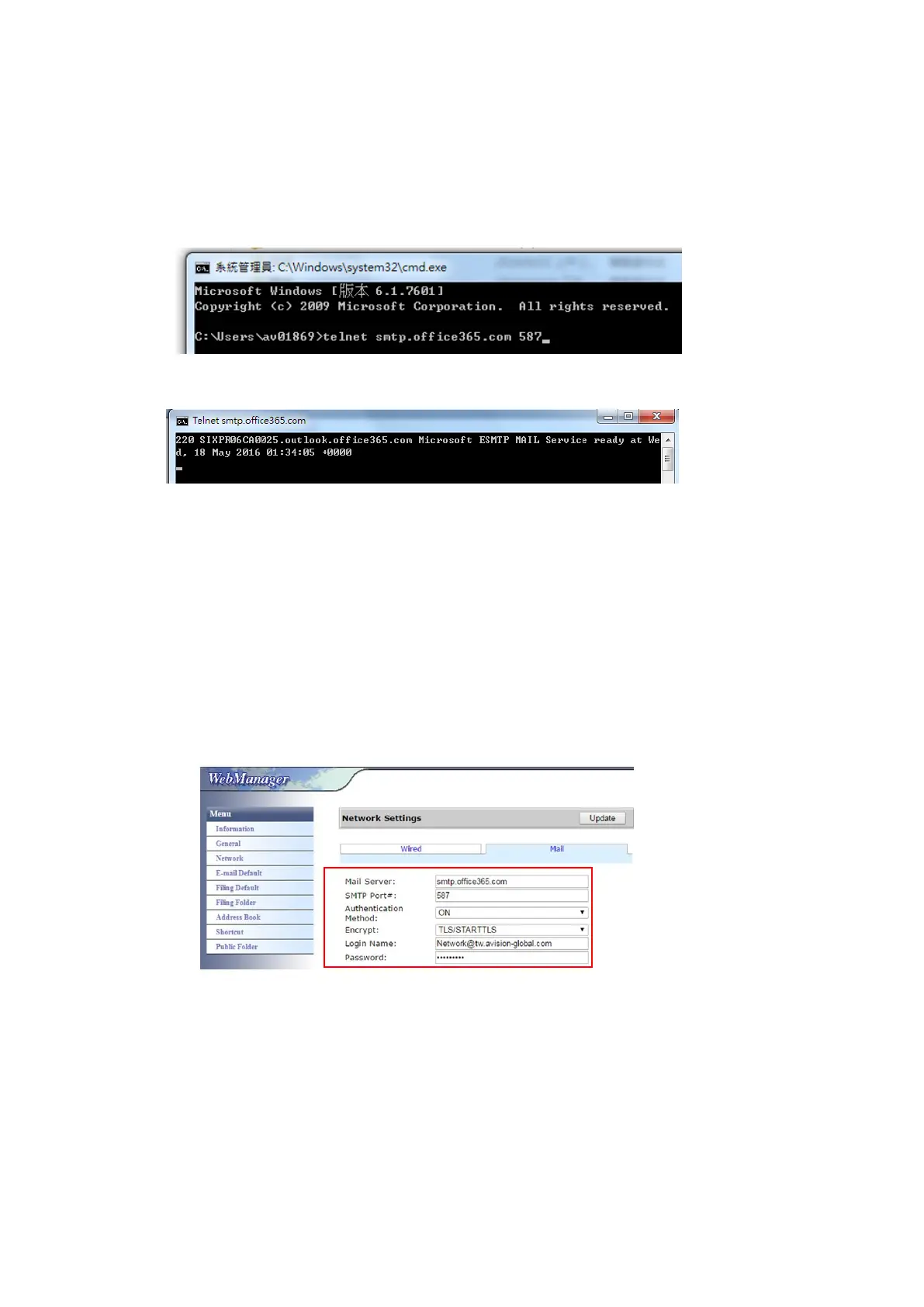
Take Option1 mail server as an example:
If successful, the following screen will be prompted.
The following link is a link to Office365. It contains informations for various
options. This document will explain Option1, Option2 and Office365 mailbox.
https://technet.microsoft.com/en-us/library/dn554323(v=exchg.150).aspx#option2
(a) Option1
1. This option can send mail to outside mailboxes such as Gmail or yahoo. This
method requires account and password login. The settings are:
Authentication: ON
Encrypt: STARTTLS
Port: 587
Mail Server: smtp.office365.com
Login Name : Network@tw.avision-global.com
Password : refer to Office365Pwd.txt
2. After completing the above setting, be sure to fill in the [From] field with
your Office365 account. On the machine’s touch panel, tap [E-mail]>[E-mail
Options] and then enter Office365 account in the [From] field as shown in
below.



 To Next Page