(2) Enable 2-Step verification to generate App Password for the
machine.
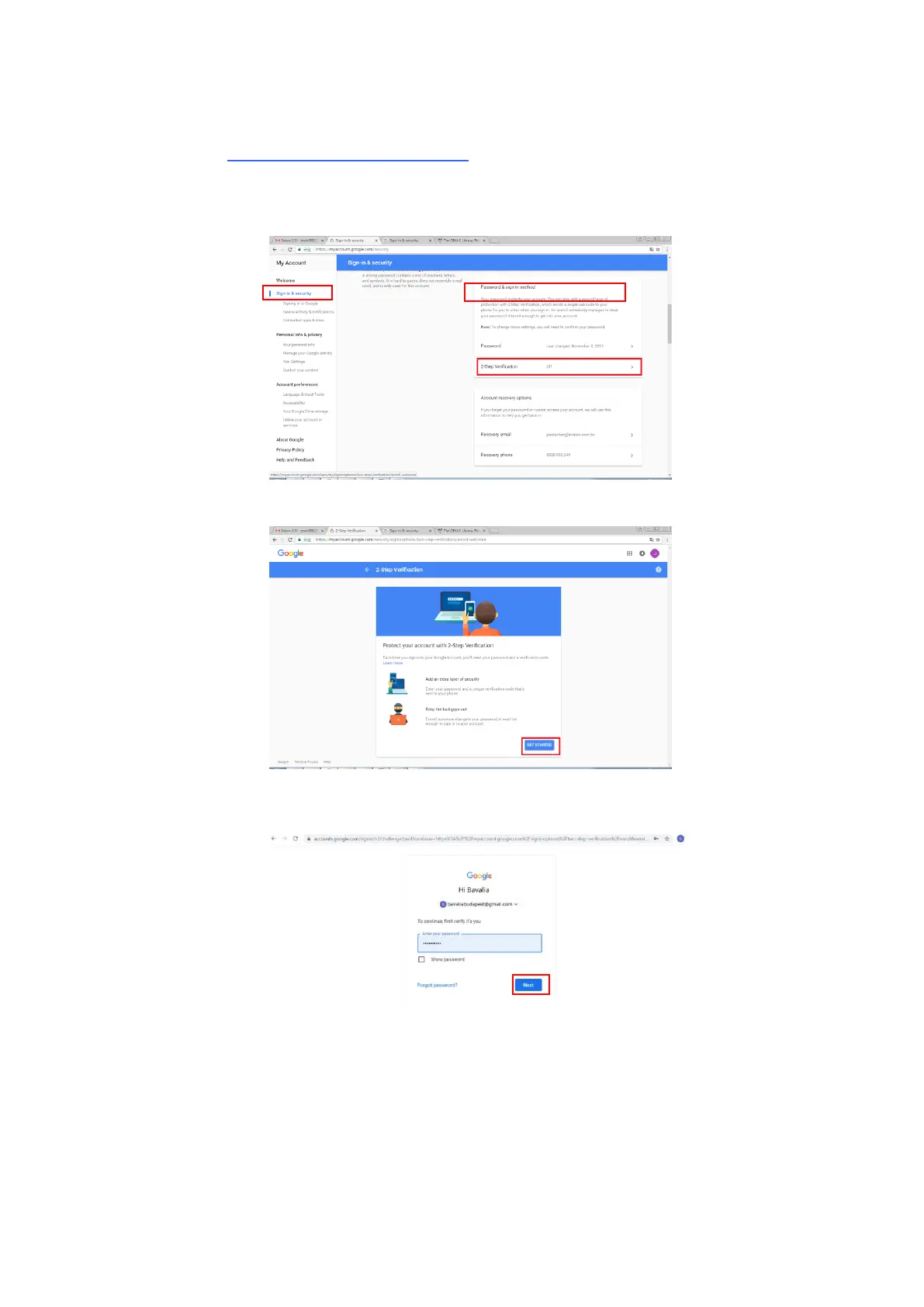
Turn on 2-Step verification:
(a) Click [My Account]>[Sign-in & security]>[Password & sign-in
method] in succession and then turn on [2-Step verification] as
indicated in below.
(b) Click [GET STARTED] when the following dialog box is prompted.
(c) Enter your password and click [Next] when the new login screen is
prompted.
(d) Enter your mobile phone number and then click [TRY IT] to get the
verification code.



 To Next Page