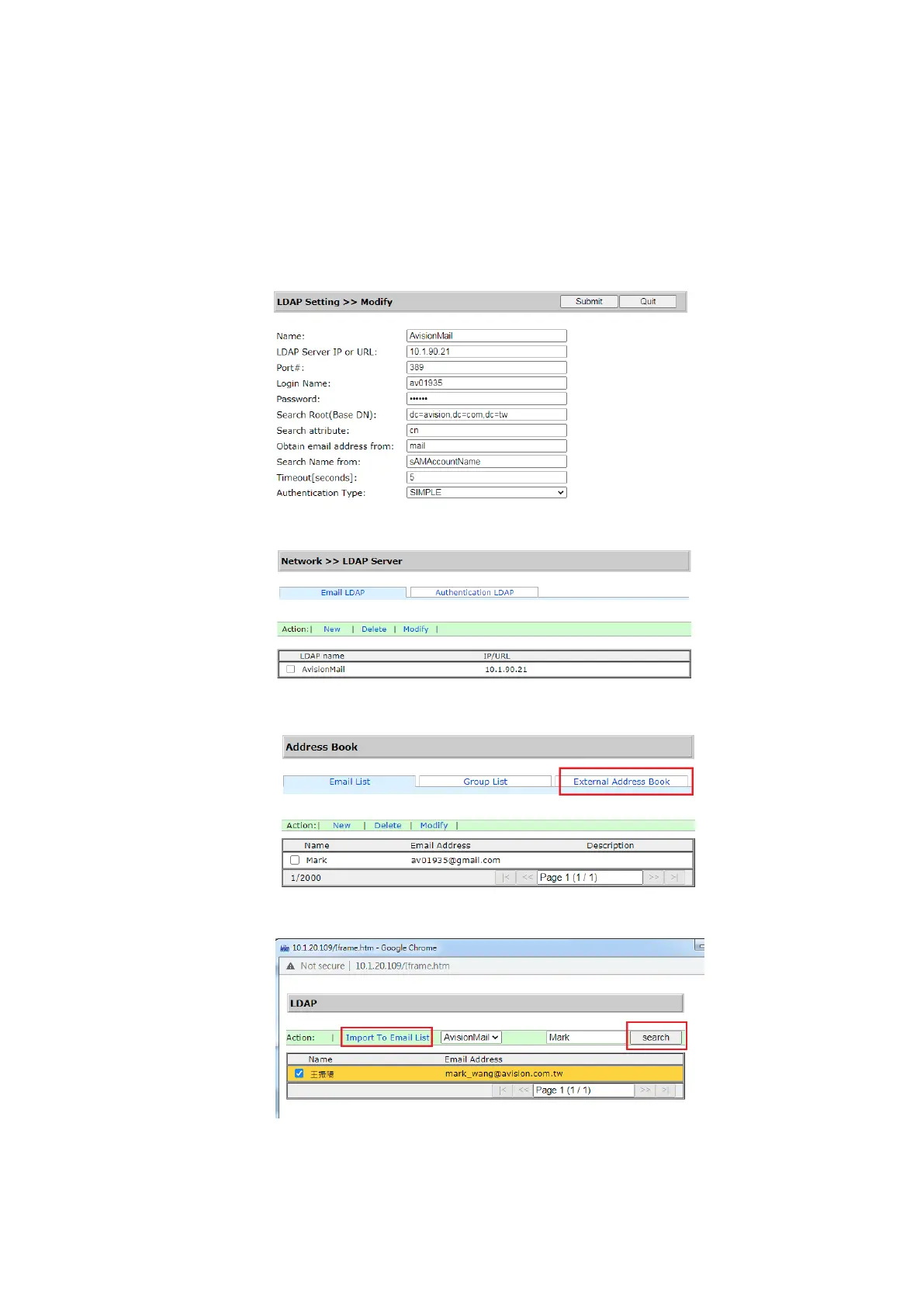
To import email address from LDAP Mail Server:
(1). Open your browser and type the IP address of the device on the
URL address. The webpage of the device appears.
(2). Login the webpage. (default user name and password: admin)
(3). Choose [Network]>[LDAP Server]>[Email LDAP] in succession.
(4). Enter your settings and click [Submit] to complete. Refer to the
following example.
(5). Then set a Mail LDAP.
(6). Choose [Address Book]>[External Address Book] in succession.
(7). Choose the Mail LDAP you have set.
(8). Search your account, and choose [Import to Email List].
(9). Finally, refresh your device’s webpage, you will see your e-mail has
been added to the address book from the LDAP Mail server.



 To Next Page