ENG
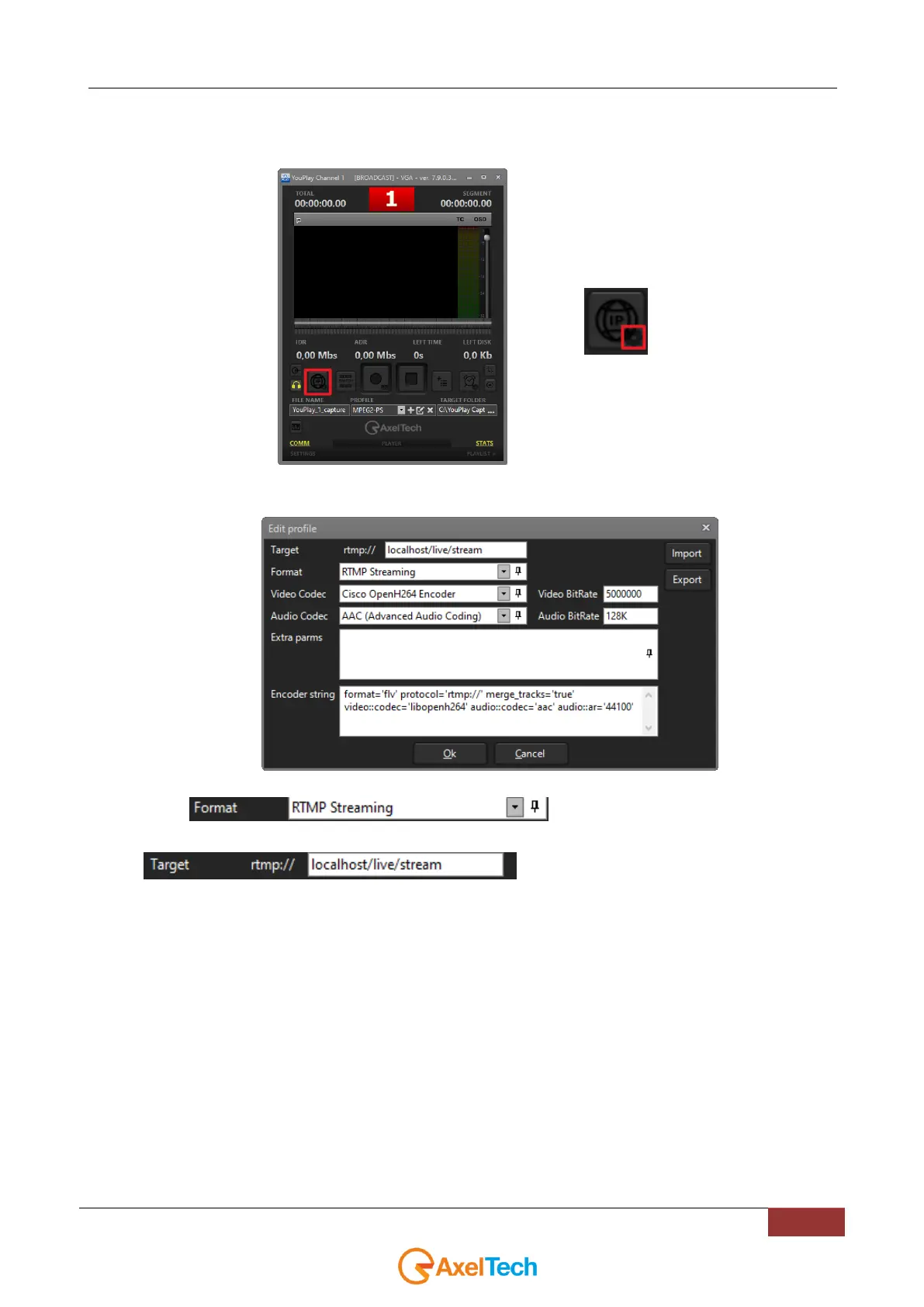
2. In the YOUPLAY RECORDER home page click the setting wheel from the bottom-right corner of the
IP STREAMING button as described by following pictures:
3. A window will appear to configure all rtmp streaming settings:
4. Select to start RTMP settings
5. in Target field type the desired rtmp url
following the syntax:
RTMP://”IPADDRESS”/live/”customized_stream_name”
instead of “IPADDRESS” type LOCALHOST if you want the RTMP server to be hosted on this
YOUPLAY instance.
Instead of “customized_stream_name” type the desired name to be assigned to the RTMP stream.



 To Next Page