ENG
_________________________________________________________________________________
: Both Axel Youplay (TV Production Playout) and XTV Suite (TV Automation) can be used to
host in their own PCs the RTMP server architecture. Both of them to use this feature use an
executable NGINX process.
In this way, the RTMP SERVER can be hosted by any reachable IP address where the NGINX process
is started.
To start NGINX server in the desired target PC, please be sure to have followed in that PC the
previous step n 1.
Now it is possible to type the related IPADDRESS of that target PC in Target – RTMP URL
parameter:
RTMP://”IPADDRESS”/live/”customized_stream_name”
________________________________________________________________________________
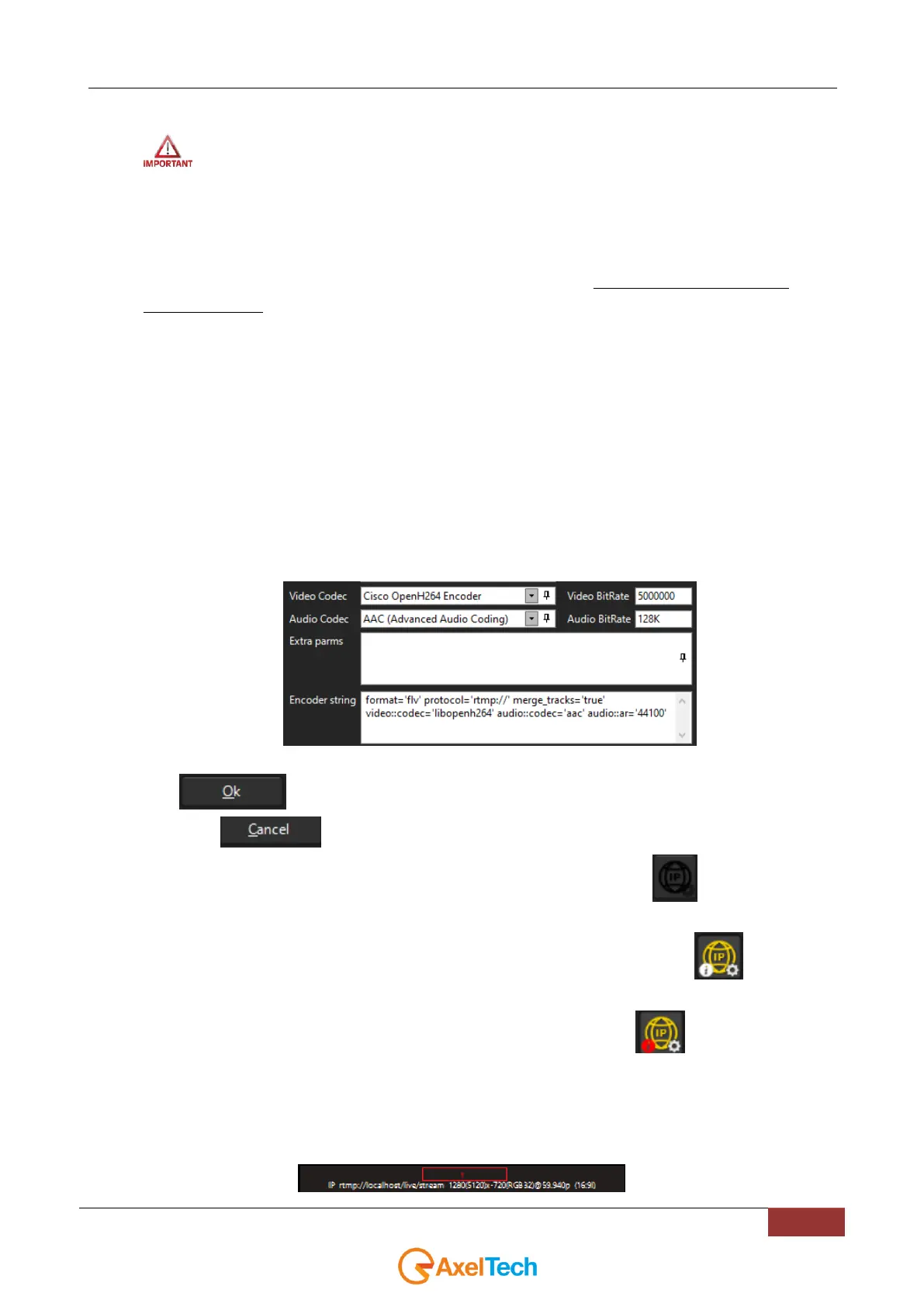
6. Sets all the desired format settings from the following parameters. Is it possible to choose between
many video and audio encoding combinations. Best quality will be reached with the parameters
displayed by the following picture:
7. Click to confirm settings changes
Or click on to discard all the changes
8. In the home page of YOUPLAY RECORDER click the IP STREAMING button to start the RTMP
streaming.
If the RTMP streaming has been correctly started the button will turn to yellow .
If some problem is detected in the RTMP streming the button will turn .
To solve the detected issues try to change the parameters properly.
Inside Axel Technology MXC – Multi Cross Converter (multichannel video cross converter) is possible to receive an
rtmp stream inside the desired channel. If an rtmp error is detected you will see the channel number (the red squared
one) turning red as described by the following picture:



 To Next Page