3: The xNode in depth • 14
© 2016 Axia Audio - Rev 2.0
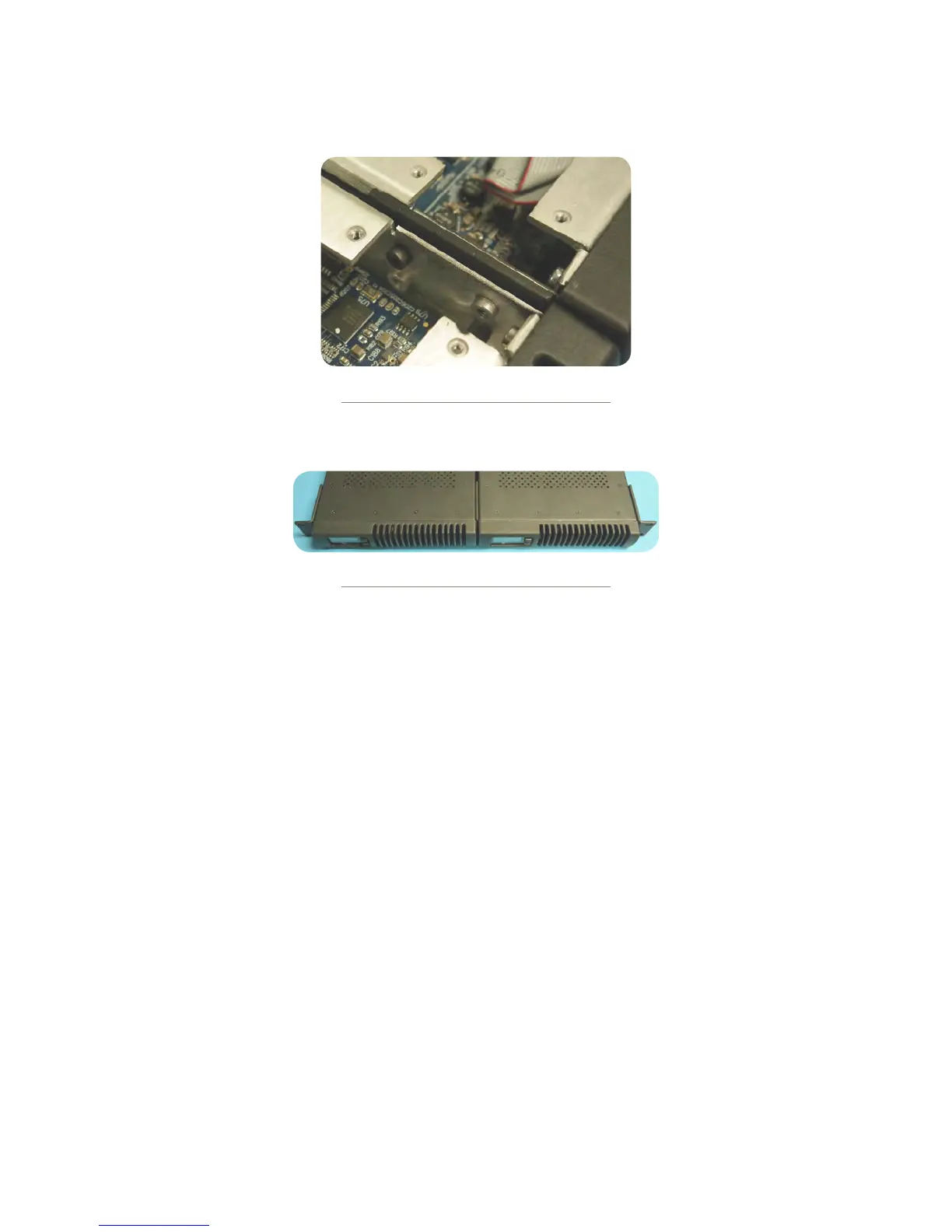
Use the four(4) screws provided to secure the two nodes together.
Figure 3-9b
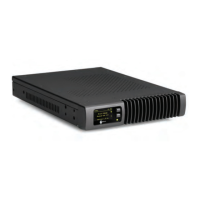
Replace the lids on the xNodes. Secure the short rack ears to either side of the two xNodes.
Figure 3-10
Web interface (System options)
The rst time an HTML request is issued to a xNode, a login and password is requested. The default authentication is:
Username: user
Password: (none)
Home
The home page shows system information and acts as the default page for xNodes.
Node ID (shown if ID assigned): An xNode can be assigned an ID which is used to assist with IP addressing and
channel numbering.
Software Version: The code version which is used by the xNode.
Temperature: The temperature reading of the internal sensor. Alarm status will appear if the temperature is above
acceptable limits.
Sync (in audio xNodes): A solid SYNC indication represents synchronization with the network.
Net1 and Net2: Shows the status of the xNode’s Ethernet ports and indicates which port is active.
Ofine Power and Power Over Ethernet: Status of power sources.
System Uptime: The amount of time since the last boot up.
The Home page also has a button, “Simple Setup”, which links to the Simple Setup page.


 To Next Page