C: AES67 • 52
© 2016 Axia Audio - Rev 2.0
AES67 Unicast Setup
Each Source of an xNode can be congured as a multicast sender, or unicast port supporting a single listener/
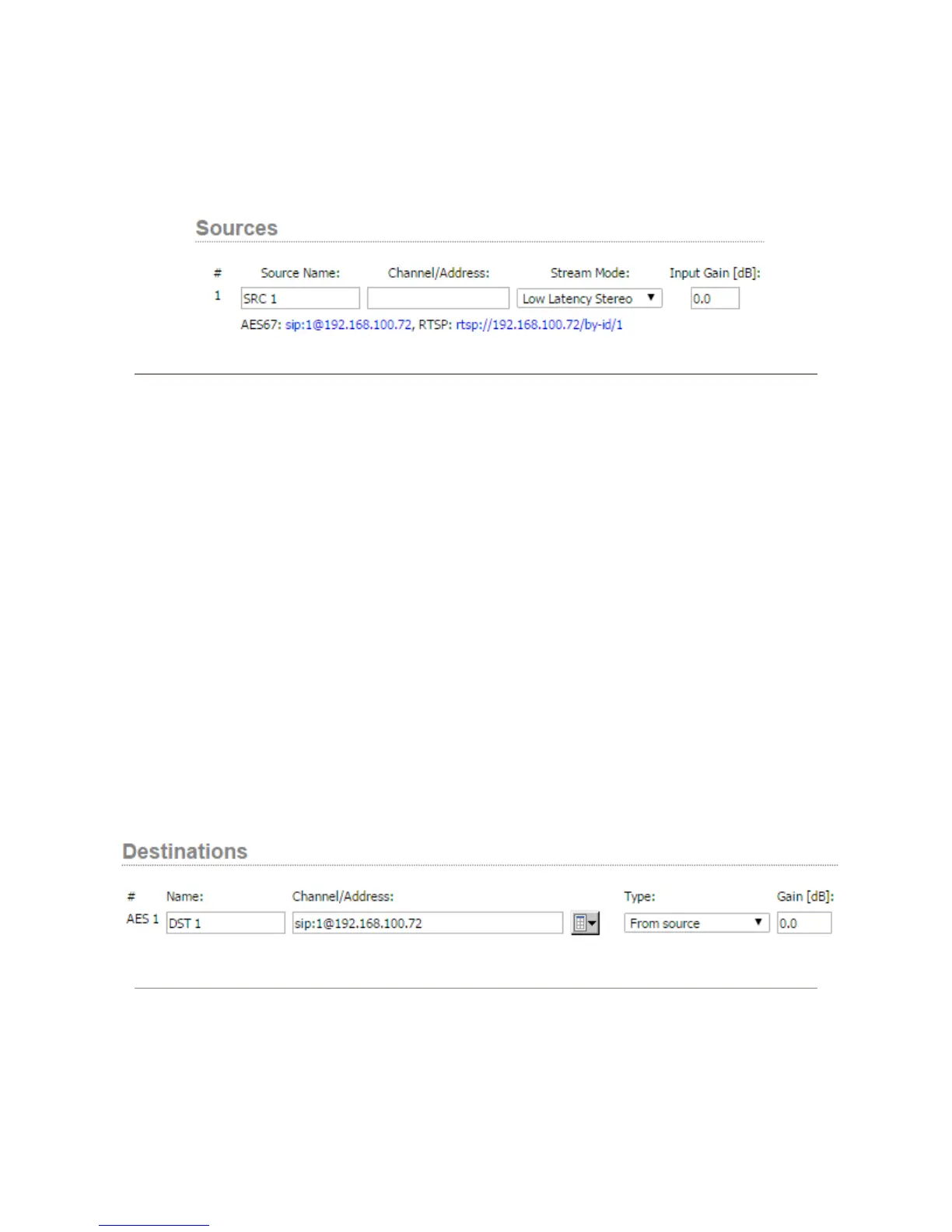
receiver. Unicast conguration is achieved by clearing the Channel/Address eld in the Source page setup.
Figure App-3: Example of source conguration for unicast mode.
The media stream is accessed using a SIP URI (Session Announcement Protocol Uniform Resource Identier). It
contains “sip:” prex, followed by Source/Destination port number, ‘@’ sign and IP address of the node.
The xNode provides the address on the Sources WEB page so it can be copied conveniently. This can be found next
to the AES67 text. In the gure 3 example, the text to be copied is sip:1@192.168.100.72.
In Unicast mode, Source accepts SIP connections. There are a few possible scenarios:
• Receive only connection (SIP Invitation with recvonly attribute specied in the SDP block). After answering,
xNode will start sending stream to the originator of the connection. Media format follows current Source
conguration.
• Send only connection (SIP Invitation with sendonly attribute specied in the SDP block). After answering,
xNode will start receiving the stream which can be 16 bit or 24 bit with channel count from 1 to 8. This type of a
connection required the corresponding Destination to be not congured (empty Channel/Address) eld.
• Bidirectional (default SIP invitation). xNode will receive and send. The media format must be 24 bit. This type of
a connection required the corresponding Destination to be not congured (empty Channel/Address) eld.
In order to setup AES67 Unicast stream receive, enter the SIP URI stream address in Channel/Address eld of a
destination.
Figure App-4: Example of unicast receive setup


 To Next Page