3: The xNode in depth • 18
© 2016 Axia Audio - Rev 2.0
Master Node Clock Timebase: The default is to use the internal 48kHz clock present in the xNode for network
synchronization. If there is good reason to use an external source, you would select the other option. It is suggested
to maintain the default (AES/EBU xNode and mixed xNode).
Mute AES Output: An option for turning off the digital AES/EBU stream if no network stream is received.
Livewire Advertisement Slot: An option to dene a specic time slot in which the node will send advertisement
information to the network. The default is 0, random. In extremely large facilities, it is possible for several nodes to
randomly become synced in this function. This condition can create jitter issues leading to audio clicks. To resolve
this, each device would need a unique slot value. For most facilities, the 0 value will be suitable.
Live Audio / Clock Streams: These options dene the tagging of the packet for Live Audio and clock. Don’t
modify these settings unless instructed to do so by Axia Support.
AES67 / Standard Audio Streams: These options dene the tagging of the packet for streams that are not the
Live Audio streams. These should only be adjusted by personnel that understand the options, or by instruction
from Axia support.
Meters (Audio xNodes)
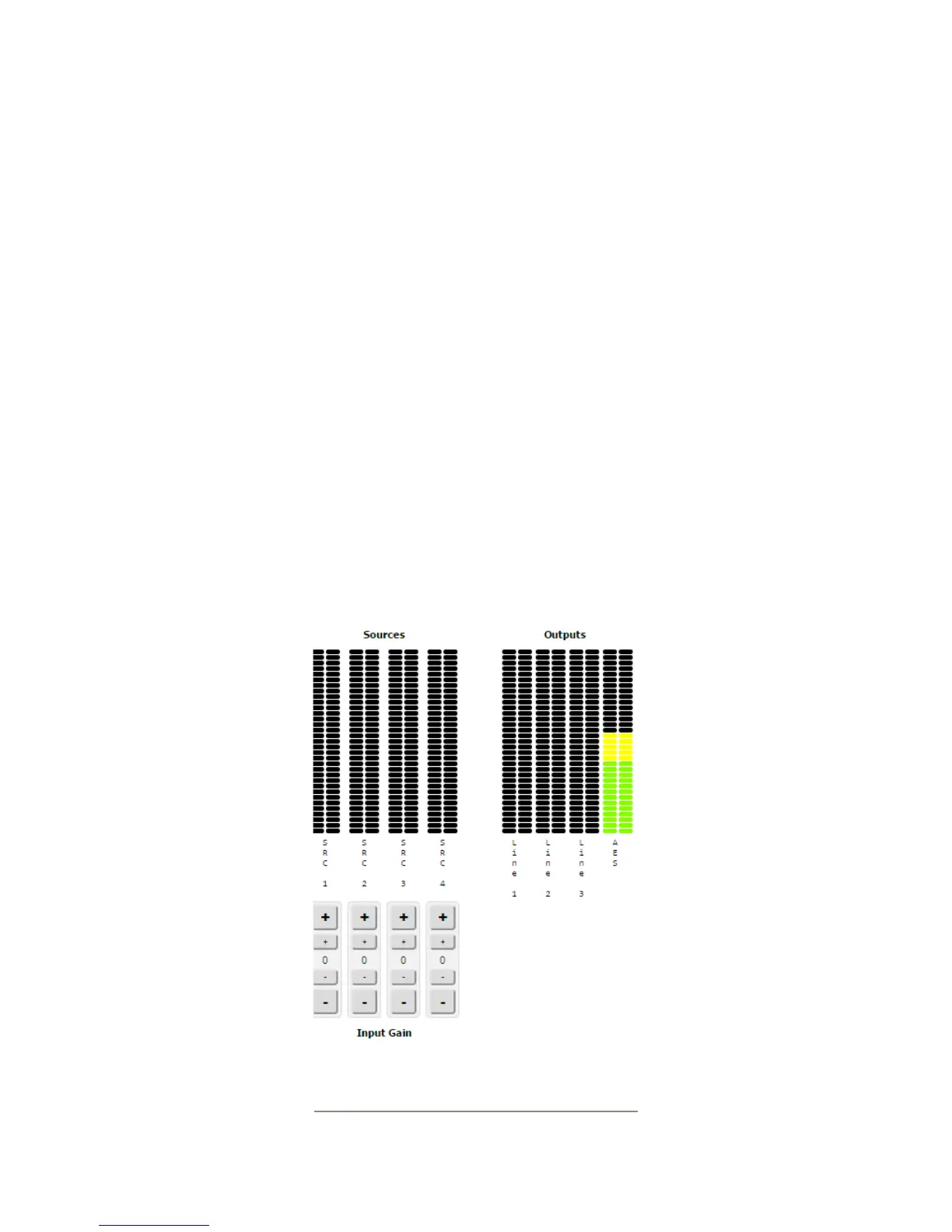
The meter page uses a Java script to provide real time meter representation of the audio at the inputs and outputs.
The meter page shows a stereo channel or a mono channel based on the conguration of the xNode and the amount
of channels enabled. The meters are represented in dBFS. Below the meters are gain adjustment buttons which allow
for 1dB adjustment (Large button) and 0.1dB adjustment (Small button).
Figure 3-12


 To Next Page