Introducing the xNode • 4
© 2016 Axia Audio - Rev 2.0
Microphone
Four Microphone inputs and four stereo analog line-level outputs available on RJ45 or DB-25 connector. Pinout
information is available in Chapter 6.
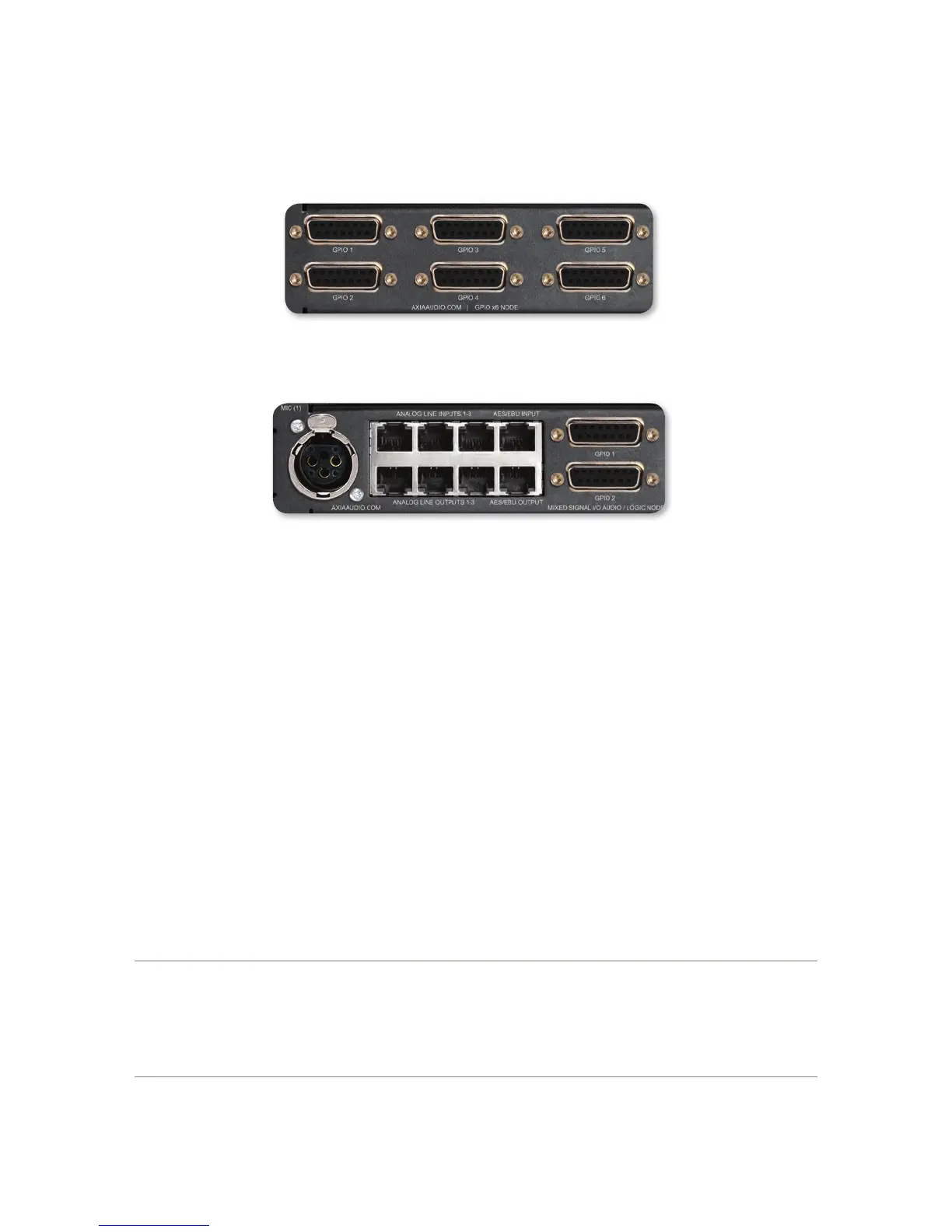
GPIO
6 DA-15 ports, each with 5 Opto Inputs and 5 Opto Outputs. Pinout information is available in Chapter 7.
Mixed Signal
1 Mic/Line Analog Input
2 Analog Line Inputs
1 AES-3 Input
3 Analog Line Outputs
1 AES-3 Output
2 GPIO Ports, each with 5 inputs and 5 outputs.
Chapter 8 covers pin outs of the mixed xNode.
HTML Interface
xNodes provide basic conguration from the front panel interface. Further setup or maintenance is available through
an HTML interface (otherwise known as a web interface). Accessing this interface requires a PC that is on the same
network as the xNode and has an IP address within the same subnet. Using a web browser, the IP address of the
xNode is typed into the URL request eld. Upon accessing the device, an authentication process is required.
The default username and password are:
Username: user
Password: (none)
What is meant by subnet?
In this text, the term subnet is used to designate the network portion of an IP address. An IP address,
192.168.1.15, has a network prex and a host number. Where one ends and the other begins is dened by
the subnet mask. A common class C network will have a “netmask” of 255.255.255.0. Compining these two
values, 192.168.1.15 255.255.255.0 denes the network prex (subnet) as 192.168.1 and denes the host
number as 15. So two devices within the same subnet would have the same prex, but required to have
different host numbers. 192.168.1.15 and 192.168.1.25 for example.


 To Next Page