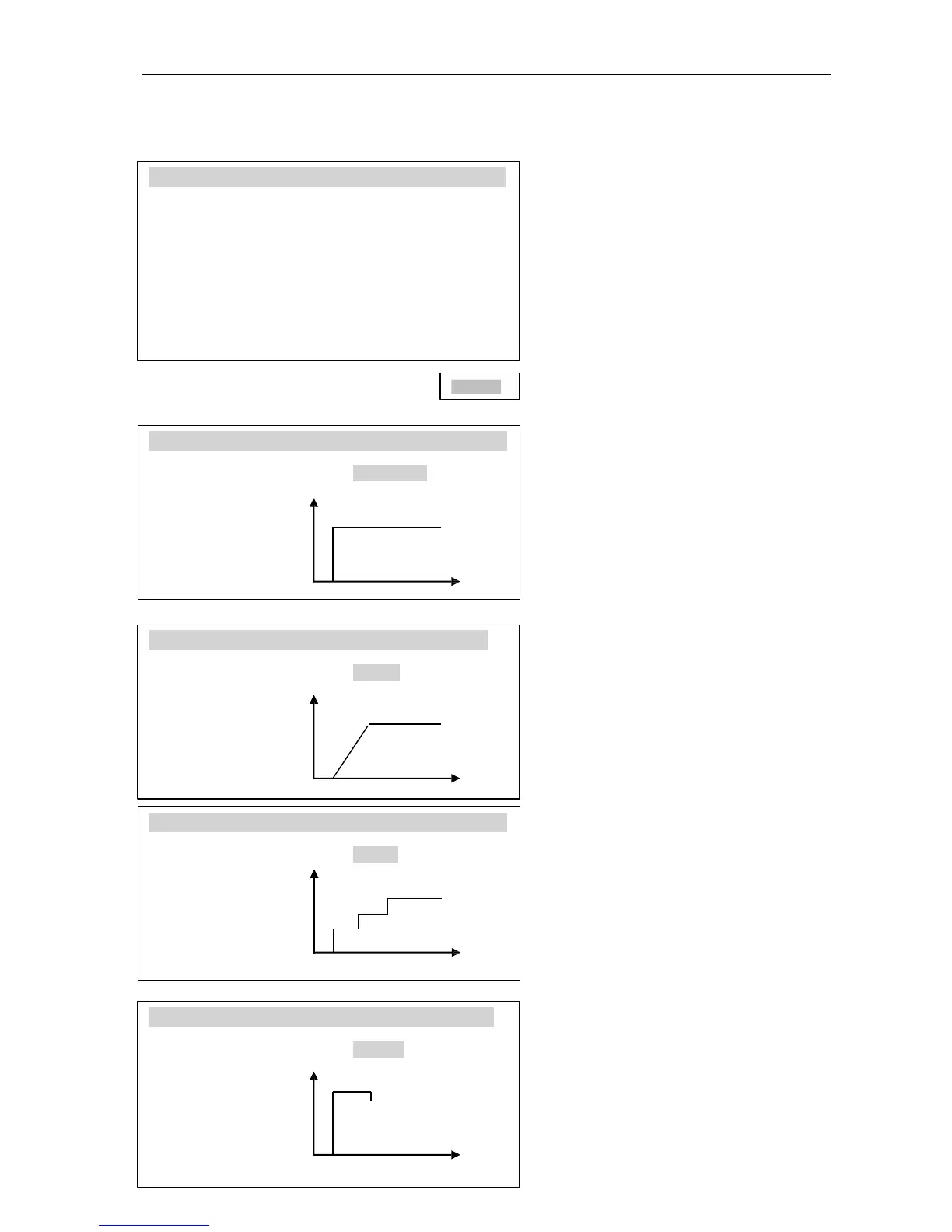
11.4.1 Drying profiles
DRY
ING
PROF
IL
ES
1. Drying temp. : 120C
2. Mode : Short mode
3. Calculation : m0-m/m0*100%
4. Samples quantity : 2 samples
5. Sampling interval : 10s
6. Drying time : 0:10:00s
7. Drying profiles : standard
8. Settings storing : 1
9. Temp. correction
ENTER
DRY
ING
PROFI
L
ES
Drying profile : <standard>
T=120C T
Exit
Drying profile will be used to
optimization of drying process by
accommodation a process to
physical properties of sample
material.
Step or slow profile can be used to
oxidizing or surfaces thicken
materials. Quick profile can be used
to immune materials.
Profile chooses and his parameters
should be the result of experience
with the test material.
120
C
Selected a drying profile by ENTER
key, choose a adequate profile
(standard, slow, step or quick) and
t
set a temperature (T) and time (t)
value.
DRY
ING
PROFI
L
ES
Drying profile : <slow>
t1=100s T
Exit
120C
t1
DRY
ING
PRO
FIL
ES
Drying profile : <step>
t1=100s
T1=60C T
t2=100s 120C
T2=90C
Exit t1 t2
t
DRY
ING
PROF
IL
ES
Drying profile : <quick>
t1=100s
T1=140C T T1
Exit 120C
Caution:
The ending temperature can be
setting on Standard profile or Setting
(Main menu) only
t1
t
.



 To Next Page