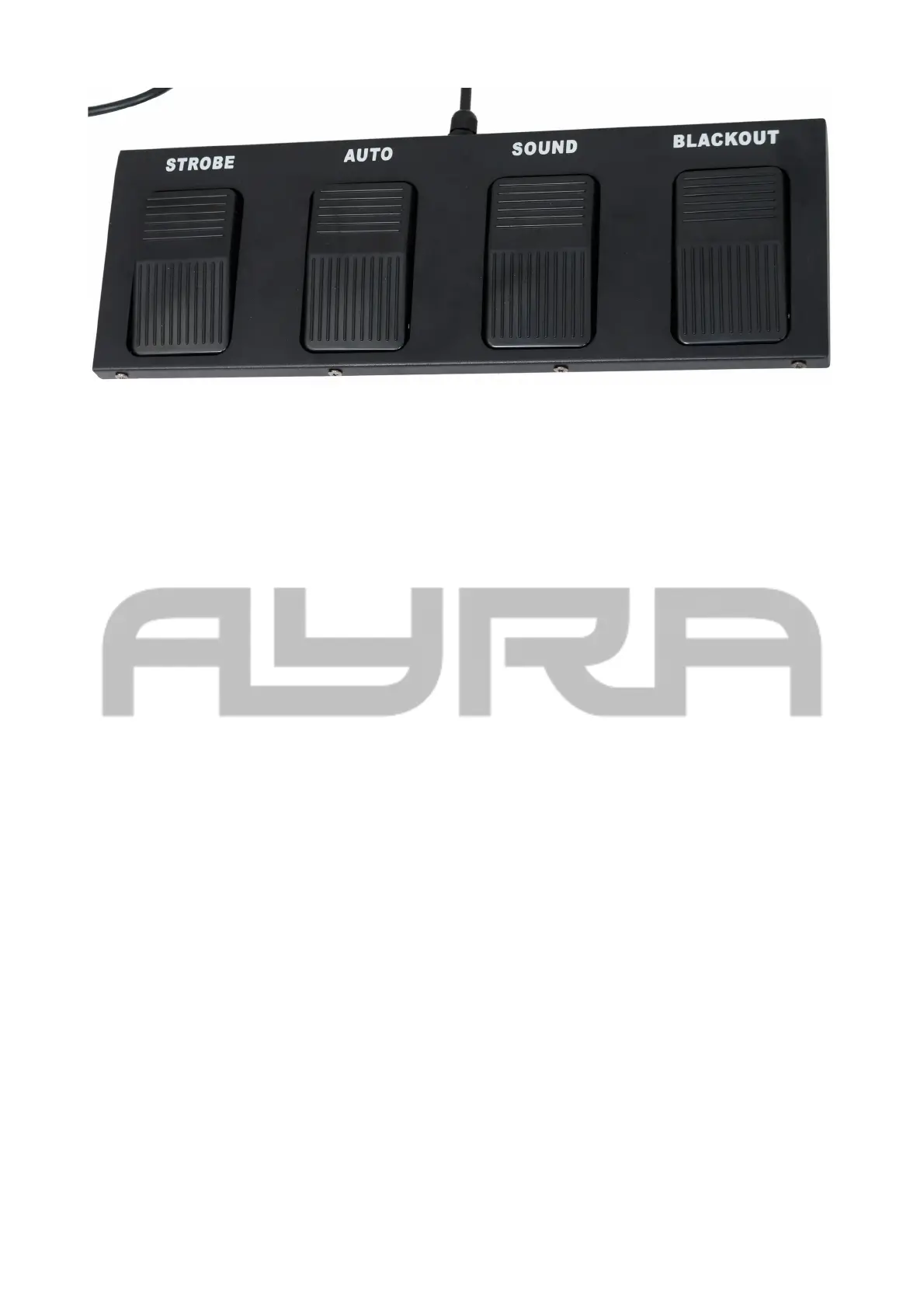
Strobe: Holding the button down will result in all of the effects turning white and flashing quickly to create a
strobe effect. Releasing the button again will stop the strobe effects.
Auto: Pressing the Auto button will select one of the built-in programs.
Sound: Pressing the Sound button will activate the device's sound-controlled mode, but it can also be used
to adjust the speed of automated shows. Once the highest speed has been reached, the device will switch
back to sound-controlled mode. Pressing the Sound button again will then switch it back to the automated
show at the slowest speed.
Blackout: Pressing the Blackout button blocks the output from the entire light set. Pressing the Blackout
button again cancels the Blackout allowing the light show to resume.
Operating modes
The following overview is designed to show the differences between the various operating modes that are
supported by the menu functions mentioned above.
Auto:
In Automatic mode, you are choosing one of the operating modes where the device is not dependent on
external factors (such as a controlling signal or sound). Choose one of the basic programs and set options
such as speed, if desired.
Sound:
When in Sound mode, the device's internal microphone detects music and reacts to the beat. The device will
move in sync with the music and provide an automated light show.
When there is no music for the device to detect or when only high frequencies are audible, the device will
continue its program at a slower pace, so the light show will not stop abruptly. As soon as the microphone
detects music again, it will resume the automated program and follow the beat.
Slave
In Slave mode, you can daisy-chain multiple devices of the same type so they all function a specific way.
This allows you to have a coordinated light show with multiple devices moving the same way instead of in
different directions, which can look chaotic. In principle, you can connect an unlimited number of slave
devices to a master device, but a DMX booster will also be required somewhere in between. Generally
speaking, you can connect up to four fixtures together without the need for a DMX booster.
The information in this user manual is subject to change at any time without notice.
Version:
1.0
Date of creation and author's initials:30-04-2018 RV Revision date and author's initials: -


 To Next Page