18
CAL zero, depth from transducer.
CAL positive, depth from waterline.
CAL negative, depth from keel.
NOTE: If the CAL LOCK is set then the CAL value cannot be
changed. Consult your B&G dealer for advise.
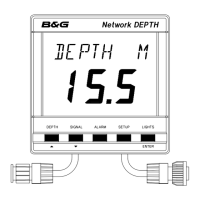
Press DEPTH key
to display depth
datum CAL.
Press SETUP key
to display current
datum value. The
display will flash.
Press ENTER to
adjust the datum
value. The value
will flash.
Use ! or " to
adjust the value.
Press ENTER to
memorise the new
value.
Press DEPTH to
display the depth
datum.
SETTING THE DEPTH DATUM



 To Next Page