7
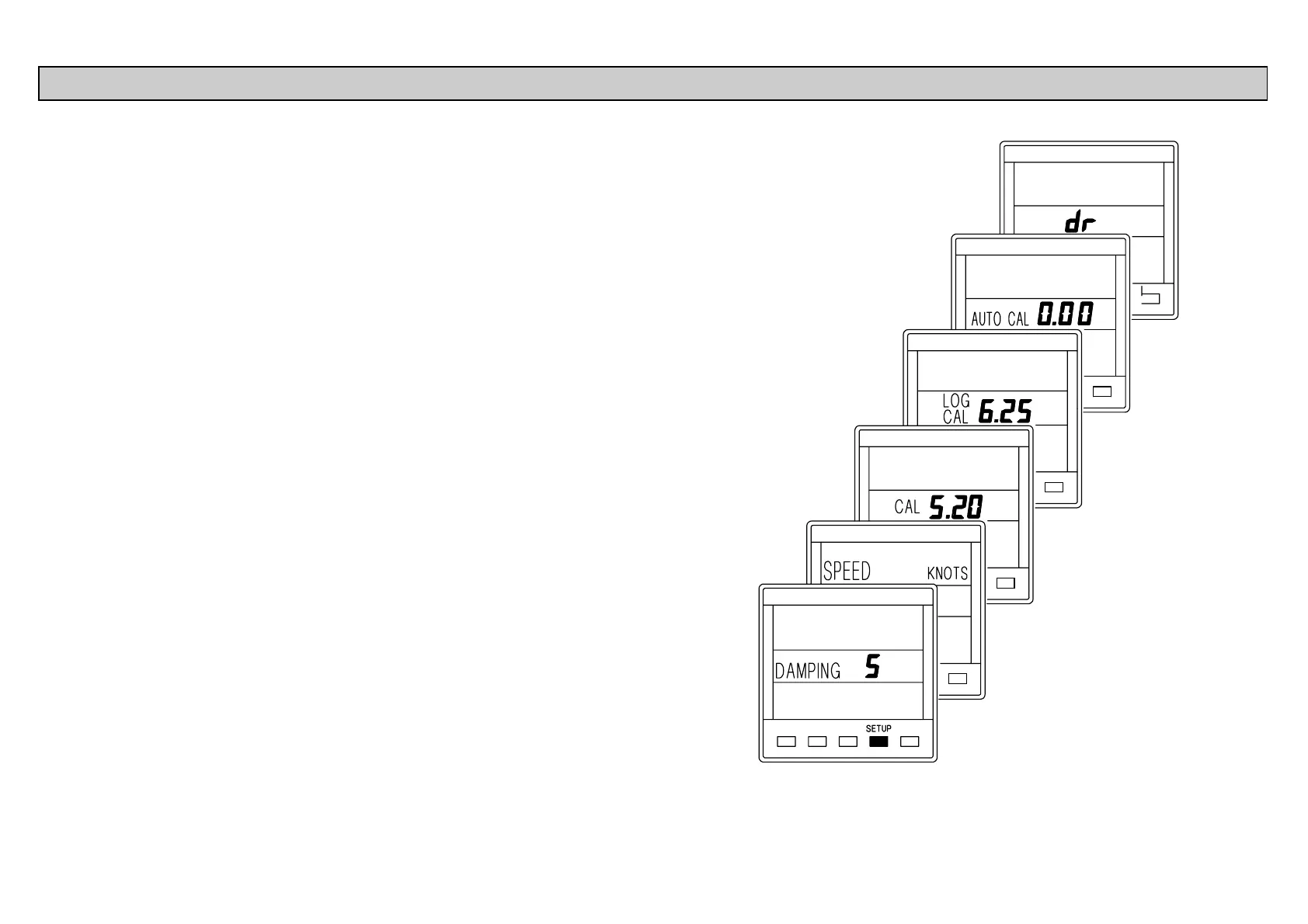
When current boat speed is displayed, press the SETUP key
to cycle through the following options:
DAMPING The response time of the display to
changes in boat speed.
SPEED
KNOT
The boat speed can be displayed in Knots
or MPH. This setting also changes the log
units to Nautical or Statute Miles.
CAL Manual boat speed and log calibration.
LOG Manual boat speed and log calibration.
CAL
AUTO CAL Automatic boat speed and log
calibration.
dr Reset Dead Reckoned Distance.
When in SETUP mode:
The SPEED key becomes the UP key !
The LOG key becomes the DOWN key "
The LIGHTS key becomes the ENTER key.
The procedures for using the SETUP options are on the
following pages.
CALIBRATION AND OPERATING PARAMETERS



 To Next Page