13
GET STARTED
Hardware Interface
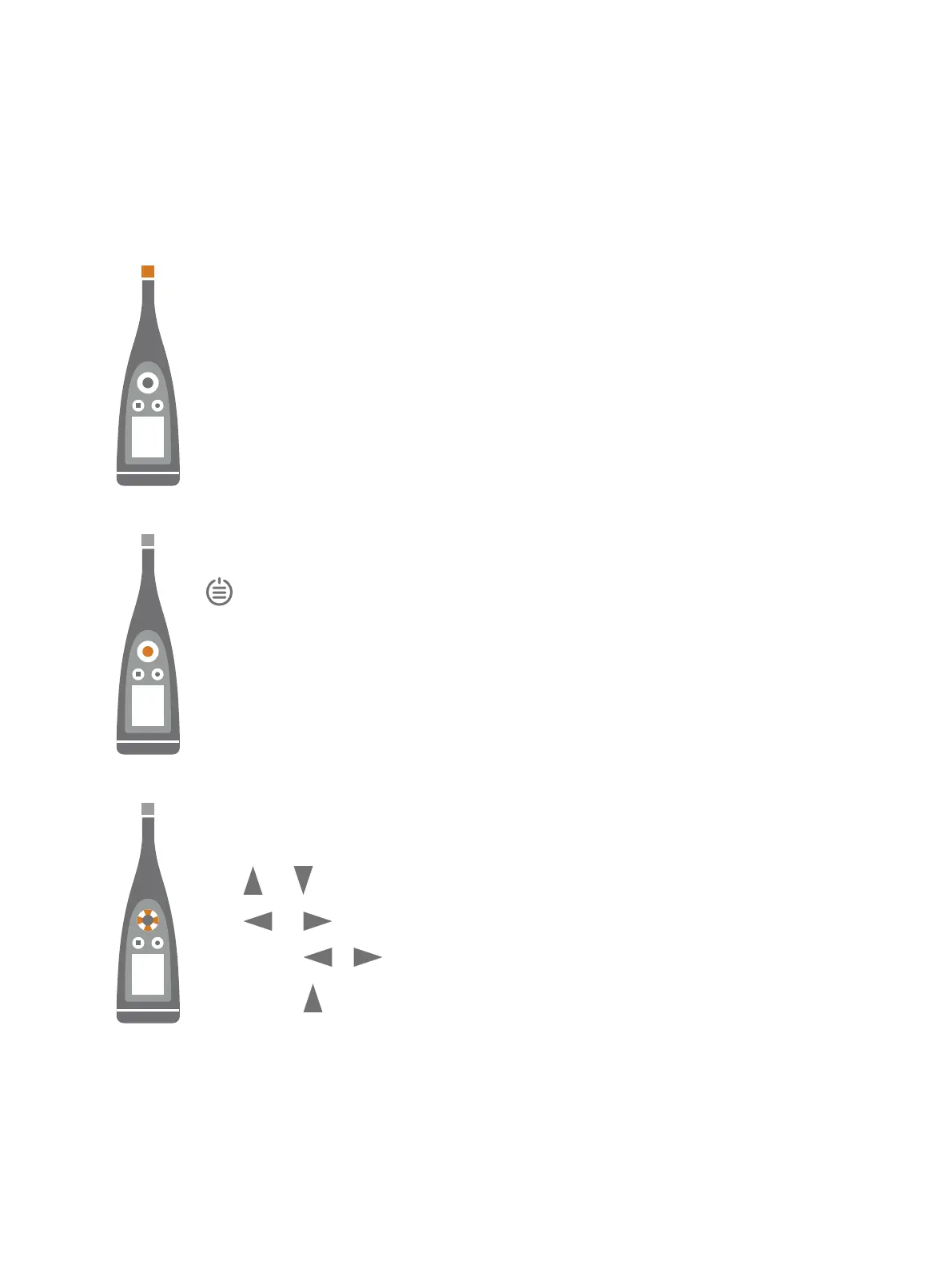
The microphone is at the top of the instrument.
is the power/menu/reset button.
Press and hold the button to power the instrument on or off. When the instrument is on, press the but-
ton briefly to open the menu. If the instrument becomes unresponsive, press and hold the button for
approximately 30 seconds (remove cables first).
The arrow buttons scroll through measurement displays, auto-zoom graphs, move cursors and nav-
igate the menu.
Press and briefly to scroll through measurement displays.
Press and briefly to scroll through the parameters for each display.
Press and hold or to move the cursor on the Spectrum and Profile displays.
Press and hold to auto-zoom the Y-axis on the Spectrum and Profile displays.
Get Started: Hardware Interface



 To Next Page