35
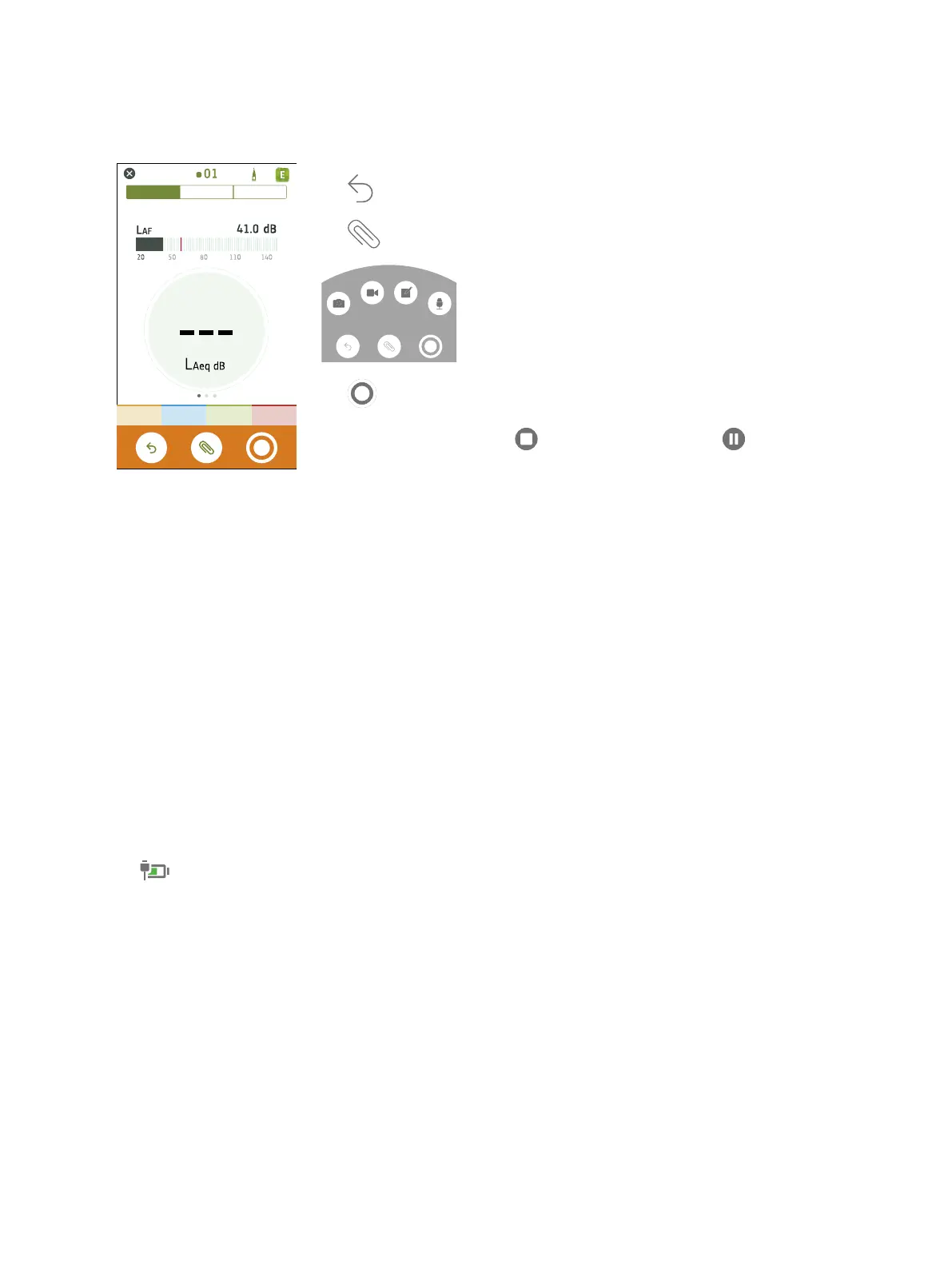
Tap to reset the instrument for the next measurement.
Tap to open the annotation menu.
Tap to start a measurement.
During a measurement, slide to the right to stop or slide to the left to
pause.
Charge the Battery
The instrument has an internal Lithium-ion rechargeable battery.
Approved Power Sources
l Mains
l Base station (the base station is powered via mains)
l Computer
l Power bank
Procedure
1.
Connect the instrument to a power source.
indicates that the battery is charging with a readout of the percentage charged.
2.
Disconnect the power source to stop charging.
Get Started: Charge the Battery



 To Next Page