19
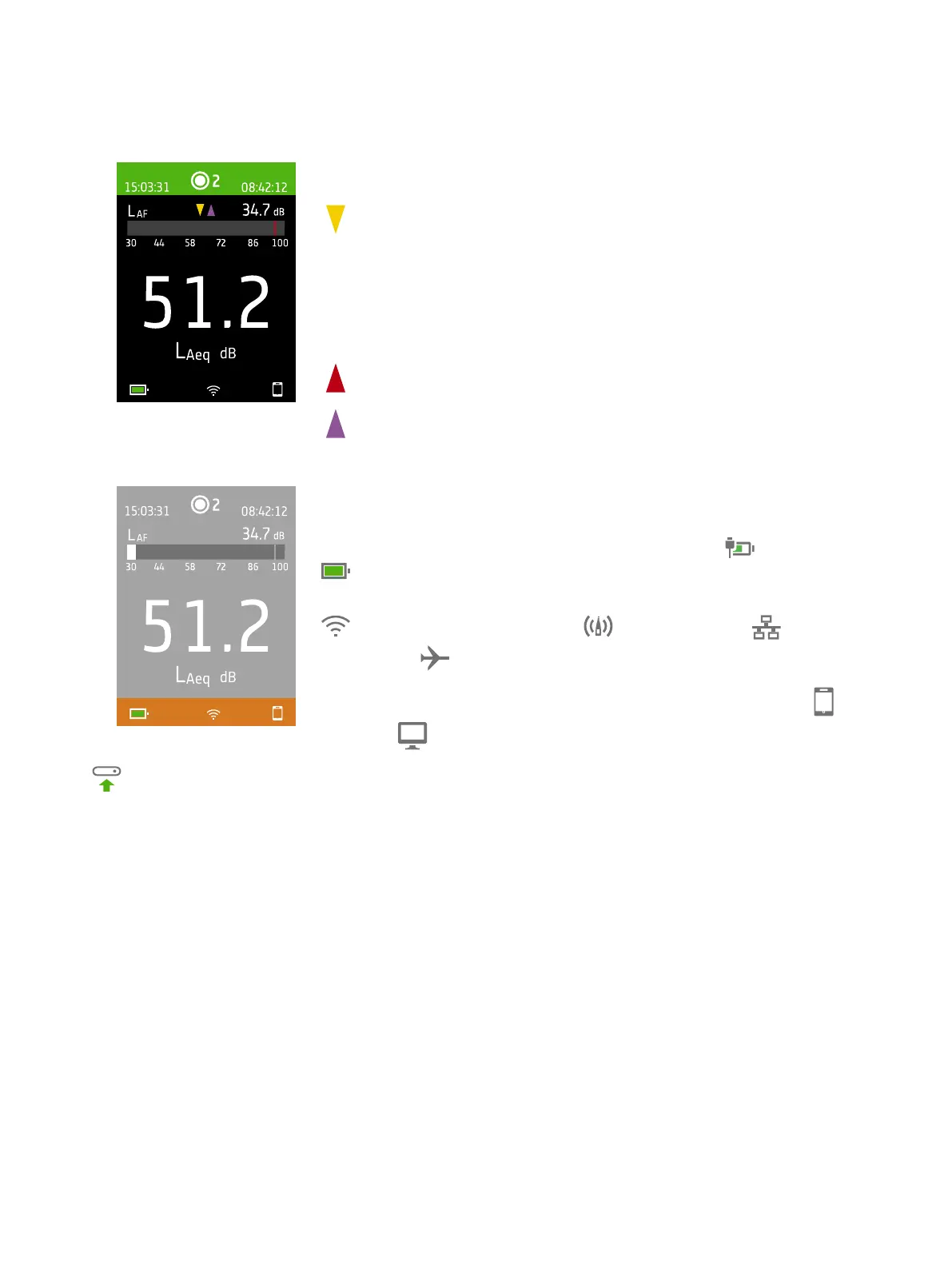
For very low or very high sound levels, you will see indicators.
: Indicates a signal that is under the measurement range.
Overload occurs when the signal is over the measurement range. There are two
types of overload indicators: latched and instantaneous. The latched-overload indic-
ator is triggered at the first instance of overload and persists until the instrument is
reset. The instantaneous-overload indicator is triggered every time the signal is over
the measurement range.
: Indicates instantaneous overload.
: Indicates latched overload.
The bottom region provides information about the system: battery, network, and
connectivity status.
The battery icons show the status of the battery. For example, (charging) or
(full).
The network icons show the current network settings and its status. For example,
(connected to a wireless network), (acting as a hotspot), (Ethernet
connection) or (aeroplane mode).
The connectivity icons show you to which app the instrument is connected:
(mobile) or (PC).
indicates that a backup is in progress.
Get Started: Instrument GUI



 To Next Page