COMMAND/KEY DEFINITION
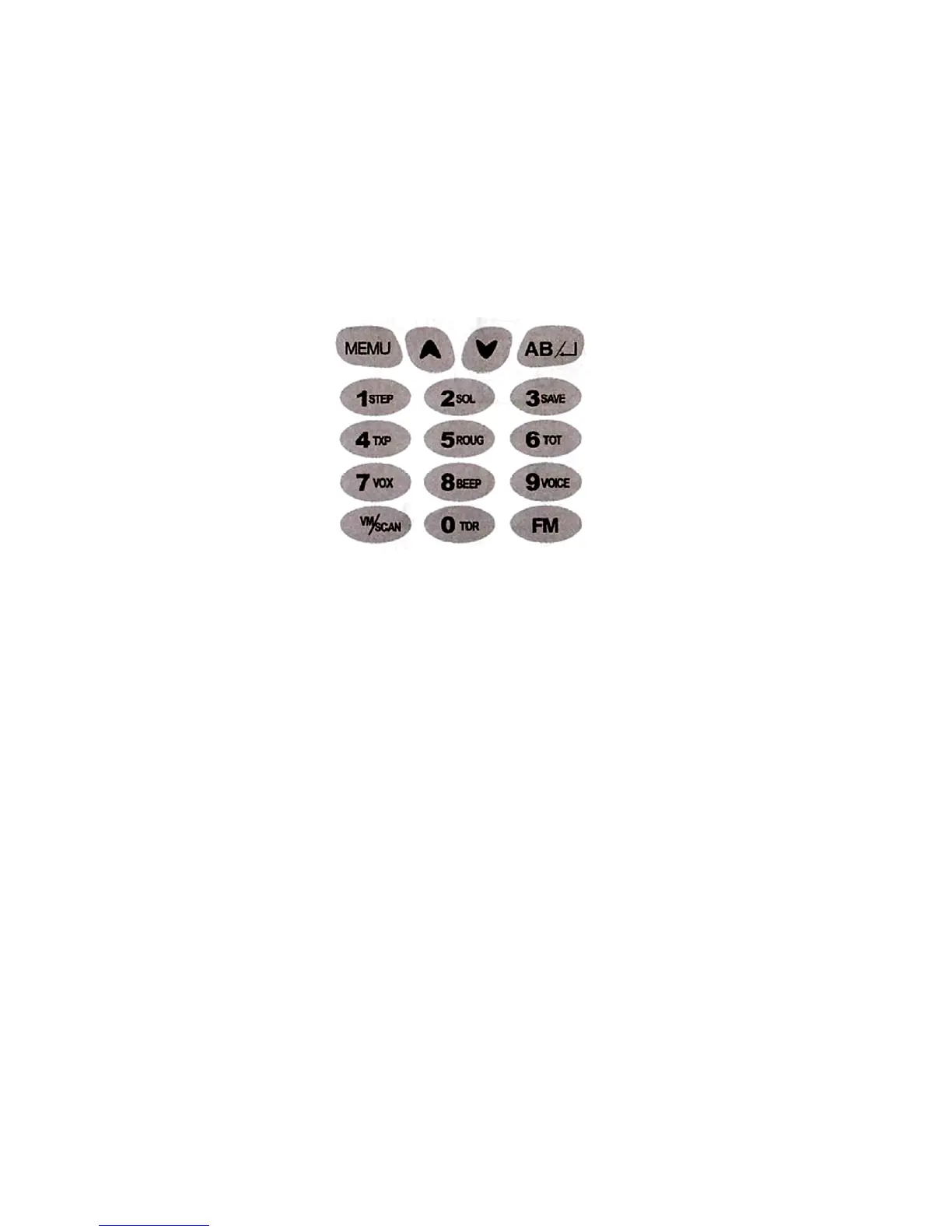
[MENU] KEY
1. Press [MENU] key, then press [UP] or [DOWN] key to choose each menu. All
menu parameters and channel saving are confirmed by pressing [AB/] key.
2. Press and hold on [MENU] key for 2 seconds, to lock the keypad or unlock the
keypad.
[UP]/[DOWN] KEY
1. Press and hold [UP] or [DOWN] key for frequency/channel up or down fast.
2. Under scanning mode, press [UP] or [DOWN] key, the scanning will be opposite.
[AB/]
- While come into menu, press [AB/] key, to set all menu parameter.
- Under VFO/Channel mode, press [AB/] key, to switch Frequency A/Channel A and
Frequency B/Channel B.
FM
- Press [FM] key to turn on the FM radio.
- Press and hold on [FM] key to delete the stored FM radio channel.


 To Next Page