ADVANCED OPERATION
Follow the steps below to enable or disable this feature:
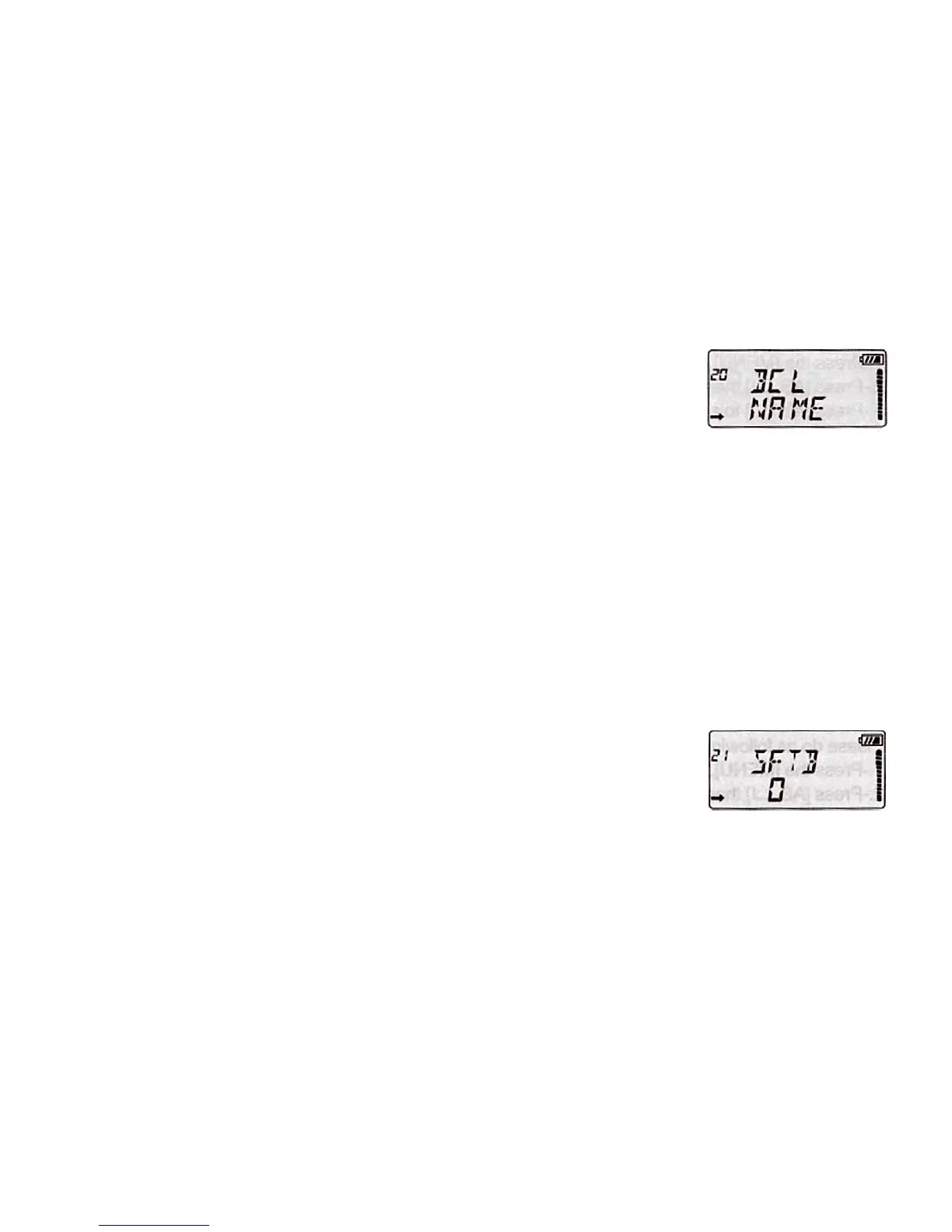
1. Press the [MENU], then press [UP]/[DOWN] to select the Menu 20 "BCL".
2. Press [AB/], then press [UP]/[DOWN] to set ON/OFF.
3. Press [AB/] to save the setting.
4. Press [MENU] or any numeric key to exit.
21. DIRECTION OF FREQUENCY SHIFT "SHIFT"
When communicating via a repeater, the direction of displacement of frequency
should be timed to the displacement of the transmission frequency is higher or lower
than the receiving frequency, example:
If we want to make a communication through amateur radio repeater whose
frequency input is 145,000 MHz and 145,600 MHz is output, we select the "OFFSET"
of the previous section in 0600 and the direction of travel "SHIFT' programmed to [-],
so the transceiver will always 145,600 MHz in frequency and when you press [PTT]
to transmit transceiver, the frequency will automatically move to 145,000 MHz
Set the frequency offset, using the following procedure Under VFO mode.
1. Press the [MENU], then press [UP]/[DOWN] to select the Menu 21 "SHIFT".
2. Press [AB/], then press [UP]/[DOWN] to select 0/-/+
3. Press [AB/] to save the setting.
4. Press [MENU] or any numeric key to exit.
Note:
- When [0] the frequency of reception and transmission will be the same.
- When [+] the transmission frequency is above the receiving frequency according to
"OFFSET" programmed.
- When [-] the transmission frequency is below the reception frequency according to
"OFFSET" programmed.


 To Next Page