ADVANCED OPERATION
Perform the following procedure to enable or disable this feature:
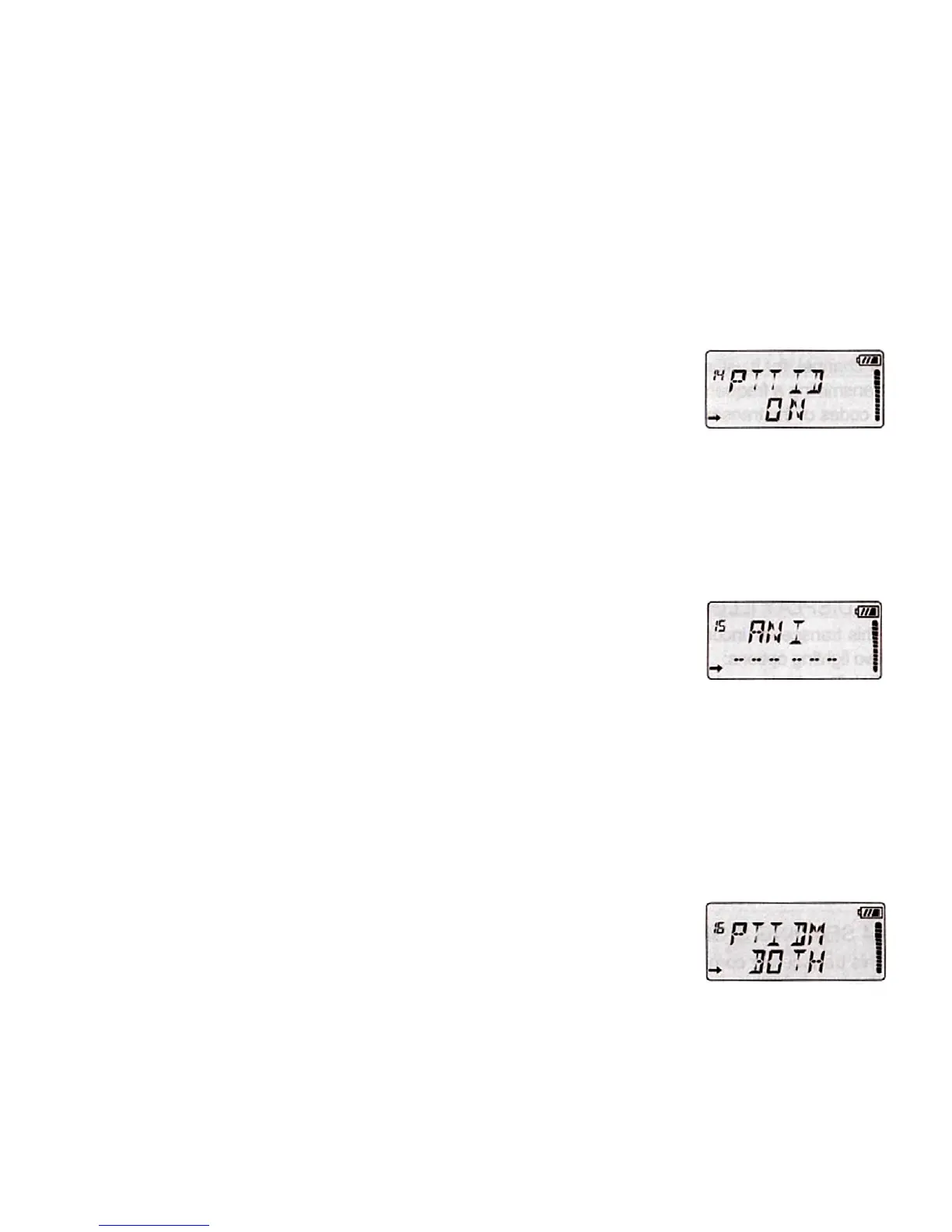
1. Press the [MENU], then press [UP]/[DOWN] to select the Menu 14 "PTT ID"
2. Press [AB/], then press [UP]/[DOWN] to select OFF/ON.
3. Press [AB/] to save the setting.
4. Press [MENU] or any numeric key to exit.
15. AUTOMATIC NUMBER IDENTIFICATION "ANI"
ANI (Automatic Number Identification) is also known as PTT ID because an ID is
transmitted when the PTT button of the radio is pressed and/or released. This ID tells
the dispatcher which field radio was keyed. Follow the steps below to set ANI code:
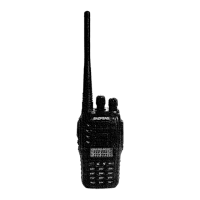
1. Press the [MENU], then press [UP]/[DOWN] to select the Menu 15 "ANI".
2. Press [AB/], then press [UP]/[DOWN] to select from (0-9 A-F), press #9 to set
next digit, press #7 to set previous digit.
3. Press [AB/] to save the setting.
4. Press [MENU] or any numeric key to exit.
16. MODE OF TRANSMITTING SIGNAL CODE "PTIDM"
There are three different ways to send the signal code:
BOT: Push the [PTT] to send signal code.
EOT: Release the [PTT] to send signal code.
BOTH: Push or release the [PTT] to send signal code.
Follow the steps below to select different way to send code:
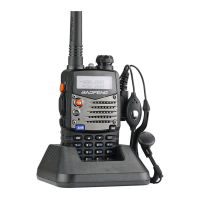
1. Press the [MENU], then press [UP]/[DOWN] to select the Menu 16 "PTIDM".
2. Press [AB/], then press [UP]/[DOWN] to select OFF/BOT/EOT/BOTH.
3. Press [AB/] to save the setting.
4. Press [MENU] or any numeric key to exit.


 To Next Page