R5900049 /07 ClickShare CSE-80092
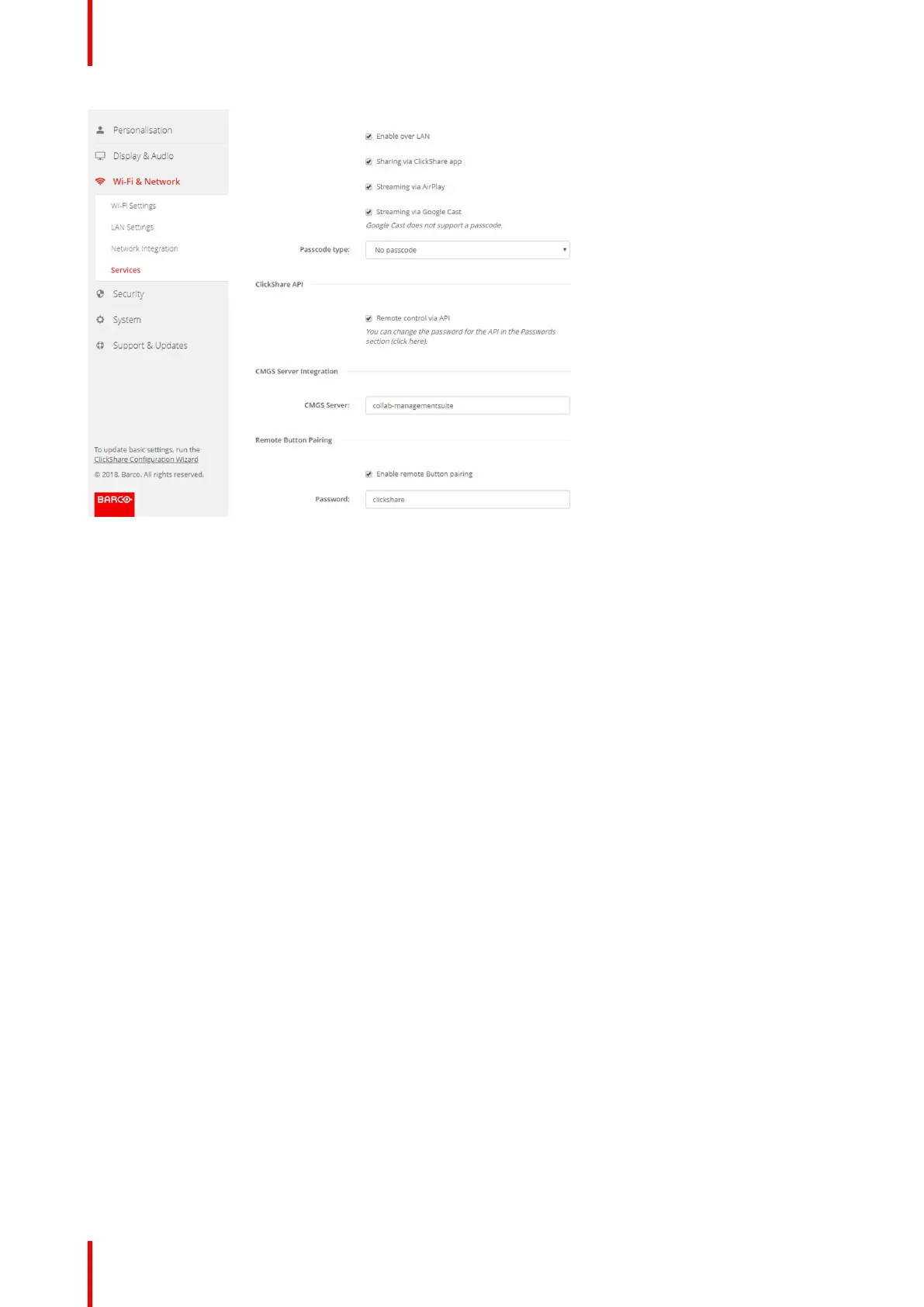
Image 6-40: Service, Remote Button pairing
4. Check the checkbox in front of Enable remote Button pairing.
Checked: remote Button pairing is activated. A password should be entered to start the remote pairing from
the Button Manager.
Not checked: remote Button pairing is desactivated.
5. Click in the input field next to Password and enter a password.
6. Click Save changes to apply the settings.
6.22 Security, compatibility
About the compatibility of Buttons
For Buttons with certificate (R9861500D1): this function allows Buttons with certificate to be paired with
devices without certificate (CSC-1 and CSM-1).
For Buttons without certificate (R9861006D01): this function allows Buttons without certificate to be paired
with Base Units with certificate (CSE-200 and CSE-800).
Consider the following remarks:
• For CSE-200, software release V1.3.0 or higher is required. For CSE-800, software release 1.1 or higher is
required.
• These buttons can only be paired when security level 1 is set.
When changing the security level to 2 or 3, a warning message will be display : “This change requires an
update of the Button security settings. Please re-pair the Buttons with the Base Unit to transfer the change
in security settings.”
How to activate
1. Log in to the Configurator.
2. Click Security → Compatibility.
CSE-800 Configurator


 To Next Page
 Loading...