K5905271 /16 Display Controller
13
2. DisplayPort #2
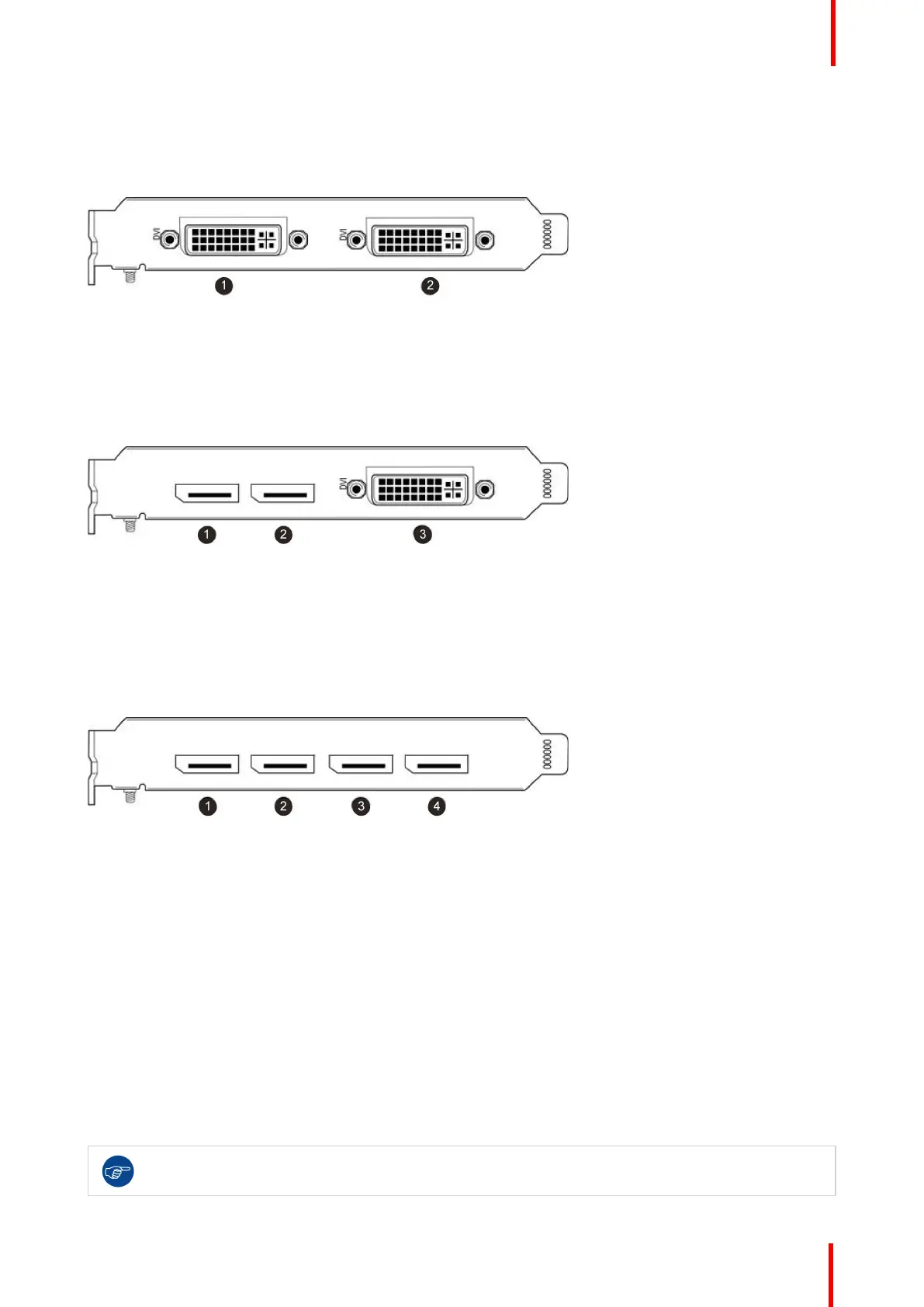
IO-Panel for the Barco MXRT-5450 & MXRT-5550
Image 2-6: MXRT-5450 & MXRT-5550
1. Head 1- DVI-I Connection
2. Head 2- DVI-I Connection
IO-Panel for the Barco MXRT-4500, MXRT-5400, MXRT-5500 & MXRT-7400
Image 2-7: MXRT-4500, MXRT-5400, MXRT-5500 & MXRT-7400
1. DisplayPort #1
2. DisplayPort #2
3. DVI-I
IO-Panel for the Barco MXRT-5600, MXRT-7500 & MXRT-7600
Image 2-8: MXRT-5600, MXRT-7500 & MXRT-7600
1. DisplayPort #1
2. DisplayPort #2
3. DisplayPort #3
4. DisplayPort #4
For displays with native DisplayPort input, use a native DisplayPort cable to connect the DisplayPort output of
the Display Controller to the DisplayPort input of the display. You cannot connect the DVI output of a Display
Controller to the DisplayPort input of a display.
2.5 Dongles
About
Barco dongles are designed to allow Barco Display Controllers with a DisplayPort connector to a display with
only a DVI input. All current Barco displays support direct DisplayPort connection.
If video cable conversion is not required, you may bypass this section.
Display Controller installation



 To Next Page